



Official | documentation | Demo |
aaPanel is a simple but powerful hosting control panel, it can manage the web server through web-based GUI(Graphical User Interface).
- one-click function: such as one-click install LNMP/LAMP developing environment and software.
- save the time: Our main goal is helping users to save the time of deploying, thus users just focus on their own project that is fine.
Demo:https://demo.aapanel.com/fdgi87jbn/
username: aapanel
password: aapanel
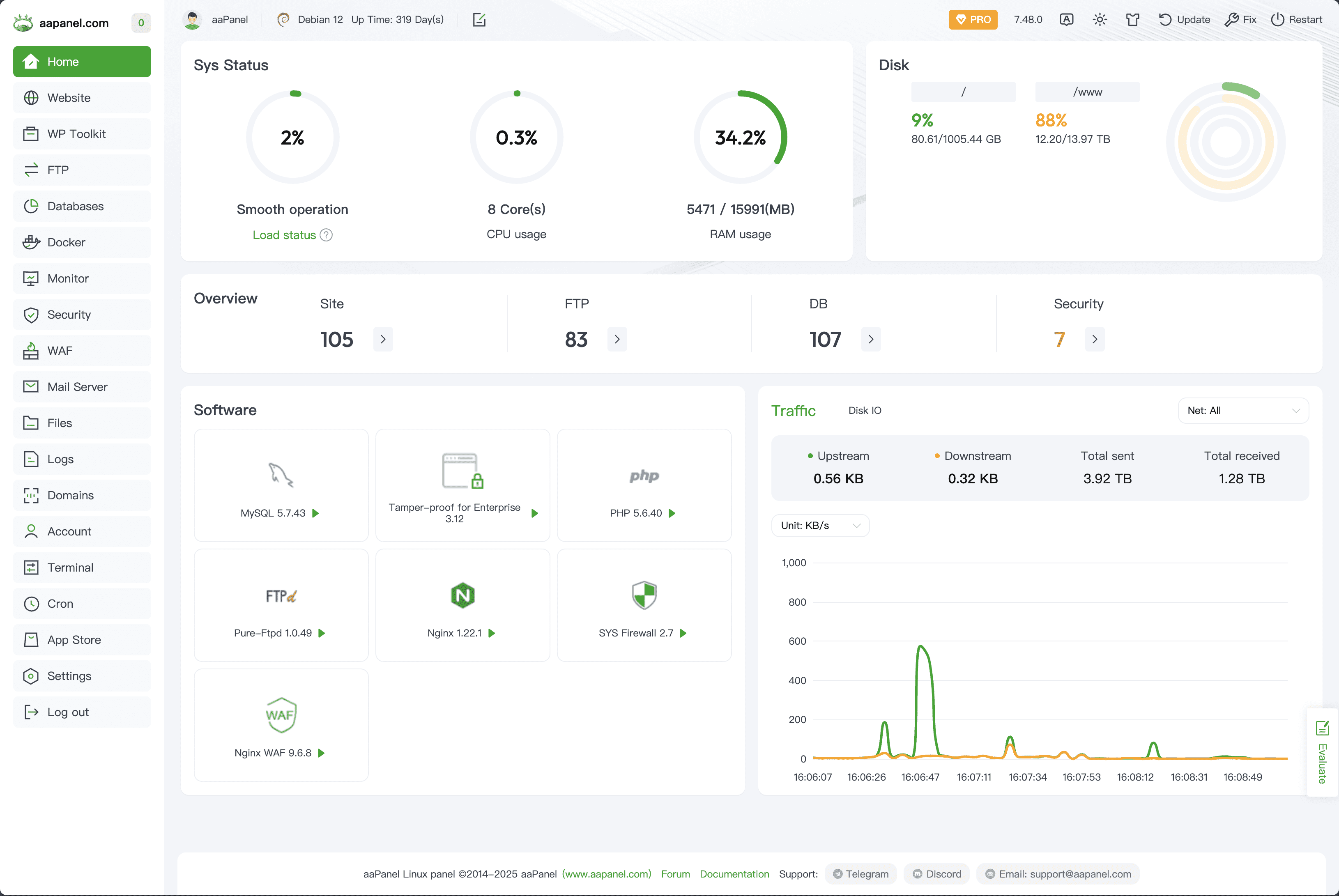
aaPanel is a server management software that supports the Linux system.
It can easily manage the server through the Web terminal, improving the operation and maintenance efficiency.
Important
Make sure it is a clean operating system. Do not install Apache, Nginx, PHP, or MySQL beforehand from other environments. aaPanel is optimized for a clean system. aaPanel is developed based on Ubuntu 22+, and we strongly recommend using Ubuntu 22+ or Debian 11+ Linux distributions.
- Memory: 512MB or more (768MB or more is recommended). Pure panel uses about 60MB of RAM.
- Hard Disk: 100MB or more available space. Pure panel uses about 20MB of disk space.
- Supported OS: Ubuntu 20.04/22.04/24.04, Debian 11/12, CentOS 9, Rocky Linux 8/9, AlmaLinux 8/9.
All installation commands must be executed with root authority (or prefix with sudo).
This script will automatically detect your Linux distribution and start the installation:
URL=https://www.aapanel.com/script/install_6.0_en.sh && if [ -f /usr/bin/curl ];then curl -ksSO "$URL" ;else wget --no-check-certificate -O install_6.0_en.sh "$URL";fi;sudo bash install_6.0_en.sh aapanelwget -O install.sh http://www.aapanel.com/script/install-ubuntu_6.0_en.sh && sudo bash install.sh aapanelyum install -y wget && wget -O install.sh http://www.aapanel.com/script/install_6.0_en.sh && sudo bash install.sh aapanelIf you have cloned this repository, you can execute the setup script directly from the root folder:
sudo bash install.shaaPanel Docker Deployment
The docker image is officially released by aaPanel
Maintained by: aaPanel
How to use
$docker run -d -p 8886:8888 -p 22:21 -p 443:443 -p 80:80 -p 889:888 -v ~/website_data:/www/wwwroot -v ~/mysql_data:/www/server/data -v ~/vhost:/www/server/panel/vhost aapanel/aapanel:lib
Now you can access aaPanel at http://youripaddress:8886/ from your host system.
- Default username:
aapanel - Default password:
aapanel123
Port usage analysis
- Control Panel : 8888
- Phpmyadmin : 888
Dir usage analysis
- Website data : /www/wwwroot
- Mysql data : /www/server/data
- Vhost file : /www/server/panel/vhost
Note: after the deployment is complete, please immediately modify the user name and password in the panel settings and add the installation entry