For detailed hardware setup and required components, please refer to the project report.
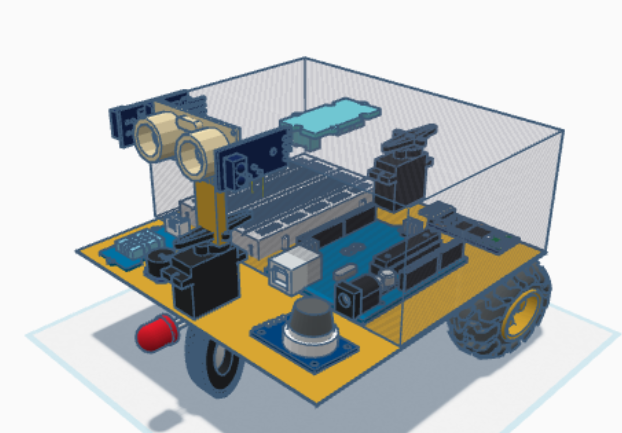
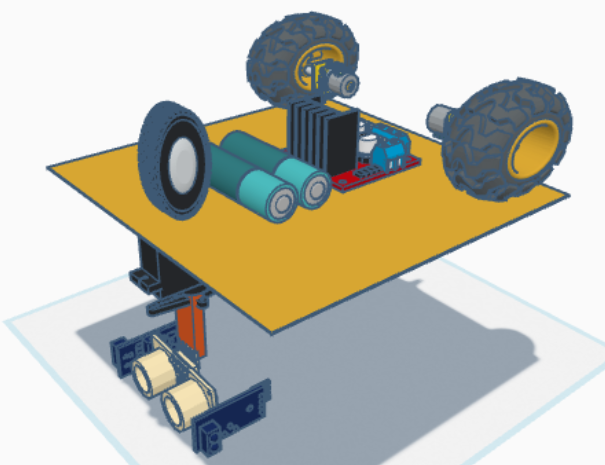
-
Install Arduino IDE
Download and install the latest Arduino IDE from:
https://www.arduino.cc/en/software -
Open the Project
Launch Arduino IDE and open the provided project folder containing the source code files. -
Install Required Libraries
Use Sketch → Include Library → Manage Libraries to install any necessary libraries such as:ServoNewPingSoftwareSerial
-
Connect the Arduino Board
Plug your Arduino board into your computer via USB. -
Select Board and Port
Go to Tools → Board and select your Arduino model.
Then, select the correct COM port under Tools → Port. -
Upload the Code
Click the Upload button (→) to compile and upload the code to your Arduino board. -
Bluetooth Communication
Use a Bluetooth terminal app on your PC or smartphone to send commands to the robot wirelessly.