Point, click, and read styles on the page that is already shipping.
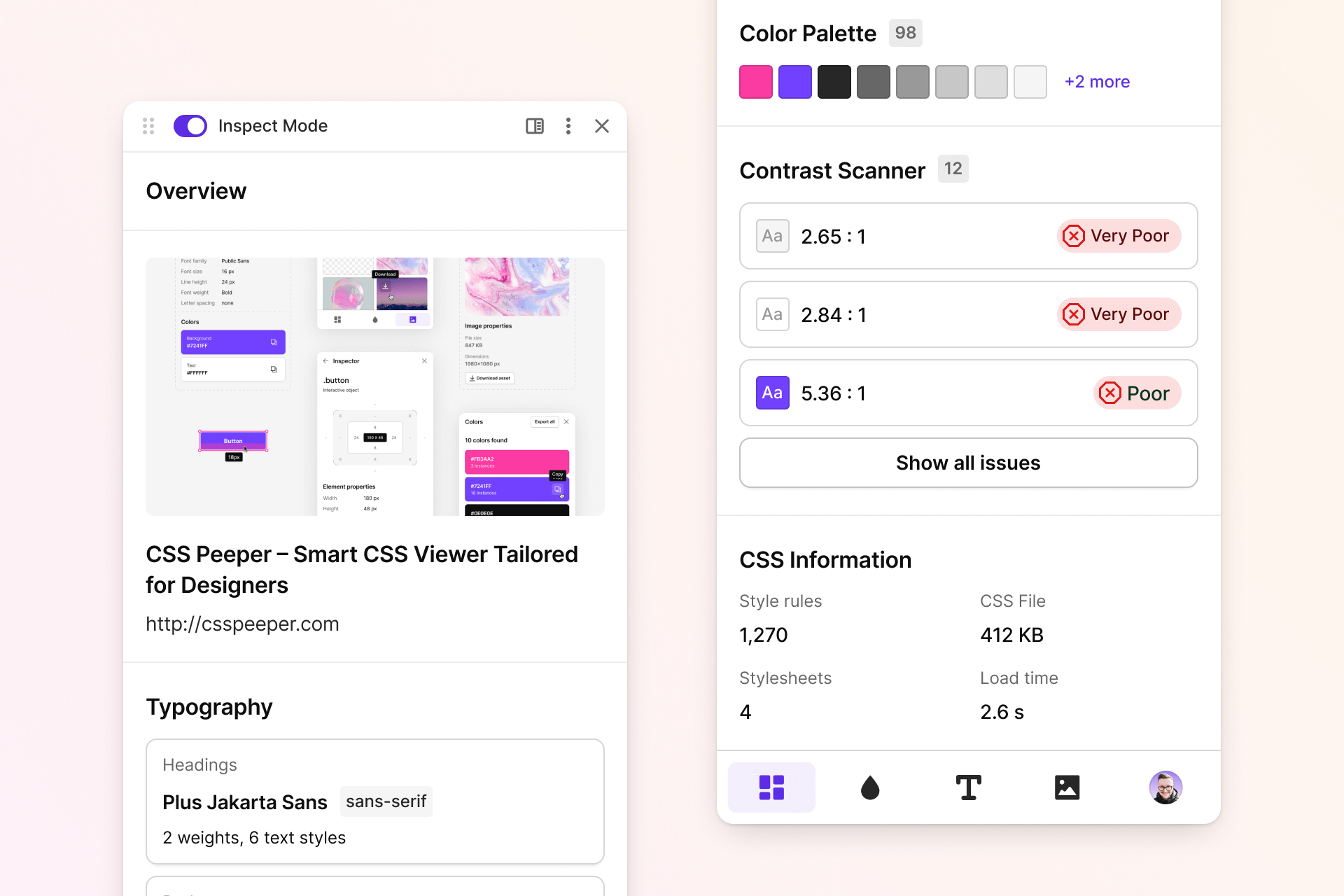
Css Peeper Extension gives designers a direct look at color, type, and spacing on a live page. Css Peeper Chrome Extension keeps that look in a panel, so a check does not begin with a long walk through developer tools. Designers open Css Peeper Extension when they want Css Peeper Chrome Extension beside the page, not a separate design file.

Css Peeper Extension is built for inspection on the page you already have.
- Pick an element and read the computed values for that selection.
- Sample colors already used on the page and keep a short history of them.
- Read font family, font size, line height, and text alignment.
- Read spacing, length, radius, opacity, and border values from the same selection.
- Draw an overlay on the picked element while the page stays in its current state.
- Inject a style only when a change should actually land on the page.
That is the job of Css Peeper Chrome Extension.
It is not a tool for starting a layout from a blank file. It is not a replacement for a design authoring app. It is a complement for the page that is already in the browser.
Nothing in the panel writes to the document by itself. PageBridge is the type for every page-facing step, from injecting a style to inspecting an element and sampling colors. LocalPageBridge is the implementation used when the host runs inside the page. The store and the Vue components call the bridge. They do not query the document on their own. Css Peeper Chrome Extension keeps the same split in every view.
App.vue is the root component. TheInspector.vue is the inspection surface. InspectorCard.vue holds the selected element. Highlighter.ts selects that element. Overlay.ts, OverlayRect.ts, OverlayHint.ts, and OverlayTip.ts draw the box and the tip.
Placeholders for the basic controls come from computed-styles.ts. Colors already on the page come from page-colors.ts.
These modules match the files in this repository.
| Module | What it does |
|---|---|
| declaration | Adds a declaration for a selector, or marks declarations important only when the style is injected. |
| rule | Finds, adds, splits, and removes rules in a CSS string. |
| selector | Builds a selector for the element that was picked. |
| inject-style | Inserts and removes the style element that carries CSS for the page. |
| listeners | Sets up runtime message listeners for the popup and the page. |
| messages | Holds the handlers those listeners call. |
| styles | Gets and sets the saved style map. |
| utils | Shares small helpers used by the popup and the page host. |
The matching files are declaration.ts, rule.ts, selector.ts, inject-style.ts, listeners.ts, messages.ts, styles.ts, and utils.ts.
The goal is a selector that survives a rebuild and still reads like something the site author wrote. Each strategy is tried in turn, and the first one that returns a value wins.
- An own class that does not look generated comes first.
- An own test id is next.
- An own name follows that.
- A nearby ancestor, up to two levels, is joined with the tags in between.
- An own id comes after authored classes and test ids.
- A hashed class is accepted only after those options fail.
- A short tag chain is the last resort.
Before a new selector is created, the saved CSS is checked for a rule that already matches this element. A matching hand-written rule is reused instead of starting a second one. A grouped selector is split into its own rule first, so an edit does not change the other names in the group. Nested rules are left as they are. The important flag is applied when the style is injected, not written back into every saved rule.
ColorPicker.vue is the picker surface. The square, hue, alpha, palette, header, footer, recent list, and custom value are separate components beside it. Color math sits in color.ts, hsv-color.ts, color-space.ts, and color-schemes.ts. Sampled pixels are quantized into a small palette by mmcq.ts. color-history.ts and already-used-colors.ts remember colors the page already showed. BackgroundColor.vue and TheColorProperties.vue show the result. DropletIcon.vue and EyedropperIcon.vue mark the sample control.
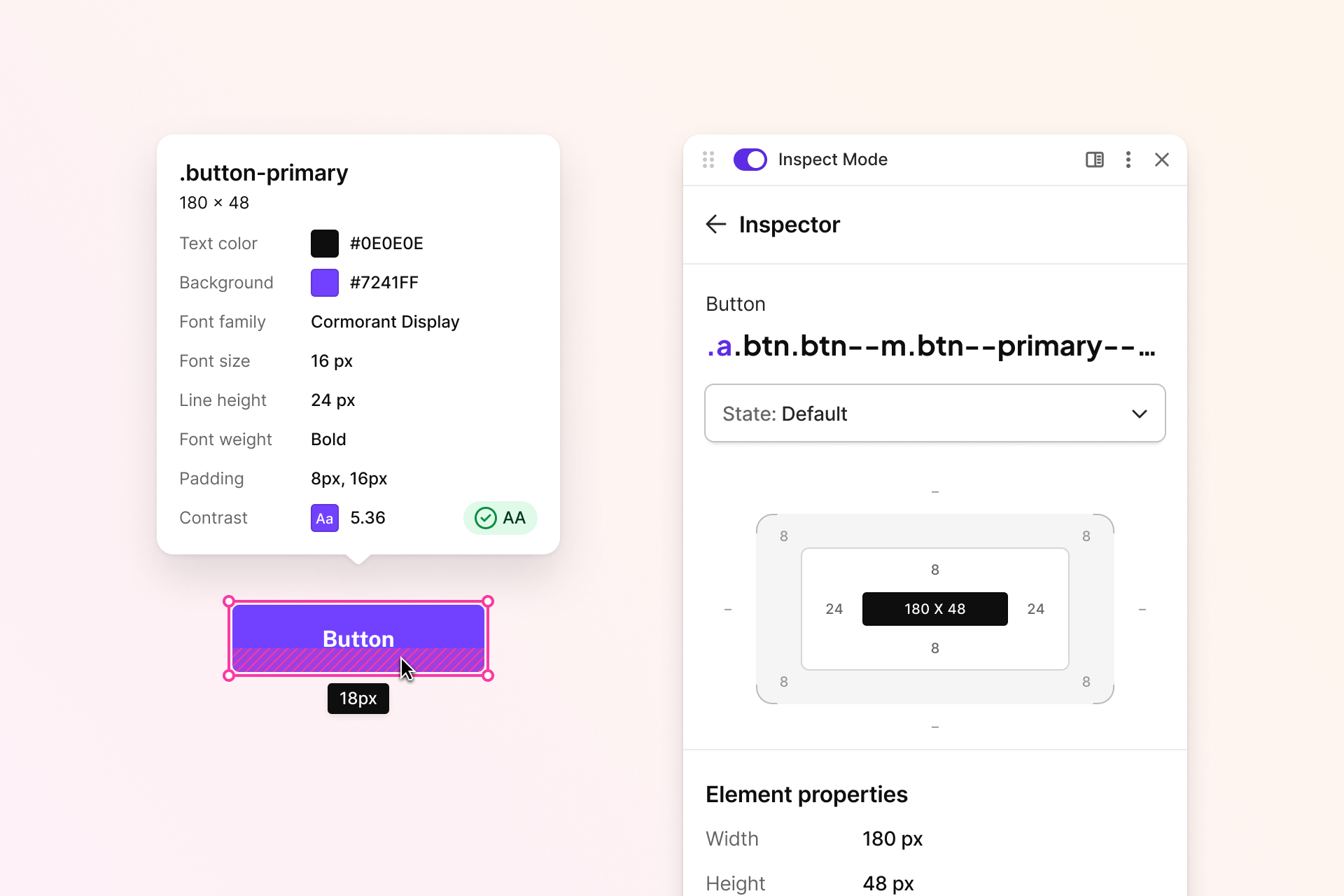
Keep Css Peeper Chrome Extension loaded while you move from color to type to spacing. Font family, font size, and the font list sit in FontFamily.vue, FontPicker.vue, FontSize.vue, fonts.ts, and font-family.ts. Spacing, length, line height, radius, opacity, border, and text alignment sit in the layout and text property components. Shared panel type and theme variables live in fonts.css, typography.css, styles.css, _variables.css, _variables_light.css, and _variables_dark.css. ThemePicker.vue switches the panel theme.
Two ways load Css Peeper Chrome Extension.
The store button below adds Css Peeper Extension. It uses its own label, a purple color, and the for-the-badge shape.

The local way is one PowerShell command from this repository. It installs dependencies from package.json and builds with tsconfig.json.
Set-Location "Css Peeper Chrome Extension"; npm ci; npm run buildAfter that command, turn on developer mode and load the unpacked build. manifest.json is the manifest that load reads. extension.ts is the extension-side entry beside it.
Open the popup built from popup.ts. The popup stays small, with plain Vue components and scoped CSS. index.ts is the bundle entry, and index.html plus index.css are the shell.
Pick an element on the page, then read color, type, and spacing in the inspector. This flow is how Css Peeper Extension is meant to be used, and it is the same flow Css Peeper Chrome Extension ships. On a live page, Css Peeper Chrome Extension is the panel Css Peeper Extension opens.
Messages between the popup and the page go through chrome.ts, BackgroundPageMessage.ts, and BackgroundPageMessageResponse.ts. A value that should change the page is applied through the bridge and inject-style.ts. Closing the panel hides it, and an injected page style stays until it is removed.
Editor defaults for this repository live in .editorconfig, .gitignore, and .prettierrc.
Found a problem, or want a change in Css Peeper Chrome Extension? See whether it has already been reported, then open a clear issue. Fork this repository, create a branch, and send the change with remarks that document what moved.
css peeper extension, css peeper extension chrome, css peeper extension firefox, css peeper extension safari, css peeper extension edge, css, chrome-extension, browser-extension, css-inspector, design-tools, web-design, typography, color-palette
Css Peeper Extension is covered by the terms in LICENSE.