


Alter is a modified version of RSMod a highly flexible user-friendly game server for use with the OSRS client. Implemented in a modular way, the framework allows developers to make and create any sort of plugin they wish without having to modify the core game module. Due to the plugin capabilities, even owners without programming experience can just have others make plugins for them and simply drop them into the plugins module to be automatically loaded on the next startup!
- You can report them by creating Issue on GitHub or in Alter's Discord Server
One click runs the whole local server: the game server plus its console (the Dev Cockpit, in your browser, on this machine only).
- Windows: double-click
Start Alter2.cmdin the repository folder. Linux, macOS, Git Bash: run./Start\ Alter2.sh. - The first run checks for a JDK 17 (
JAVA_HOME,javaonPATH, or the one Gradle downloaded), checksdata/cache(an empty one gets an offer to download the revision 241 cache from OpenRS2, with its size, default No), builds the server and the console, creates the RSA key andgame.yml, starts both and opens the console already signed in. Later runs skip what is already fine. Each step prints[ok],[..]or[FAIL]; a failure ends with one line saying what broke and how to fix it. The screen is also kept indata/logs/launcher.log. - It ends with
All green.when the six health lights (console, game server, admin API, cache, revision, build) are green, or names the one that needs attention. - Running it again while the console runs only reopens the console.
- Stop:
Stop Alter2.cmd/./Stop\ Alter2.shstops the game server gracefully (everyone logged out and saved), then the console. - Flags:
--build(-Build) rebuilds even when nothing changed (uncommitted edits are not detected);--no-browser(-NoBrowser) does not open the browser.scripts\launcher.ps1 shortcutmakes a desktop shortcut (the first run asks once).
Details: docs/server-control.md and docs/dev-cockpit.md.
-
Youtube tutorial: https://www.youtube.com/watch?v=2Tu-NTzMbf0
-
The revision 241 cache:
./gradlew :plugins:tools:cacheStage -PcacheArgs="--build 241"stages and verifies it underdata/cache-staging/241-<id>/; copy itsmain_file_cache.*andcache-manifest.jsonintodata/cache/. Noxteas.jsonis needed from revision 237 on. Make sure you're using the correct Java version. -
Also make sure you have Intellij installed, how to install intellij: Youtube
-
First open Intellij, (If you already have a project open, either do
File -> Close, orFile -> New -> Project from Version Control) -
If you decided to use
Close methodyou will see this window, click onGet from VCS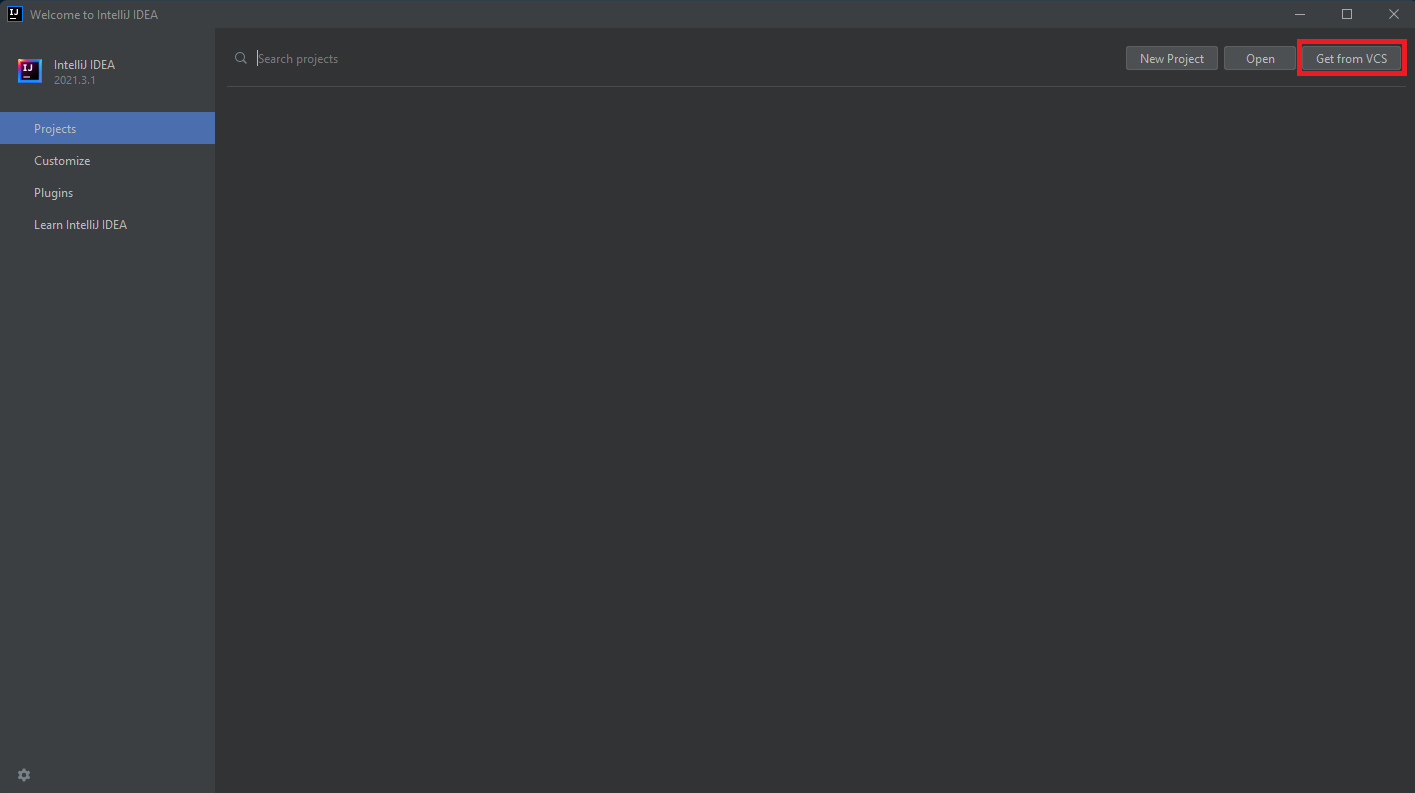
-
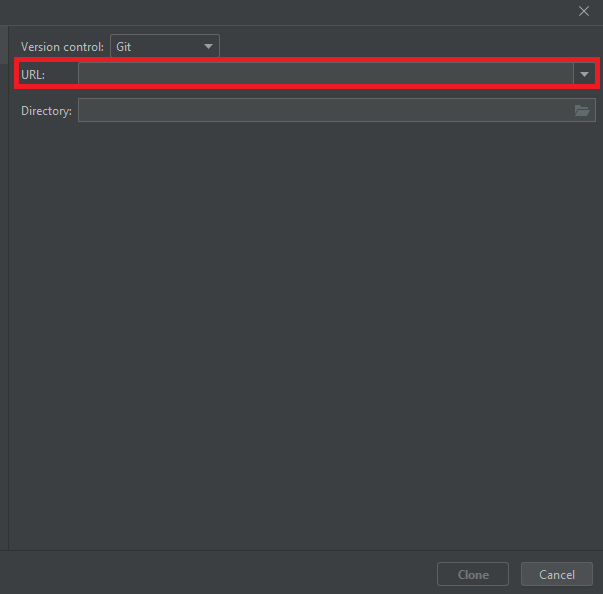
Second paste
https://github.com/AlterRSPS/Alterin URL Field and hit Clone.
-
Hit
Cloneand Let the project fully load. -
data/cache/must hold the staged revision 241 cache (see above); the boot guard refuses any other build.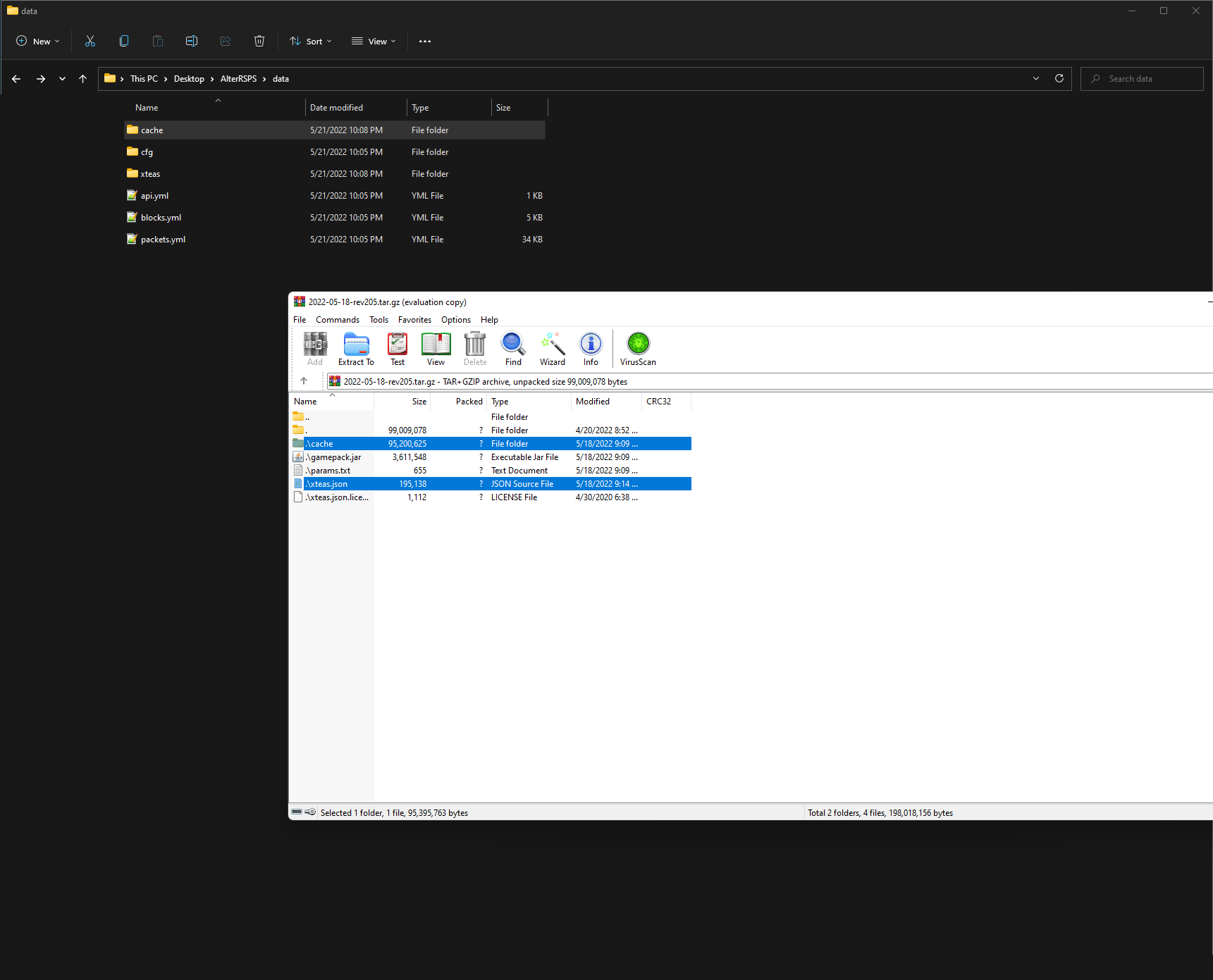
Xtea.jsonhas to be in same folder like: Data /api.yml, etc..
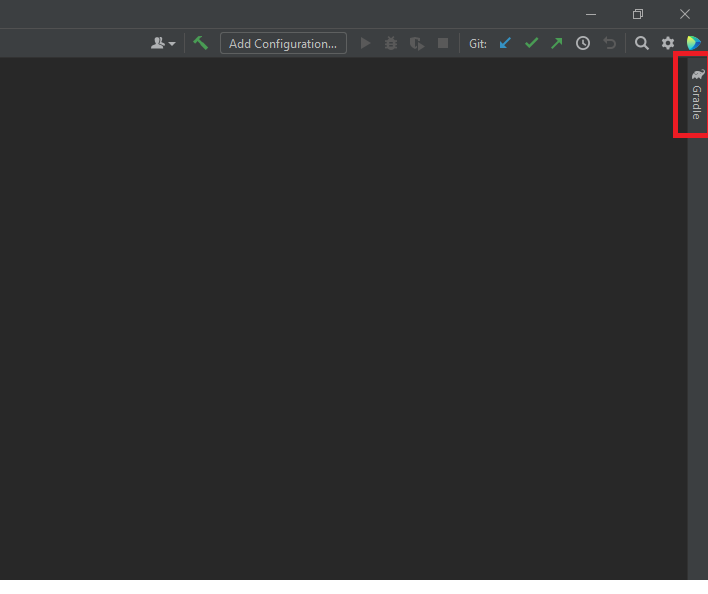
- Now click on
Gradlebutton on right side.
- Expand
Alter->otherand double clickinstall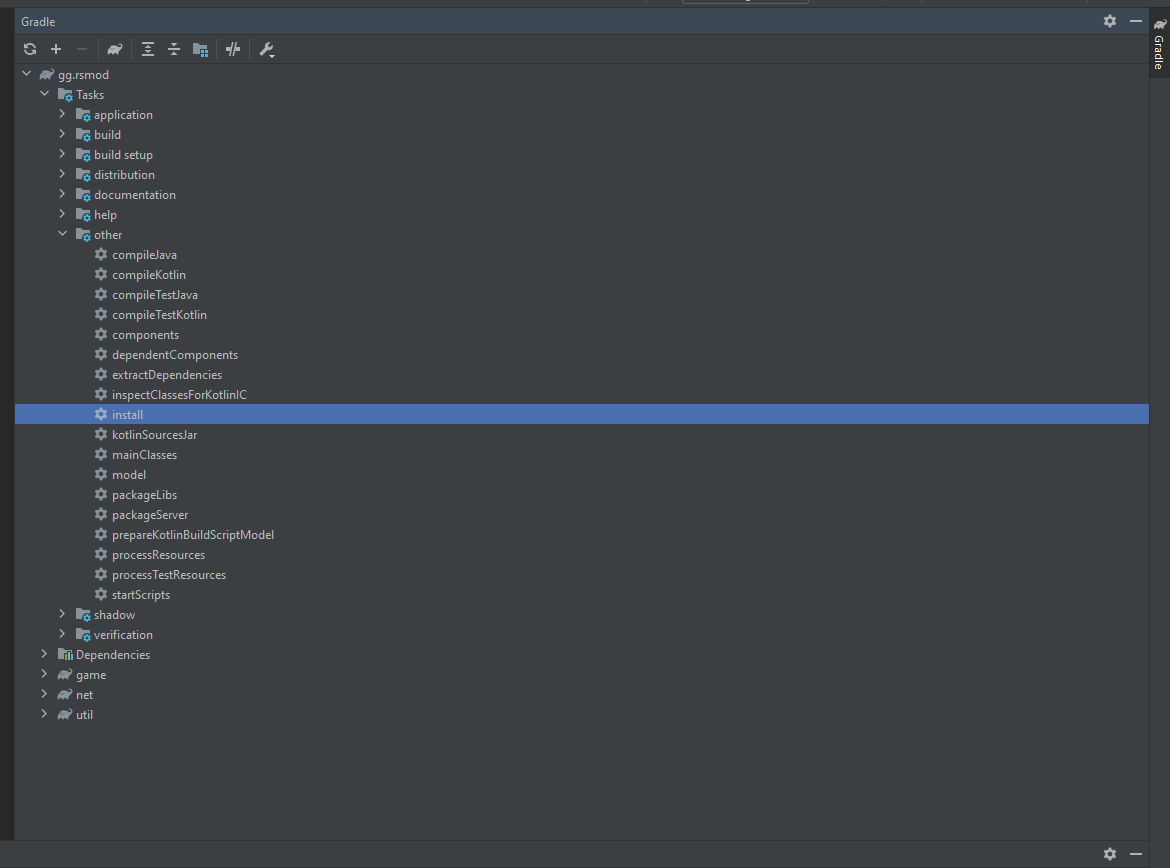
- And now wait until you get this result in your
Terminalat the bottom:
- Now instead of
Installtask do RunGradle -> Alter -> game -> Tasks -> Application - Run - Now the server should be running, you should see inside your terminal:
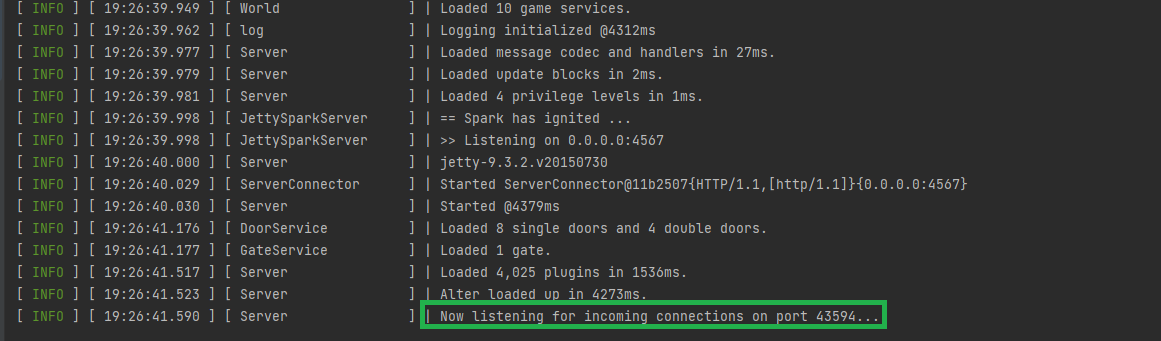
- If you only see
Alter Loaded up in x ms.you messed up somewhere. - You can connect what ever client you want (ofc it has to follow OSRS protocols.)
Without IntelliJ, scripts/alter.sh up (or .\scripts�lter.ps1 up on Windows) builds and starts the server in the background; down, restart, status and logs control it. Docker (docker compose up -d --build) and systemd are supported too. See docs/server-control.md.
./gradlew :dev-cockpit:run starts a local control center at http://127.0.0.1:43600 with an inbox of unscripted content, server start/stop/restart and an audit log. See docs/dev-cockpit.md.
Note
When you have Intellij Open, navigate to File -> Project Structure -> And make sure SDK is set to 17 java version 17.x.x
It is also recommended to install the rscm-plugin in IntelliJ for enhanced Entity references support.
Tip
As for now, RSProx is the only OSRS client that should be used. It's developed by the most trusted and experienced developers in the RSPS scene.
For Windows users: Just press ⊞ + R and in text field area write: %USERPROFILE% and locate folder named .rsprox create a new file named: proxy-targets.yaml and inside paste:
config:
  - id: 1
    name: Alter
    jav_config_url: https://client.blurite.io/jav_local_241.ws
    varp_count: 15000
    revision: 241
    modulus: YOUR_MODULUS_KEY_HERE
Modulus key will be found inside Alter Project root directory make sure to copy every character, And replace YOUR_MODULUS_KEY_HERE inside proxy-targets.yaml with your modulus key. For more information on it you can find at: RSProx-Private-Server-Usage
If you haven't used RSProx before, You won't have .rsprox folder inside %USERPROFILE%
Warning
And stay away from client's like Devious, as they have been caught adding Account Stealer into their client.
- This project uses OpenRune-FileStore for cache management.
- RsMod2 Route finder: RouteFinder
- Credits are given out to everyone who helped out with information or contributed in some form to the project. And can be found in: Here