

A customizable desktop IDE that keeps your tools together.
Code, preview, test, browse, and run projects in one flexible workspace.


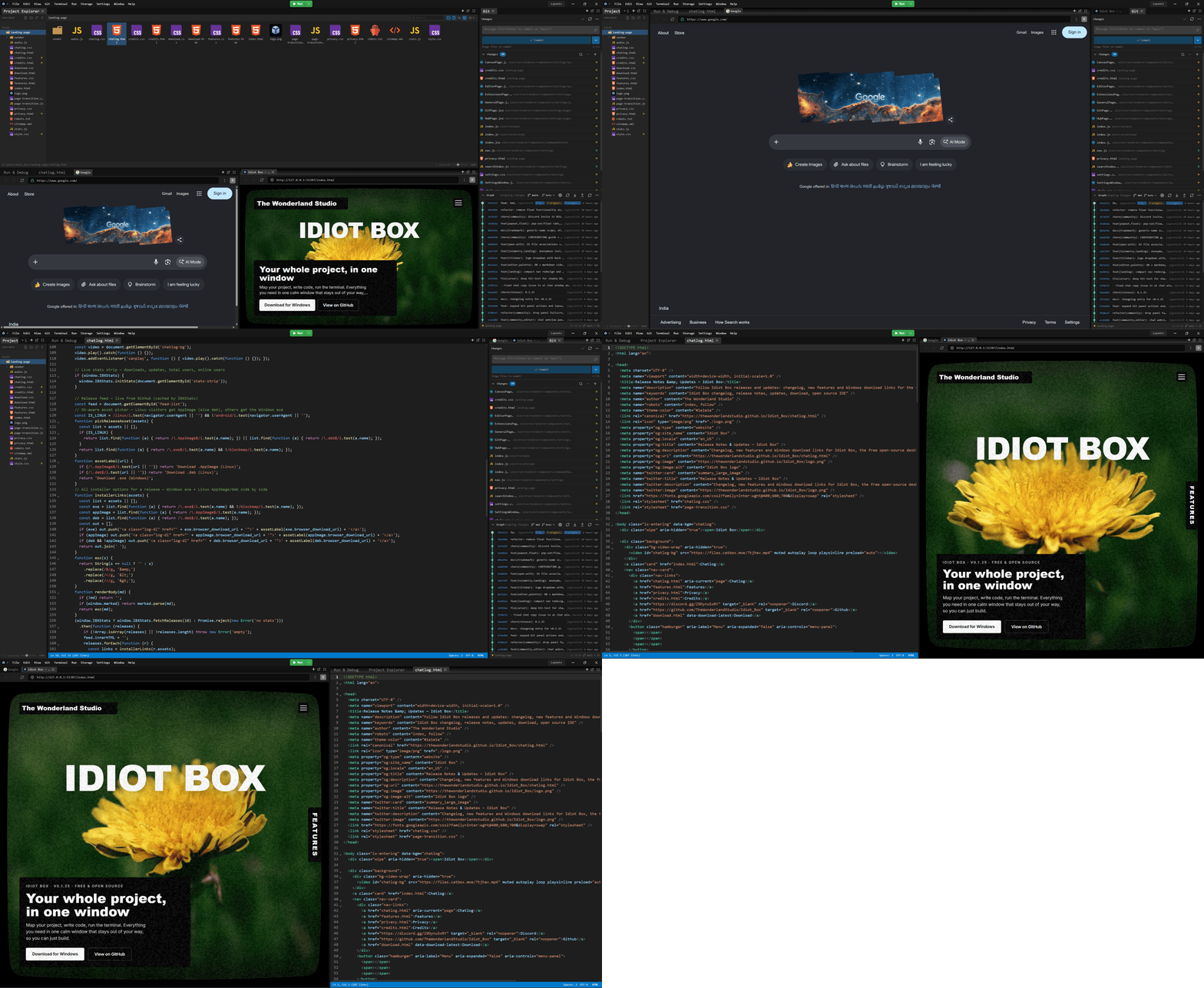
Idiot Box is a free, open-source desktop IDE built for flexible project work. Arrange the editor, terminal, browser, previews, and developer tools around the way you work.
| ✍️ Code Smart editor, diagnostics, and live reload |
🧭 Explore Project map, file tools, and local history |
Terminal, tests, debugger, and browser |
Editor & project workflow
| Tool | What you can do |
|---|---|
| Code editor | Edit 50+ languages with IntelliSense, diagnostics, automatic language detection, minimap, word wrap, autosave, and live reload when files change outside the app. |
| Visual project map | Explore pages and components as live preview cards on an infinite canvas. Group by folder, search, pan, zoom, resize, and save layouts per project. |
| Project panel | Browse files in grid or tree views; drag and drop, multi-select, copy, rename, duplicate, and undo. Deleted files go to the OS Recycle Bin. |
| Search & replace | Search by literal text or regex, filter matches, replace across files, and undo a replacement. |
| Local history | Preview and restore per-file snapshots from saves, edits, and replacements. |
| Live component preview | See component changes immediately in an isolated preview—without saving first. |
| Media viewer | Zoom, rotate, flip, and pan images and videos. |
| Session restore | Return to your window state, workspace layout, and open tabs. |
Build, run & debug
| Tool | What you can do |
|---|---|
| Terminal | Open working-directory-aware terminals and split terminal panels. |
| Run & test | Run project commands and discover Jest, Vitest, Mocha, node:test, pytest, and unittest tests. See streamed output and pass/fail summaries. |
| Debugger | Debug Node.js and Python with breakpoints, call stack, variables, watches, and an evaluate console. |
| Browser panel | Preview local development servers in dockable browser tabs. |
| Desktop emulator | Create and manage QEMU virtual machines, view their live display, and inspect logs. |
| Android emulator | Set up Android tools and manage virtual devices from the IDE. |
| Extensions | Run supported VS Code-compatible extensions in a local extension host. |
Workspace & integrations
| Tool | What you can do |
|---|---|
| Dockable workspace | Arrange panels around your workflow and save project layouts. |
| Command palette & keybindings | Find common actions quickly and customize shortcuts. |
| MCP server | Let compatible local AI clients interact with project files, Git, the shell, editor tabs, and other IDE tools. Setup guide → |
Privacy note: Projects and settings are stored locally. If you choose to use an online AI feature, the prompt and relevant context are sent to its AI provider. See the Privacy Policy.
| Platform | Download |
|---|---|
| Windows | Microsoft Store |
| macOS / Linux | Download page |
| All releases | GitHub Releases |
Only the links above are official Idiot Box download sources.
Requirements: Node.js LTS and npm.
git clone https://github.com/TheWonderlandStudio/Idiot_Box.git
cd Idiot_Box
npm install
npm start
npm start builds the app bundles and launches Idiot Box.
| Command | Description |
|---|---|
npm run build |
Build the AI styles, preload, renderer, settings, and icons. |
npm run build:renderer |
Build the main renderer and its lazy-loaded chunks. |
npm run build:preload |
Build the Electron preload bundle. |
npm run build:settings |
Build the settings window bundle. |
npm test |
Run the Node.js test suite. |
npm run test:layout |
Build the app and run the Electron layout test. |
npm run test:ui-overflow |
Build the app and run the UI overflow test. |
- App: Electron 43, React 19, and FlexLayout
- Editor: Code-OSS services, CodeMirror, and language tooling
- Terminal: xterm.js and node-pty
- Build: esbuild
electron/
  main/       Electron main process, IPC, services, and menus
  preload/    Context-isolated renderer API
  renderer/   React UI, panels, and bundled renderer assets
  shared/     Shared configuration and definitions
build/        Build scripts, icons, and installer resources
docs/         Guides and integration documentation
tests/        Unit and Electron tests
- Issues & feature requests
- Discussions
- Discord
- Contributing guide
- Code of Conduct
- Contributor License Agreement
- Security policy
Idiot Box is free and open source. Thank you to everyone who supports its development.


The source code is licensed under the GNU General Public License v3. See TRADEMARK.md for the rules on using the Idiot Box name and branding.
Built with care by The Wonderland Studio.