| image | https://images.credly.com/size/110x110/images/336eebfc-0ac3-4553-9a67-b402f491f185/azure-administrator-associate-600x600.png |
|---|---|
| tags | AZ-104, Reference |
| GA | G-DXYJBX6BH8 |
:::success Date: 20260915 Course ID: 107449 :::
:::info Post Course Survey: https://aka.ms/az104zhsurvey :::
Course AZ-104 English version Course AZ-104 简体中文版本 Course AZ-104 正體中文版本
ESI Labs :::success Training key: 96DD1C94D54D0976 :::
:::info Only need to redeem once Valid for 6 months :::
AZ-104 Labs EN AZ-104 Lab files
Active Directory Domain Services Overview
Compare Active Directory to Microsoft Entra ID
Microsoft Entra ID terminology
Microsoft Entra ID Custom Role
Application and service principal objects in Microsoft Entra ID
Microsoft Entra ID Domain Service
Microsoft Entra ID Conditional Access
Microsoft Entra ID comparison based on licenses
Administrative units in Microsoft Entra ID
Microsoft Entra data retention
Microsoft Entra ID joined devices
Microsoft Entra ID Connect and Microsoft Entra ID Connect Health installation roadmap
Microsoft Entra ID Connect: Staging server and disaster recovery
Topologies for Microsoft Entra Connect
What are Azure availability zones?
Azure regions with availability zones support
Azure region pairs and nonpaired regions
Create and manage Azure budgets
Management group design recommendations
Cloud Adoption Framework - Governance
Lock resources to prevent unexpected changes
Apply tags to organize Azure resources
Microsoft Cloud Security Benchmark (MCSB)
Regulatory compliance in Azure Policy
Azure Policy definition structure
Azure Policy initiative definition structure
Recommended policies for Azure services
Tutorial: Create a custom policy definition
Azure Policy built-in policy definitions
Details of the ISO 27001:2013 Regulatory Compliance built-in initiative
Understand Azure role definitions
Tutorial: Create or update Azure custom roles using the Azure portal
Built-in policy definitions for Azure RBAC
Features & tools for Azure Cloud Shell
Get started with Azure PowerShell
Azure PowerShell documentation
Azure Resource Manager overview
ARM template user-defined functions
Bicep file structure and syntax
Decompiling ARM template JSON to Bicep
Comparing JSON and Bicep for templates
ARM template what-if deployment
ARM template test toolkit (arm-ttk)
Create and deploy template specs
Azure deployment stacks overview
Create and deploy deployment stacks
What is Azure Virtual Network?
Azure Virtual Network concepts and best practices
Virtual Network business continuity
IPv6 for Azure Virtual Network
Reserved IP addresses in subnets
What is IP address 168.63.129.16?
Virtual network traffic routing (UDR / route tables)
Azure DDoS Protection overview
Azure DDoS Protection SKU comparison
DDoS Protection best practices
Network security groups overview
Azure Firewall features by SKU
Azure Firewall Premium features
Deploy and configure Azure Firewall using Azure portal
Azure Firewall FAQ (NSG vs Azure Firewall)
Azure DDoS Protection overview
Azure DDoS Protection SKU comparison
Network security groups - augmented security rules
Private DNS zone virtual network links
Private DNS zone auto registration
What is Azure DNS Private Resolver?
Resolve Azure and on-premises domains
DNS Private Resolver endpoints and rulesets
Create, change, or delete a virtual network peering
Configure VPN gateway transit for virtual network peering
Choose between virtual network peering and VPN gateways
Enable or disable IP forwarding for a network interface
VPN Gateway SKU migration guidance
Configure Point-to-Site VPN with certificate authentication
Configure Point-to-Site VPN with Azure AD authentication
VPN Gateway high availability scenarios
Microsoft 365 Routing with ExpressRoute
Hub-spoke network topology in Azure
Hub-spoke topology with Azure Virtual WAN
Upgrade a virtual WAN from Basic to Standard (SKU Comparsion)
Scenario: Custom Isolation for Virtual Networks and Branches
What is the difference between Service Endpoints and Private Endpoints?
Difference between Azure Private Links and Azure Service Endpoints
Distribution mode for Azure Load Balancer
Application Gateway Tier Compare
Application Gateway URL path-based routing
Application Gateway backend settings
Application Gateway health probes
What is Azure Network Watcher?
Monitor network communication with Connection Monitor
Business continuity and disaster recovery
Enable and create large file shares
Lifecycle management - Move data based on last accessed time
Understanding block blobs, append blobs, and page blobs
Copy data from S3 to Azure Storage
Access to blobs and queues using Microsoft Entra ID
Azure File scalability and performance targets
Object replication for block blobs
Prevent Shared Key authorization for an Azure Storage account
Grant limited access with shared access signatures (SAS)
Soft delete for blob containers (考试重点)
Azure Files premium tier SMB Multichannel
Azure Blob Storage lifecycle management policies
Immutable storage for blob data
Share snapshots for Azure Files
Introduction to Azure managed disks
FAQs for Azure IaaS VM disks and managed and unmanaged premium disks
How to expand virtual hard disks attached to a Windows virtual machine
Azure Disk Encryption overview
Enable end-to-end encryption using encryption at host
Azure virtual machine extensions and features
Azure VM Image Builder overview
Default outbound access in Azure
Assessment overview (migrate to Azure VMs)
Azure VM Image Builder (latest version)
Orchestration modes for Virtual Machine Scale Sets in Azure
Considerations for scaling when multiple profiles are configured in an autoscale setting
Design architecture for Azure Bastion
About Bastion configuration settings
About Bastion VM connections and features
Custom Script Extension for Windows
Custom Script Extension for Linux
Desired State Configuration for Windows
Create Windows VM images with Azure PowerShell
Local Git deployment to Azure App Service
App Service managed certificate
Map an existing custom DNS name to App Service
Secure a custom DNS name with a TLS/SSL binding
Back up and restore your app in App Service
Set up staging environments in Azure App Service
https://blog.amitapple.com/post/2014/11/azure-websites-slots/#.WH-1CeTrtWw
Inside the Azure App Service Architecture
Mount Azure Storage as a local share in App Service
Azure Container Registry service tiers
Make Azure container registry content publicly available
Container groups in Azure Container Instances
Azure Container Apps environments
Comparing Container Apps with other Azure container options
Set up HTTPS ingress in Azure Container Apps
Scaling in Azure Container Apps
Microservices with Azure Container Apps
Dapr integration with Azure Container Apps
Deploy to Azure Container Apps using GitHub Actions
Choose an Azure container service (ACA vs AKS decision guide)
Kubernetes core concepts for Azure Kubernetes Service
Deploy an AKS using the Azure CLI
Storage options for applications in AKS
Authenticate with Azure Container Registry from Azure Kubernetes Service
Create and configure an Azure Kubernetes Services (AKS) cluster to use virtual nodes
Simplified application autoscaling with Kubernetes Event-driven Autoscaling (KEDA) add-on (Preview)
What is the Azure Backup service?
Overview of Archive tier in Azure Backup
Recovery Services vaults overview
Create and configure a Recovery Services vault
Back up Windows Server files and folders to Azure
Install and upgrade Azure Backup Server
Immutable vault for Azure Backup
General questions about Azure Site Recovery
Quickstart: Set up disaster recovery to a secondary Azure region for an Azure VM
Azure Backup support for Azure Kubernetes Service
Multi-user authorization for Azure Backup
Azure Backup Metrics and Monitoring
What is Azure Network Watcher?
Monitor network communication with Connection Monitor
Monitoring your storage service with Azure Monitor Storage insights
Metrics experience for virtual machines in Azure Monitor
Enable VM monitoring in Azure Monitor
VM Insights Map and Dependency Agent retirement guidance
Configure PV(persistent volumes) monitoring with Container insights
Azure Monitor Videos (YouTube)
What is Azure Managed Grafana?
Azure Monitor managed service for Prometheus
Log Analytics demo environment
Kusto Query Language (KQL) overview
Run search jobs in Azure Monitor
Azure Monitor OpenTelemetry overview
Azure Monitor workspace (for Prometheus)
Container insights (AKS/Container Apps monitoring)
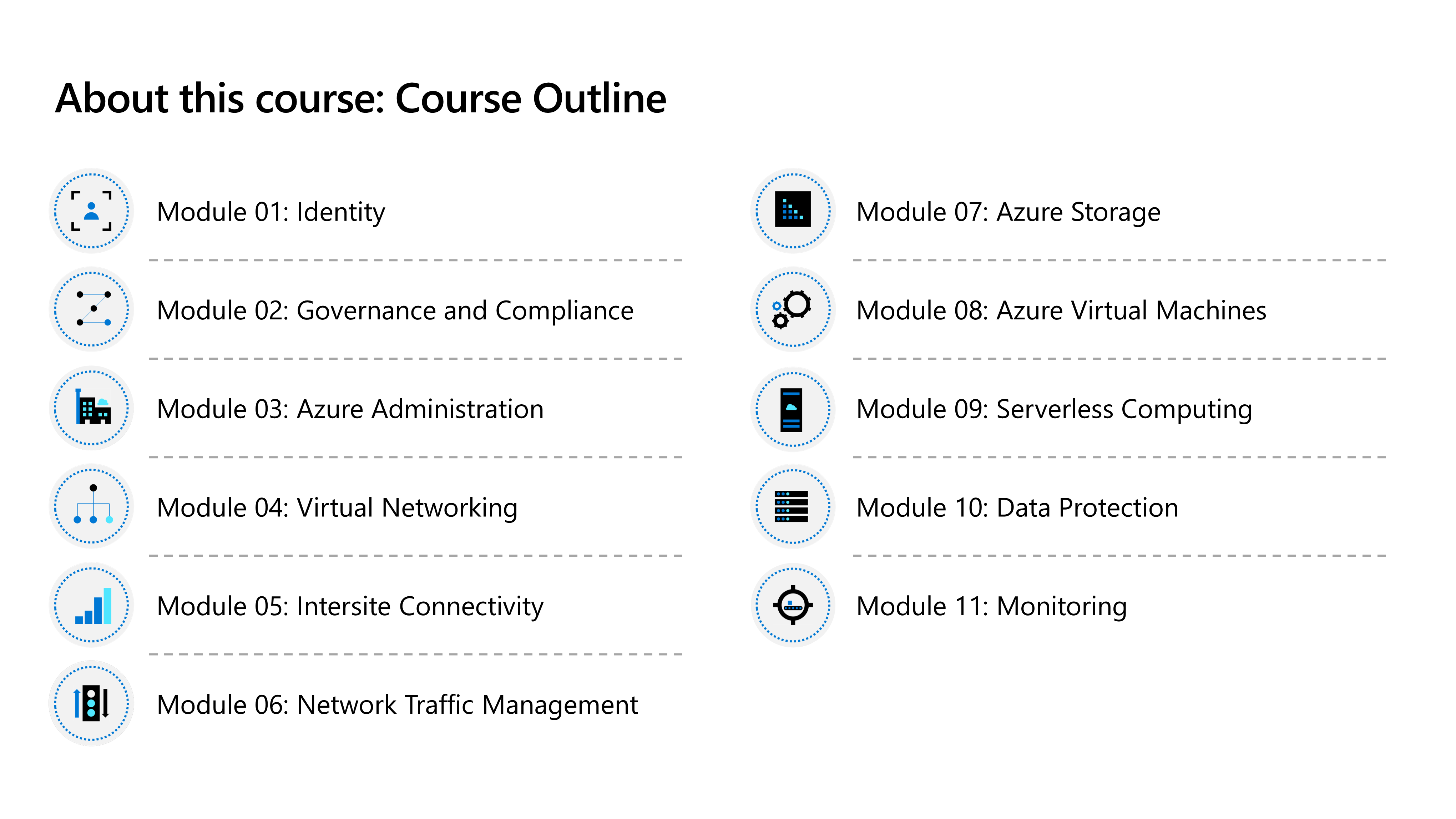
# AZ-104 · Microsoft Azure Administrator

## M01 - Microsoft Entra ID

### Directory foundations
- [Microsoft Entra ID](https://learn.microsoft.com/en-us/entra/fundamentals/what-is-entra): cloud identity and access management for users, groups, applications, and devices
- [Microsoft Entra ID vs Active Directory DS](https://learn.microsoft.com/en-us/entra/fundamentals/compare): cloud identity service vs traditional domain services
- Microsoft Entra ID is also the directory used by cloud applications and Microsoft online services
- P1/P2 licensing adds identity capabilities; [Microsoft Entra Domain Services](https://learn.microsoft.com/en-us/entra/identity/domain-services/overview) provides managed domain features
### Manage identities
- Create and manage users and groups, restore deleted users, and assign licenses
- Register devices and use group membership to organize access and administration
- Custom security attributes add business-specific metadata; automatic provisioning creates and updates identities from connected systems
### Self-service password reset
- [SSPR](https://learn.microsoft.com/en-us/entra/identity/authentication/tutorial-enable-sspr) lets users reset passwords or unlock accounts without help-desk intervention
- Define scope, authentication methods, registration, notifications, and customization
- Evaluate the requirements, deploy the configuration, and test the user experience

## M02 - Compliance

### Azure architecture and hierarchy
- Datacenters form regions; [availability zones](https://learn.microsoft.com/en-us/azure/reliability/availability-zones-overview) provide separate datacenter locations within supported regions
- Region pairs and sovereign regions address geographic, regulatory, and continuity requirements
- [Management group](https://learn.microsoft.com/en-us/azure/governance/management-groups/overview) → subscription → resource group → resource defines the management hierarchy
### Azure Policy
- [Azure Policy](https://learn.microsoft.com/en-us/azure/governance/policy/overview) enforces organizational standards and evaluates compliance at scale
- Definition → initiative → assignment → compliance evaluation
- Policy effects determine whether a resource is audited, denied, modified, or remediated
### Azure RBAC
- Role assignment = security principal + role definition + scope
- [Built-in roles](https://learn.microsoft.com/en-us/azure/role-based-access-control/built-in-roles) grant common permissions; access checks show the assignments effective at a scope
- Verify current access → grant the required role at the narrowest scope → review RBAC changes in the Activity Log

## M03 - Administration

### Azure Cloud Shell
- [Cloud Shell](https://learn.microsoft.com/en-us/azure/cloud-shell/features) provides an authenticated, browser-based shell for Azure administration
- Choose Bash with Azure CLI or PowerShell with Azure PowerShell according to the task and scripting preference
- Persistent storage keeps scripts and files available across Cloud Shell sessions
### JSON ARM templates
- ARM templates declare Azure resources in JSON for repeatable deployments
- Template structure includes schema, content version, parameters, variables, resources, and outputs
- Create the template in Visual Studio Code → define resources and parameters → deploy → use outputs

## M04 - Virtual Network

### Virtual networks and IP addressing
- [Virtual networks and subnets](https://learn.microsoft.com/en-us/azure/virtual-network/virtual-networks-overview) create private network boundaries for Azure resources
- Plan non-overlapping address spaces and choose subnet sizes for workload and growth requirements
- Public IP addresses support internet-facing resources; private IP addresses provide communication within private networks
- Azure reserves the first four and last IP address in every subnet
### Network security groups
- [NSG rules](https://learn.microsoft.com/en-us/azure/virtual-network/network-security-groups-overview) evaluate source, destination, port, protocol, direction, priority, and action
- Effective security rules combine the NSGs applied to a network interface and its subnet
- Application security groups represent workload roles; service tags represent Azure service address ranges
### Azure DNS
- [Azure DNS](https://learn.microsoft.com/en-us/azure/dns/dns-overview) hosts DNS zones and records after a domain is delegated
- A records map names to IPv4 addresses; alias records point to supported Azure resources
- [Private DNS](https://learn.microsoft.com/en-us/azure/dns/private-dns-overview) resolves private names through virtual network links
- Create the zone → add records → delegate or link the zone → test name resolution

## M05 - Intersite Connectivity

### Virtual network peering
- [VNet peering](https://learn.microsoft.com/en-us/azure/virtual-network/virtual-network-peering-overview) connects virtual networks over the Microsoft backbone with private IP addresses
- Peering is non-transitive; each required virtual network relationship must be configured explicitly
- Forwarded traffic and gateway transit settings control hub-spoke connectivity
### Routes and network virtual appliances
- System routes provide default paths; [user-defined routes](https://learn.microsoft.com/en-us/azure/virtual-network/virtual-networks-udr-overview) send traffic to a selected next hop
- Route table + UDR + network virtual appliance controls traffic through a custom path
- The appliance network interface and guest operating system must both support IP forwarding
- [Service chaining](https://learn.microsoft.com/en-us/azure/virtual-network/virtual-network-peering-overview#service-chaining) directs traffic from one virtual network through a virtual appliance in another
### Connectivity topologies
- [Hub-spoke](https://learn.microsoft.com/en-us/azure/architecture/networking/architecture/hub-spoke) centralizes shared connectivity while isolating workloads in spokes
- Gateway transit lets peered spokes use a VPN gateway in the hub
- Site-to-site connects networks; point-to-site connects individual clients; VNet-to-VNet connects Azure virtual networks through VPN gateways

## M06 - Network Traffic Management

### Azure Load Balancer
- Azure Load Balancer distributes TCP and UDP flows at Layer 4
- Frontend IP configuration + rule + backend pool + health probe defines traffic distribution
- Choose Load Balancer for high-performance regional network traffic that does not require application-layer routing
### Azure Application Gateway
- [Application Gateway](https://learn.microsoft.com/en-us/azure/application-gateway/application-gateway-autoscaling-zone-redundant) provides Layer 7 routing for HTTP and HTTPS applications
- Listener → rule → backend pool and settings → health probe defines request processing
- [Path-based routing](https://learn.microsoft.com/en-us/azure/application-gateway/url-route-overview) sends URL paths to different backends; WAF adds web application protection
### Azure Network Watcher
- [Network Watcher](https://learn.microsoft.com/en-us/azure/network-watcher/network-watcher-overview) monitors and troubleshoots IaaS network connectivity
- Representative tools inspect topology, effective paths, security decisions, connections, and packets
- Connection Monitor continuously tests reachability and latency between endpoints

## M07 - Storage

### Storage accounts
- General-purpose v2 supports Blob, Files, Queue, and Table services; premium accounts target specific workloads
- [LRS / ZRS / GRS / GZRS](https://learn.microsoft.com/en-us/azure/storage/common/storage-redundancy) provide local, zonal, geo-replicated, and geo-zone-redundant choices
- Service endpoints secure access from selected subnets; [private endpoints](https://learn.microsoft.com/en-us/azure/private-link/private-link-overview) assign a private IP address for a storage service
### Blob Storage
- Containers organize blobs; block, append, and page blobs support different data-access patterns
- [Hot / Cool / Cold / Archive](https://learn.microsoft.com/en-us/azure/storage/blobs/access-tiers-overview?tabs=azure-portal) balance storage cost, access cost, and retrieval latency
- [Lifecycle management](https://learn.microsoft.com/en-us/azure/storage/blobs/lifecycle-management-overview) tiers or deletes blobs by rule; object replication asynchronously copies block blobs
- Capacity, operations, data retrieval, redundancy, and tier changes contribute to pricing
### Storage security
- [Shared access signatures](https://learn.microsoft.com/en-us/azure/storage/common/storage-sas-overview) delegate scoped permissions for a defined resource and time window
- A SAS URI combines the resource address with signed parameters such as permissions, start, and expiry
- Storage encryption protects data at rest; customer-managed keys give the customer control over key lifecycle
### Azure Files
- Azure Files provides managed file shares; Blob Storage provides object storage
- Snapshots and soft delete support recovery from deletion or change
- Storage Explorer manages storage data through a graphical tool
- Azure File Sync caches Azure file shares on Windows Servers; cloud tiering keeps frequently used files local

## M08 - VM

### Plan and create virtual machines
- Choose region, availability option, image, [size](https://learn.microsoft.com/en-us/azure/virtual-machines/sizes/overview), storage, networking, and authentication before creation
- Azure portal, ARM templates, PowerShell, Azure CLI, REST, and SDKs provide different creation workflows
- OS disks and data disks persist; the temporary disk is local to the host and is not durable
### Manage virtual machines
- [Managed disks](https://learn.microsoft.com/en-us/azure/virtual-machines/managed-disks-overview) simplify disk management and offer performance tiers for different workloads
- VM extensions add post-deployment configuration, monitoring, security, and automation
- Administrative services support ongoing configuration and management; Azure Backup provides recovery protection
### Availability and scale
- Availability sets distribute VMs across fault and update domains; availability zones distribute them across datacenters
- [Virtual Machine Scale Sets](https://learn.microsoft.com/en-us/azure/virtual-machine-scale-sets/overview) create and manage a group of load-balanced VMs with autoscale
- Vertical scaling changes VM size; horizontal scaling changes instance count

## M09 - Platform Service Computing

### App Service plans
- An App Service plan defines region, operating system, compute resources, pricing tier, and scaling capacity
- Scale up changes the plan tier or worker size; scale out changes the number of worker instances
### Azure App Service
- Create an app → configure deployment or CI/CD → validate the running application
- Deployment slots provide isolated staging environments and controlled swaps into production
- App Service security, custom domains and certificates, and backup/restore protect the application lifecycle
### Application Insights
- Application Insights monitors application availability, performance, failures, and usage
- Enable monitoring for an App Service app and use collected telemetry to investigate behavior
### Azure Container Instances and container platforms
- Containers share a host operating system; virtual machines include a complete guest operating system
- [Azure Container Instances](https://learn.microsoft.com/en-us/azure/container-instances/container-instances-container-groups) runs single or multi-container groups without managing an orchestrator
- [Azure Container Apps](https://learn.microsoft.com/en-us/azure/container-apps/overview) supports serverless APIs, background jobs, event-driven processing, and microservices
- Container Apps can scale from HTTP, events, CPU/memory, or KEDA scalers and is built on Dapr, KEDA, and Envoy
- Container Apps abstracts Kubernetes APIs; AKS provides direct Kubernetes control for complex orchestration

## M10 - Backup

### Azure Backup fundamentals
- [Azure Backup](https://learn.microsoft.com/en-us/azure/backup/backup-overview) provides policy-driven protection for supported Azure and hybrid workloads
- Recovery Services vaults and Backup vaults store recovery points for the workloads they support
- Match workload, recovery requirements, retention, and storage tier to the backup scenario
### VM backup
- Configure a vault and backup policy → enable protection for the VM → create scheduled or on-demand recovery points
- Backup policy defines schedule and retention; snapshot and vault tiers support operational and longer-term recovery
- Backup protects recoverable copies of data; replication and failover address workload continuity
### Restore VM data
- Restore a complete VM when the original workload must be recreated
- Restore disks when recovery requires controlled VM reconstruction or data access
- File recovery mounts a recovery point so individual files can be selected and restored

## M11 - Monitor

### VM monitoring data and diagnostics
- Host metrics describe the Azure platform view; guest performance counters and event logs describe the operating system view
- Metrics are numeric time-series data; logs are structured records for detailed queries and correlation
- Configure the recommended diagnostics and data sources for the VM monitoring requirement
### Metrics, alerts, and VM insights
- Metrics Explorer charts host metrics and helps compare values over time
- Recommended VM alerts provide a starting set of common health and performance conditions
- VM insights combines performance and dependency views for monitored virtual machines
### Guest monitoring and log analysis
- Azure Monitor Agent collects guest data according to data collection rules
- DCRs select performance counters and Windows event logs and route them to a Log Analytics workspace
- [Log Analytics](https://learn.microsoft.com/en-us/azure/azure-monitor/logs/log-analytics-tutorial) analyzes collected data with [Kusto Query Language](https://learn.microsoft.com/en-us/kusto/query/?view=azure-data-explorer&preserve-view=true)
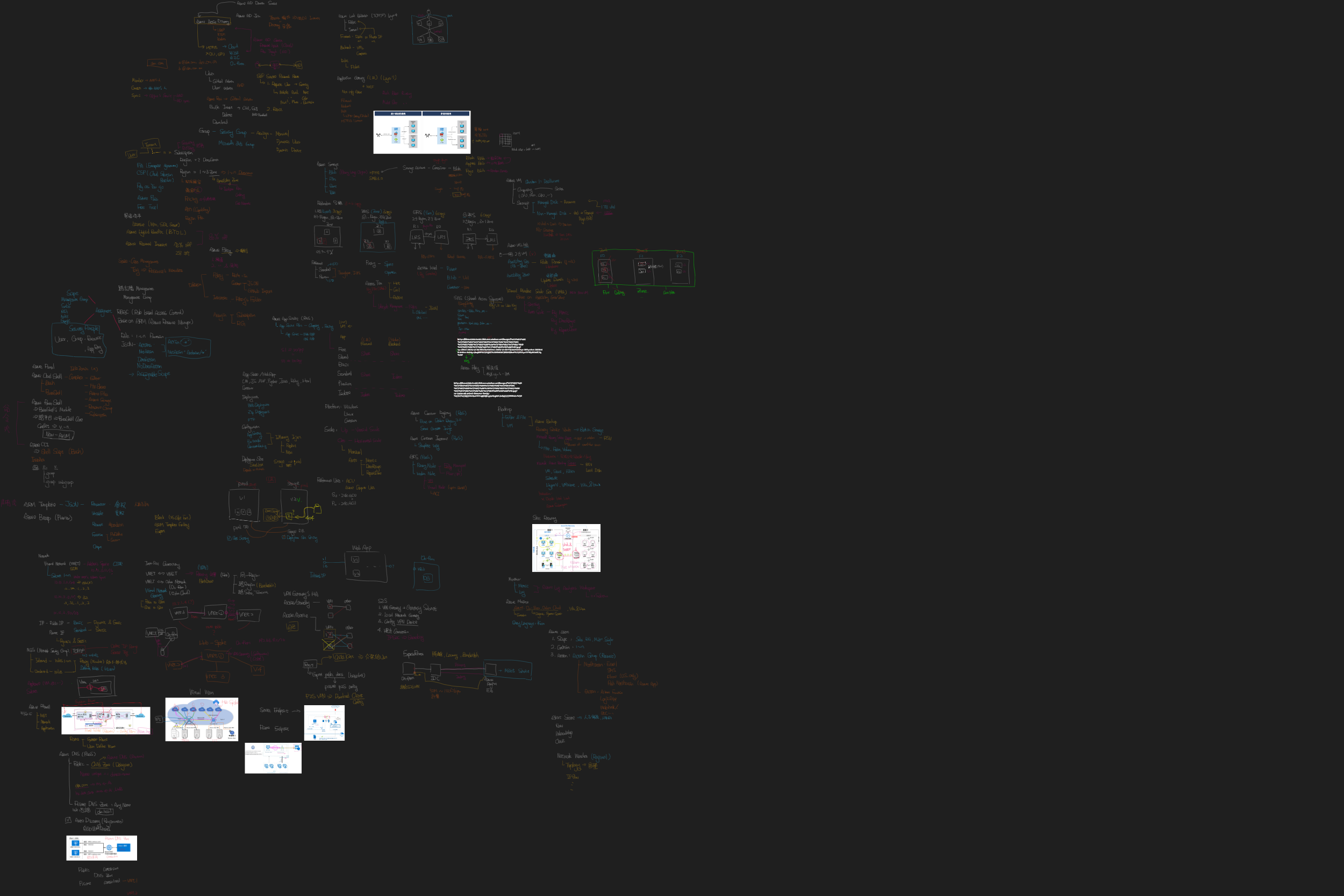
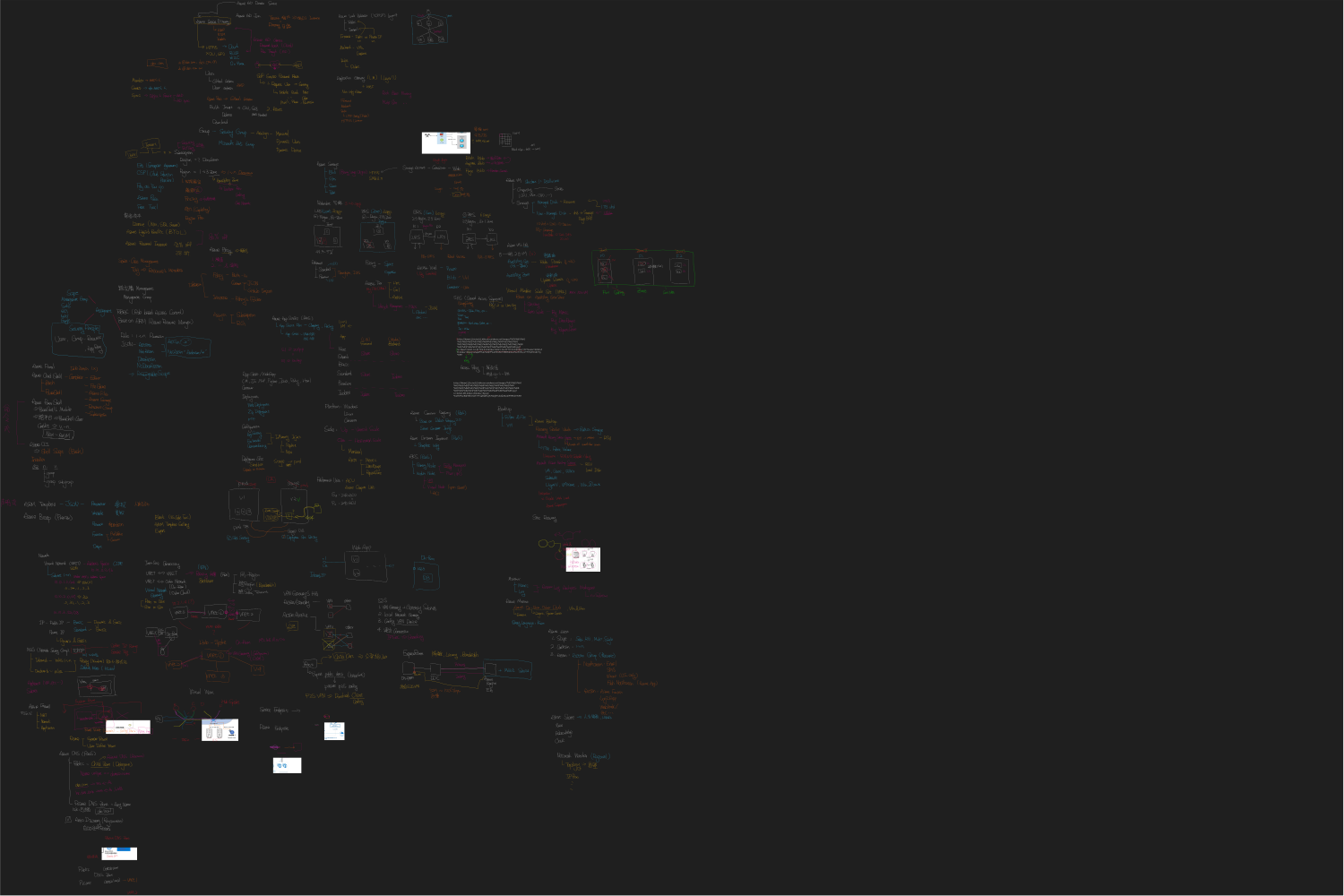
SVG: Whiteboard.svg
47392-AZ-104.pdf 49023-AZ-104.pdf 49459-AZ-104.pdf 50101-AZ-104.pdf 50488-AZ-104.pdf 52348-AZ-104.pdf 52357-AZ-104.pdf 55239-AZ-104.pdf 59711-AZ-104.pdf 64357-AZ-104.pdf 65790-AZ-104.pdf 81161-AZ-104.pdf 83715-AZ-104.pdf
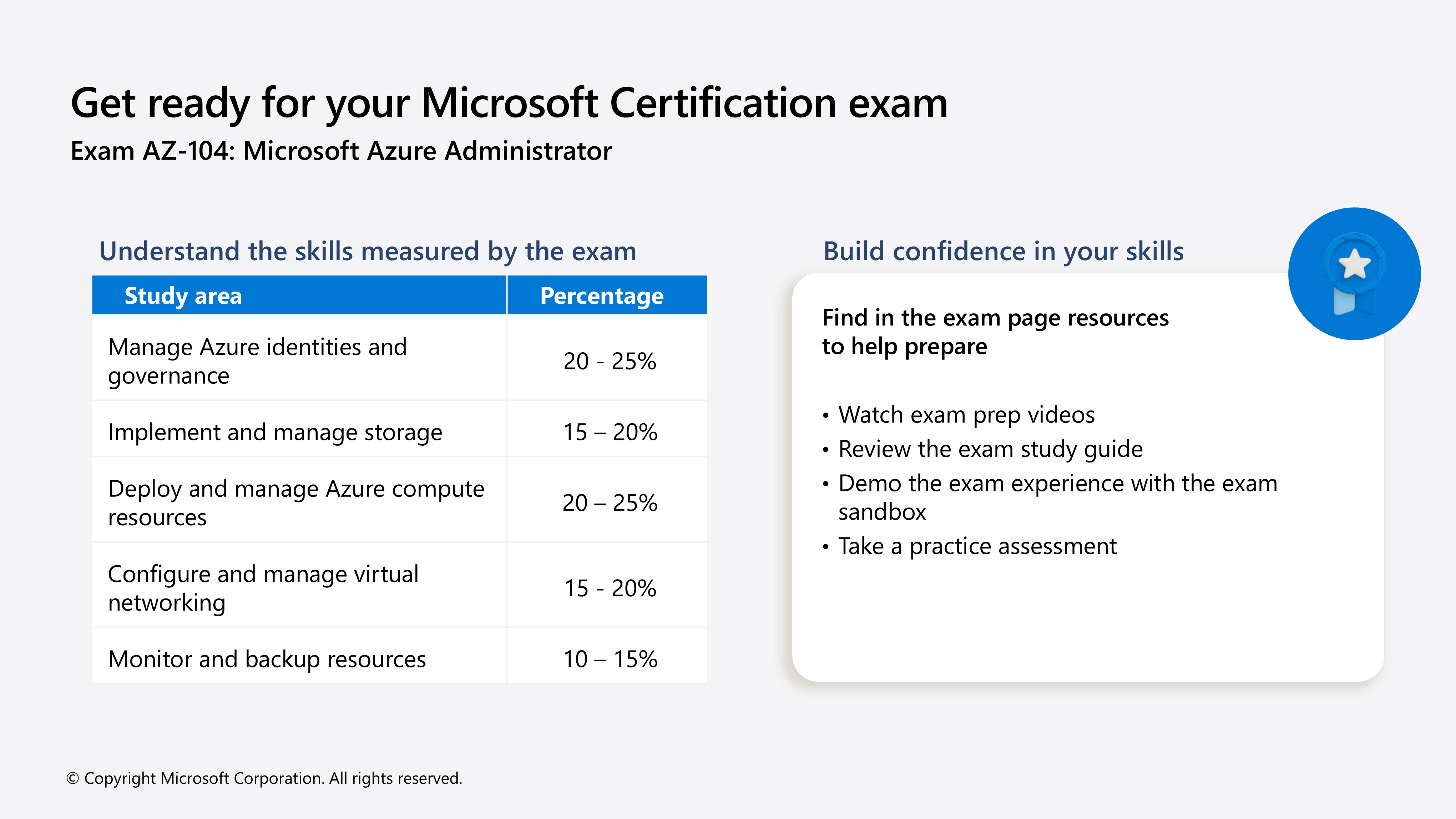
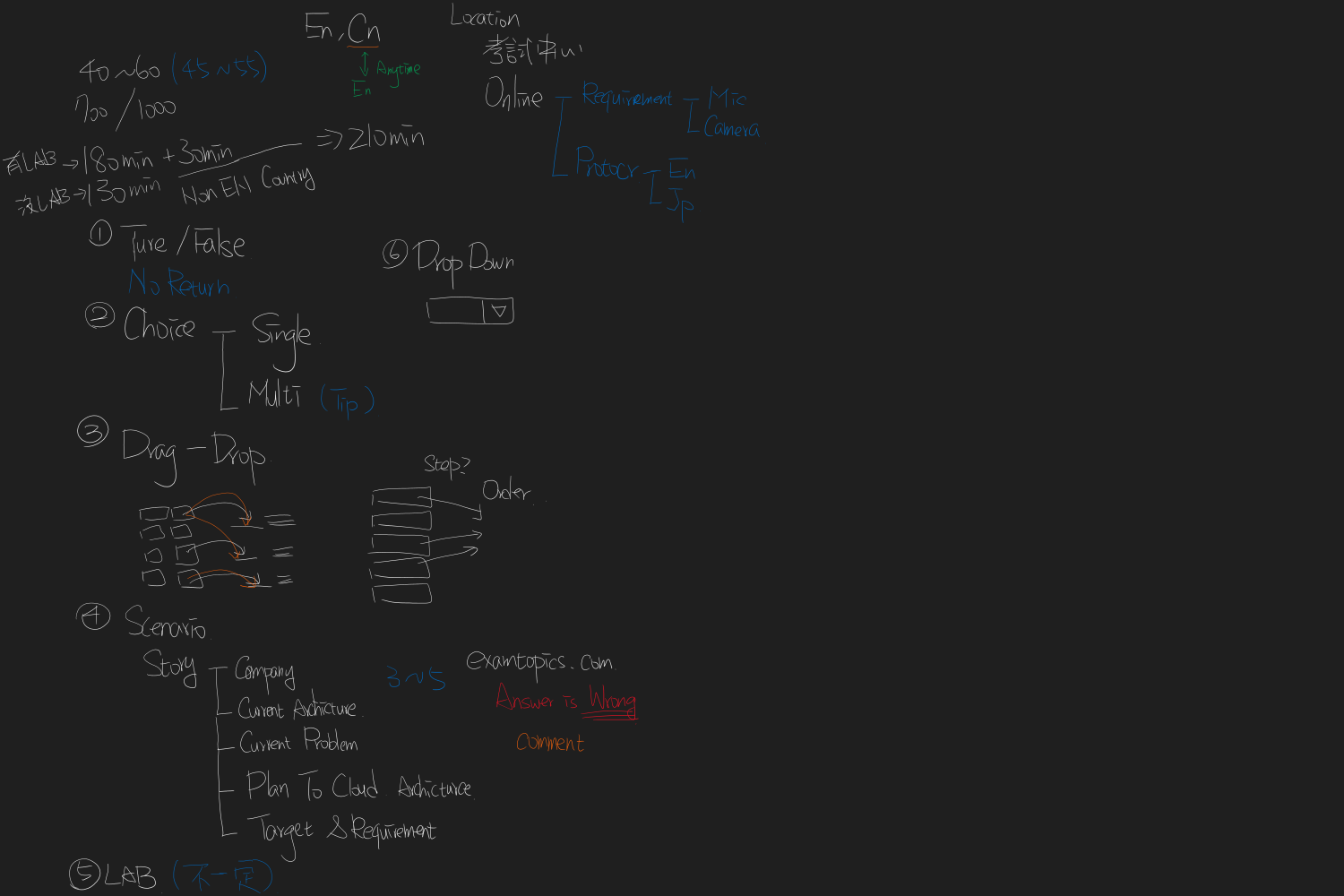
Exam duration and question types AZ-104 Practice Exam AZ-104 Study Guide AZ-104 Exam Prep videos Unscheduled breaks now available in most exams without requesting in advance AZ-104 Exam Readiness Zone AZ-104 Exam Sandbox Microsoft Exam FAQ Renew your Microsoft Certifications for free. Stay Microsoft Certified! Microsoft Learn for all role-based Microsoft Certification exams
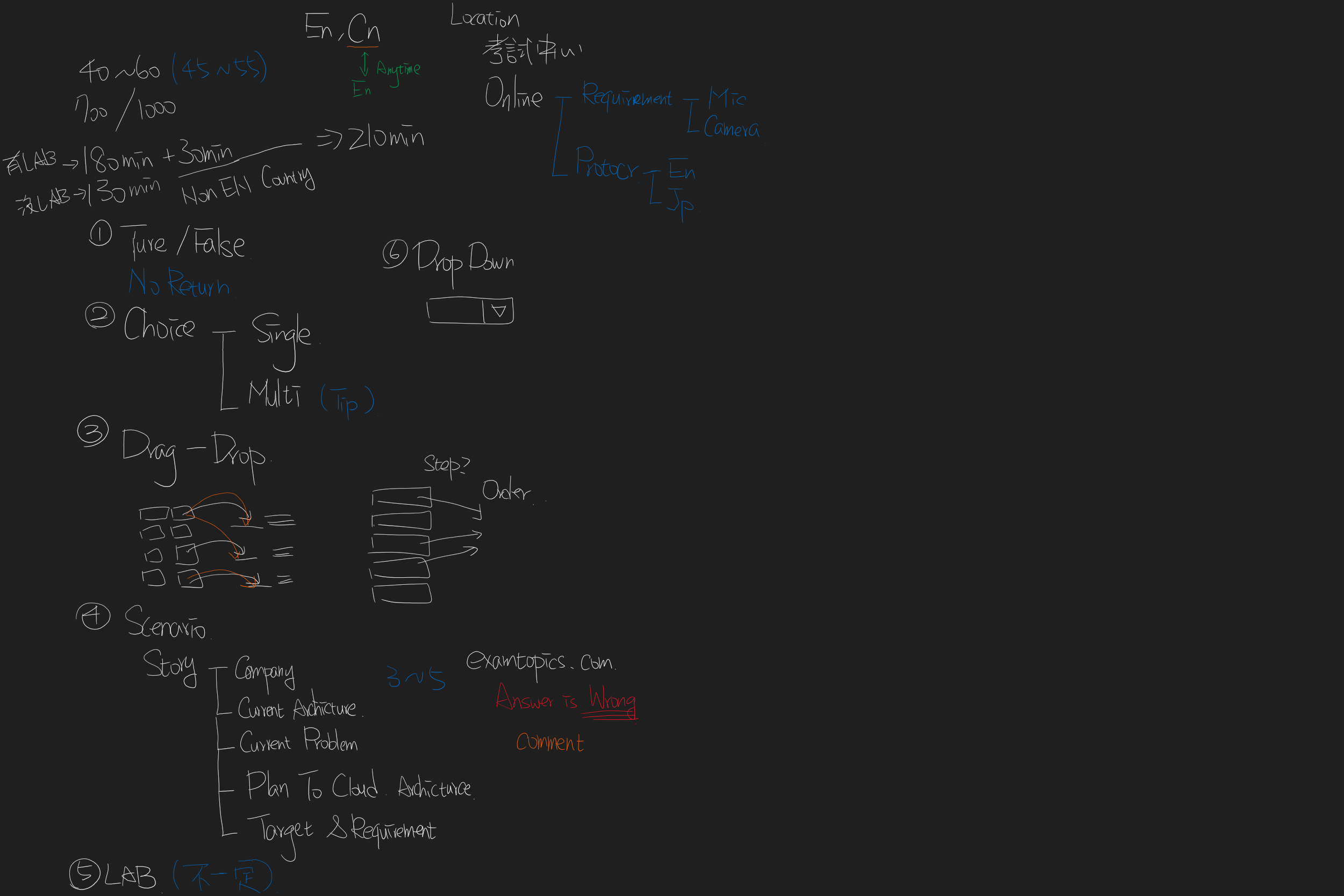

SVG: exam.svg
- Money Yu
- Mail: Money.Yu@microsoft.com
- LinkedIn: @abc12207