
| image | https://learn.microsoft.com/en-us/media/learn/certification/badges/github-copilot.svg |
|---|---|
| tags | GH-300, Reference |
| GA | G-DXYJBX6BH8 |
This course explores the use of AI in the context of GitHub Copilot, a generative AI tool for developers. It equips users with the knowledge and skills to use Copilot effectively while mitigating potential ethical and operational risks associated with AI usage.
:::success Date: 20260907 Course ID: 103025 :::
:::info Post Course Survey: https://aka.ms/gh300survey :::
:::success Training key: :::
Getting started with GitHub Copilot
Advanced GitHub Copilot exercises
GitHub Copilot JavaScript portfolio
GitHub Copilot developer exercises
Build applications with GitHub Copilot agent mode
Scale institutional knowledge using Copilot Spaces
About Copilot auto model selection
Introducing auto model selection
GitHub Copilot Internal (third-party reference)
Getting code suggestions in your IDE with GitHub Copilot
GitHub Copilot code suggestions in your IDE
Asking GitHub Copilot questions in GitHub
Asking GitHub Copilot questions in your IDE
Concepts for GitHub Copilot cloud agent
About GitHub Copilot cloud agent
Managing access to GitHub Copilot cloud agent
Working with agent sessions in the GitHub Copilot app
GitHub Copilot: The agent awakens
Create and manage agent customizations in VS Code
Use custom instructions in VS Code
Adding repository custom instructions for GitHub Copilot
Adding agent skills for GitHub Copilot
About Model Context Protocol (MCP)
Setting up the GitHub MCP Server
Extending GitHub Copilot Chat with MCP servers
About GitHub Copilot code review
Using GitHub Copilot code review
Configuring code review by GitHub Copilot
Creating a pull request summary with GitHub Copilot
Responsible use of GitHub Copilot Chat
Configuring and auditing content exclusion
Reviewing user activity data for GitHub Copilot in your organization
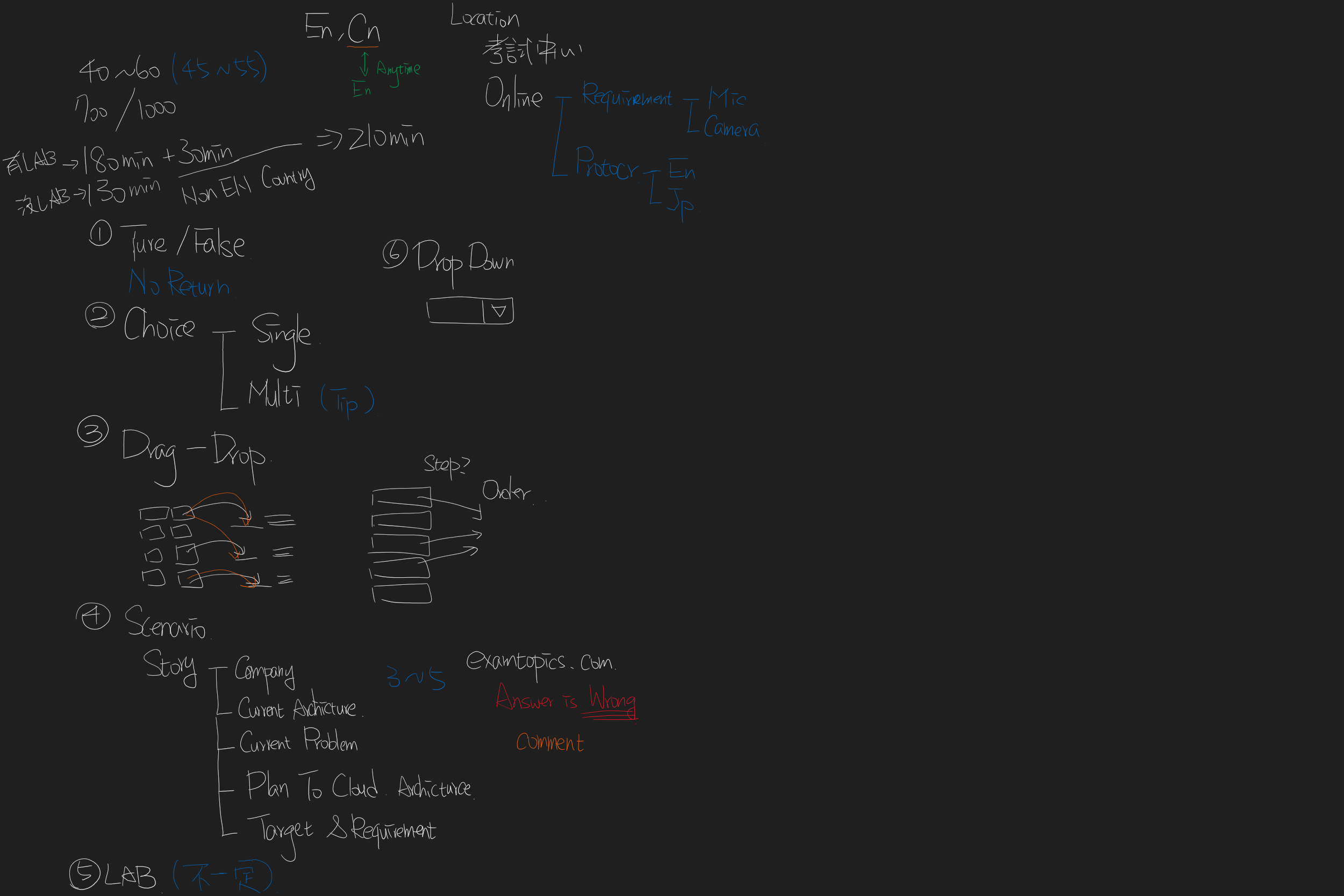
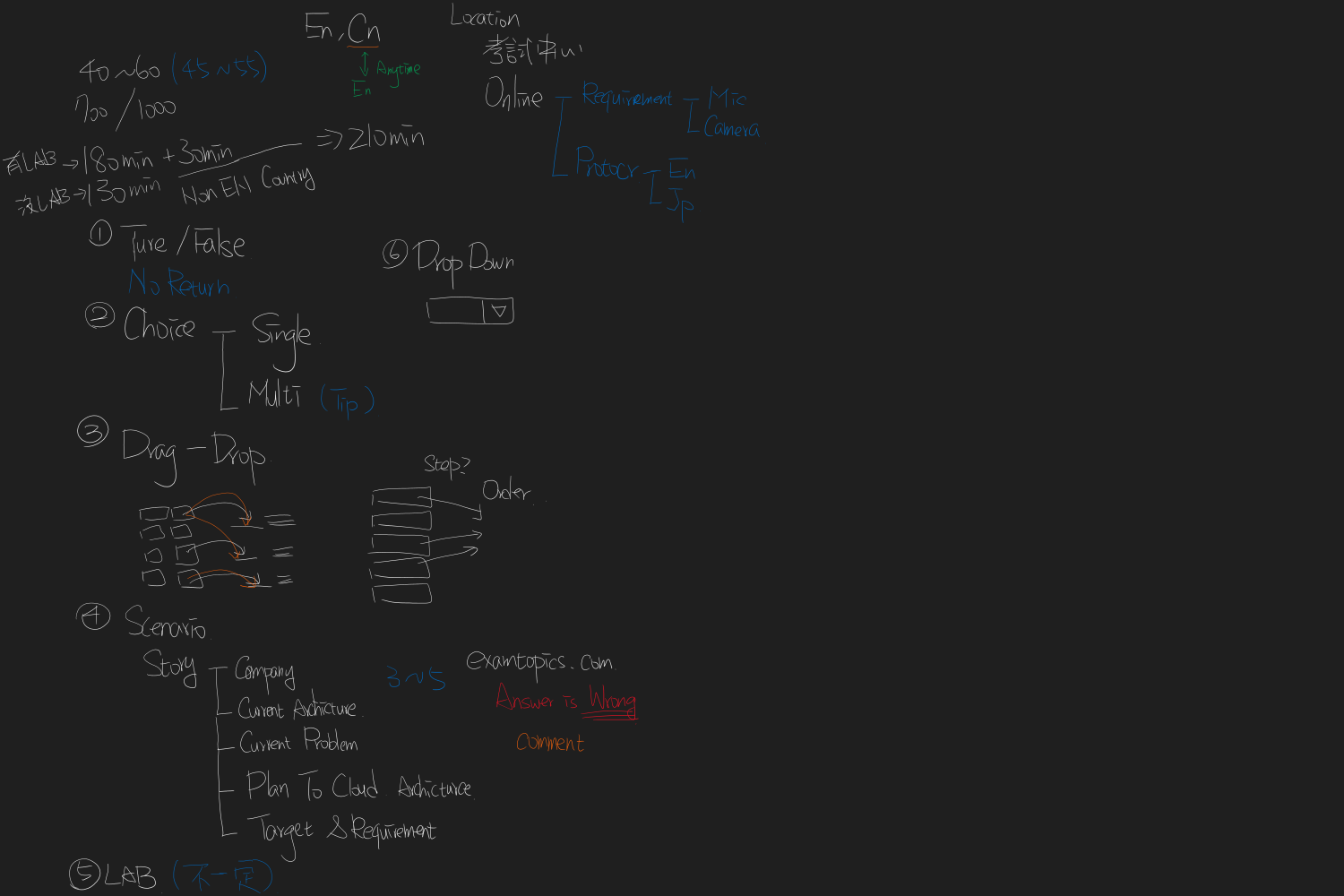
Exam duration and question types
Microsoft certification exam sandbox
Renew your Microsoft Certifications for free
SVG: exam.svg
# GH-300: GitHub Copilot

## Foundations
- [Plans](https://docs.github.com/en/copilot/get-started/plans), features, model selection, and responsible AI
- **GitHub Copilot Pro** vs **Business** vs **Enterprise**: choose by individual needs versus organization-wide management and governance
- Validate generated output; do not treat it as authoritative without review

## Code completion
- [Inline code suggestions](https://docs.github.com/en/copilot/how-tos/get-code-suggestions/get-ide-code-suggestions) use the active editor context
- **Code completion** vs **Copilot Chat**: inline next-change suggestions versus an interactive, multi-turn conversation

## Copilot Chat
- Ask questions in the [IDE](https://docs.github.com/en/copilot/how-tos/chat-with-copilot/chat-in-ide) or on GitHub
- Add focused context and verify the resulting code, tests, and explanations

## Agent mode and Cloud Agent
- [Cloud Agent](https://docs.github.com/en/copilot/concepts/agents/cloud-agent) can work asynchronously in a repository
- **Agent mode** vs **Cloud Agent**: interactive development workflow versus a background GitHub task
- Use custom agents, skills, and [agent sessions](https://docs.github.com/en/copilot/how-tos/github-copilot-app/agent-sessions) deliberately

## Customization
- [Repository instructions](https://docs.github.com/en/copilot/how-tos/configure-custom-instructions-in-your-ide/add-repository-instructions-in-your-ide?tool=visualstudio), prompt files, and custom agents make guidance reusable
- Keep instructions specific, versioned, and scoped to the repository

## GitHub Copilot CLI
- [Copilot CLI](https://docs.github.com/en/copilot/concepts/agents/copilot-cli/about-copilot-cli) supports terminal-based assistance
- Replace retired `gh copilot` extension examples with the standalone `copilot` CLI workflow

## Model Context Protocol (MCP)
- [MCP](https://docs.github.com/en/copilot/concepts/context/mcp) connects Copilot to controlled tools and context
- Review each server's permissions and organization policy before enabling it

## Copilot code review
- [Code review](https://docs.github.com/en/copilot/concepts/agents/code-review) accelerates feedback but does not replace accountable human review

## Pull requests
- [Pull request summaries](https://docs.github.com/en/copilot/how-tos/copilot-on-github/copilot-for-github-tasks/create-a-pr-summary) reduce drafting overhead; verify the resulting description before publishing

## Copilot Spaces
- [Spaces](https://docs.github.com/en/copilot/concepts/context/spaces) ground questions in curated content

## Privacy, data, and governance
- [Content exclusions](https://docs.github.com/en/copilot/how-tos/configure-content-exclusion) control eligible repository content
- **Content exclusion** vs **public-code matching filter**: context eligibility versus treatment of matching suggestions
- Review activity data and policies; understand data flow before deployment

## Development environments
- Use [Dev Containers](https://code.visualstudio.com/docs/devcontainers/containers) for repeatable local development environments
- Money Yu
- Mail: Money.Yu@microsoft.com
- LinkedIn: @abc12207