
Always-visible health and power text on the player, pet, target and focus frames for World of Warcraft: Forever


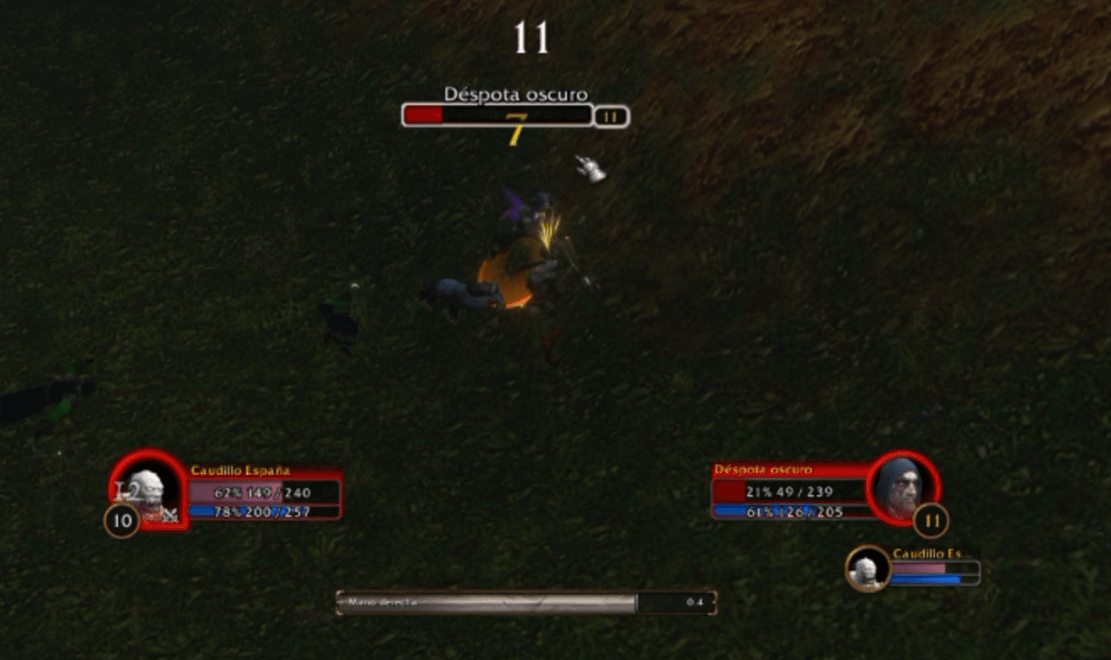 Health and power text on the frames |
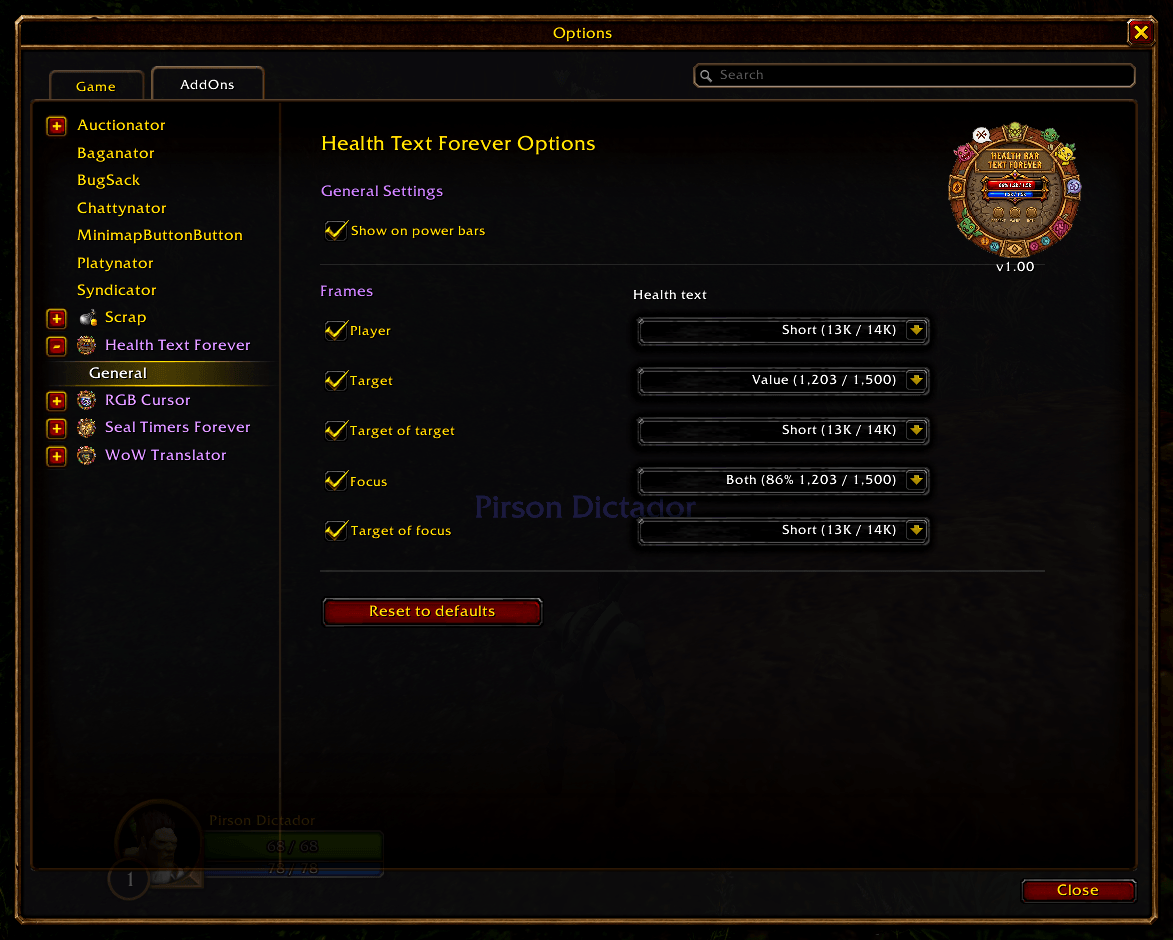 Options |
By default, WoW Forever only shows your health and power numbers when you hover the bar. Health Bar Text Forever keeps them always visible on the player, pet / minion, target, target of target, focus and target of focus frames, in the format you choose for each one.
| Format | Example |
|---|---|
| Value | 1.203 / 1.500 |
| Percent | 86% |
| Short | 13K / 14K (999 / 1K below 1,000) |
| Both | 86% 1.203 / 1.500 |
- Always-visible health and power (mana, rage, energy...) on the player, pet / minion, target, target of target, focus and target of focus frames.
- Turn each frame on or off: an off frame goes back to Blizzard's default behavior.
- Four formats, chosen per frame: value, percent, short or both.
- Optional text on the power bars (on by default). Turn it off and those bars go back to Blizzard's default behavior.
- The text hides with no unit or a dead one, so it never covers the game's own "Dead" label.
- Lightweight, no libraries. Settings live in the game's own Options → AddOns panel.
- Download the zip from the latest release.
- Extract the
HealthBarTextForeverfolder intoWorld of Warcraft/_classic_beta_/Interface/AddOns/. - Restart WoW and enable the addon.
It only loads on WoW Forever: the only TOC is HealthBarTextForever_Camelot.toc (Camelot is Forever's game type), so no other client lists it.
/htfopens the settings.- Options → AddOns → Health Bar Text Forever → General: which frames show the text, the format of each one and "Show on power bars".
In WoW Forever, health and power are secret values for addons during combat: they can be shown, but not used in math. This addon never computes anything with them: the percent comes from the game itself (UnitHealthPercent / UnitPowerPercent) and the numbers are only formatted for display.
Author: Pirson · GitHub · CurseForge · MIT License