


Single-node table format. A directory of data files plus a JSON commit log. Readers only see files that a commit published.
This is the same shape as Delta Lake (log as source of truth, atomic commit, time travel), on one machine, with JSONL instead of Parquet.
Sister of tinyquery: that repo is the query engine, this one is the table format.
Try it in your browser: tinyquery queries a tinydelta table under Pyodide. Drag the timeline to read any version, or append a new one and watch it commit.
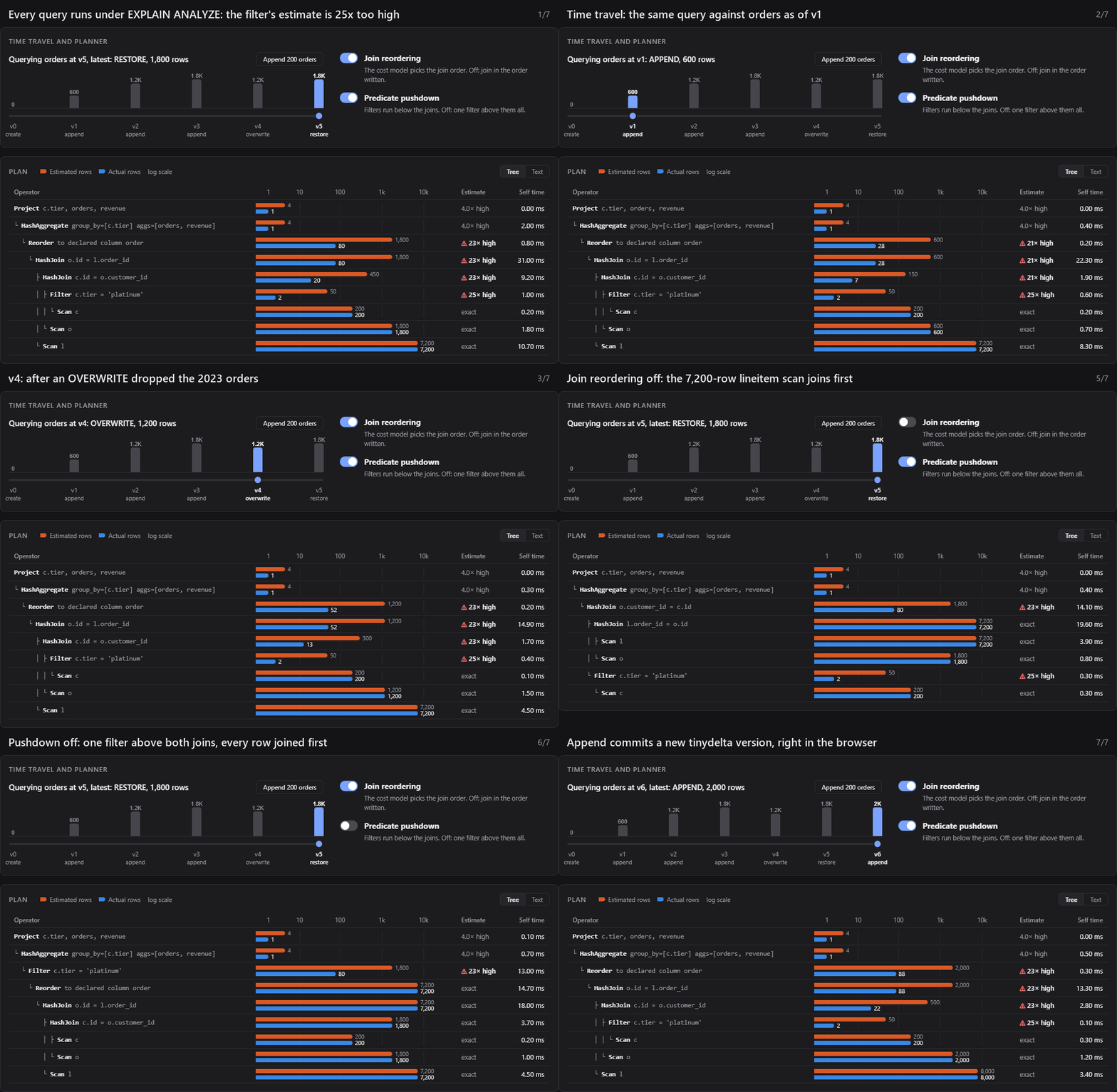
Pyodide has no hard links, so the demo publishes commits with exclusive create
plus copy instead. That only holds up because a browser tab runs one Python
thread; everywhere else, tinydelta uses link() as described below.
createan empty table with a schemaappend/overwriterows from JSONLreadthe latest snapshot, or a past versiondescribeschema, file count, and row count for a version- Optimistic concurrency: two writers that both read version n cannot both commit n+1
- Atomic visibility: a reader sees a commit completely or not at all, and a version never changes once visible
vacuumdeletes data files the log never published (crash leftovers, lost writer files)restoremakes the latest snapshot match an older version, as a new commit
No Parquet, no checkpoints, no MERGE, no cloud object store. There is no retry loop; a conflict is an error. Commits are published with a hard link, so the table must live on a filesystem that supports them (NTFS, ext4, APFS do; FAT32 does not). vacuum does not delete files that were removed by overwrite, because those still belong to older versions.
python -m tinydelta create ./orders id:int region:str year:int
python -m tinydelta append ./orders --file examples/orders.jsonl
python -m tinydelta read ./orders
python -m tinydelta describe ./orders
python -m tinydelta overwrite ./orders --file examples/orders.jsonl
python -m tinydelta read ./orders --version 1
python -m tinydelta history ./orders
python -m tinydelta restore ./orders --version 1
python -m tinydelta vacuum ./orders
pip install -e ".[dev]"
pytestrows
→ write part-<uuid>.jsonl (not readable yet)
→ write the commit to _delta_log/.<version>.<uuid>.tmp, fsync it
→ link the temp file to _delta_log/<version>.json (the publish point)
→ fsync the log directory, delete the temp name
A commit needs two properties at once. Exclusivity: if two writers race for the same version, exactly one wins. Atomic visibility: a reader that sees the version file sees all of it.
An earlier version got only the first. It created <version>.json with O_CREAT|O_EXCL and then wrote into it, so for a moment the version existed but was empty. A reader in that window reported it as the latest version, and once the writer finished, the same version number returned different data. The window lasted microseconds, so random stress testing never caught it: a test that freezes the writer mid-write does.
Linking fixes both at once. link() is atomic and fails if the target exists, so the losing writer still gets ConcurrentWriteError, and the version name can only ever point at complete, durable contents. Temp names don't match the version pattern, so readers never see them, and vacuum removes any a crashed writer left behind.
Data files are written before the commit, so a crash anywhere before the link publishes nothing.
A reader reconstructs a version by replaying add / remove from 0 to n. A JSONL sitting in the directory with no add action is garbage, not a row.
overwrite removes every file in the current snapshot and adds a new one. Version n-1 still reads the old files; those files stay on disk.
vacuum deletes part-*.jsonl that never appear in any add action. That is the crash leftover. It does not reclaim overwritten files, because time travel still needs them. A writer that has written JSONL but not yet created the commit file looks like an orphan; --older-than keeps recent files so a concurrent commit is not deleted out from under it.
restore --version k commits remove/add so the new latest snapshot matches version k. It does not delete history; version k+1 is still there if you ask for it.
After create, append, overwrite:
v0  CREATE
v1  APPEND     (3 orders)
v2  OVERWRITE  (3 orders, new data file)

read()           → version 2
read(version=1)  → the first append