


Ask for anything in plain English and it finds the data, runs the analysis and builds the map. No code, and one click undoes anything it changed.
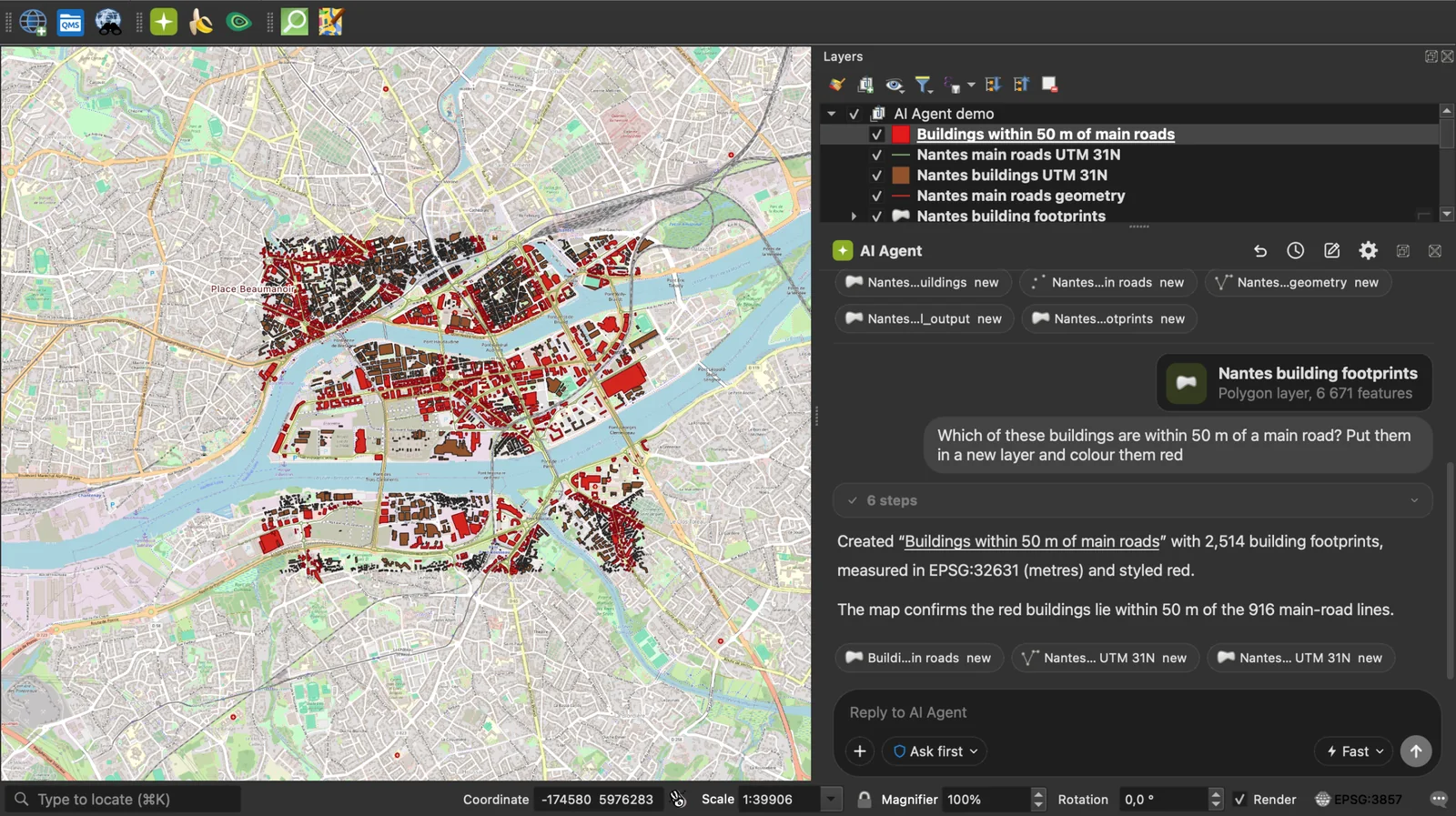
QGIS 3.28 or later, on Windows, macOS or Linux. In QGIS, open Plugins > Manage and Install Plugins, search "AI Agent", install. The free tier needs no card.
- Tutorial, documentation and plans: https://terra-lab.ai/ai-agent
- Plugin page on the QGIS repository: https://plugins.qgis.org/plugins/AI_Agent/
- Bugs and requests: https://github.com/TerraLabAI/QGIS_AI-Agent/issues
License: GPL-2.0-or-later. Made by TerraLab.
Every message goes to TerraLab's hosted service at agent.terra-lab.ai, in the
European Union. There is no offline mode and no local model. Answers come from an
AI model, so read what it proposes: nothing that changes your data or writes a
file runs without your approval, at the permission level you chose.
What is sent: your request; a description of the open project (its CRS, the canvas extent, and per layer the name, type, CRS, feature count, field names and extent); the attachments you add; and what you wrote in the agent's Settings fields. Leave those empty and nothing of the kind is sent.
What is not sent: the contents of your raster and vector files, your project file itself, feature geometries and whole attribute tables. Your activation key never appears in a tool result: every result, error and traceback passes a scrubber that also removes database passwords from layer URIs and API keys from URLs.
Usage counting carries no prompt text, layer name, file path or coordinate, and switching it off in Account Settings stops it on your machine and on our server. See our Privacy Policy and SECURITY.md for the threat model.
This repository is the plugin: everything that runs on your computer, under GPL-2.0-or-later, so what it can do to your machine is auditable in full. The hosted service is not in this tree: the model's system prompt, the tool descriptions it reads, and the open data catalogue.