
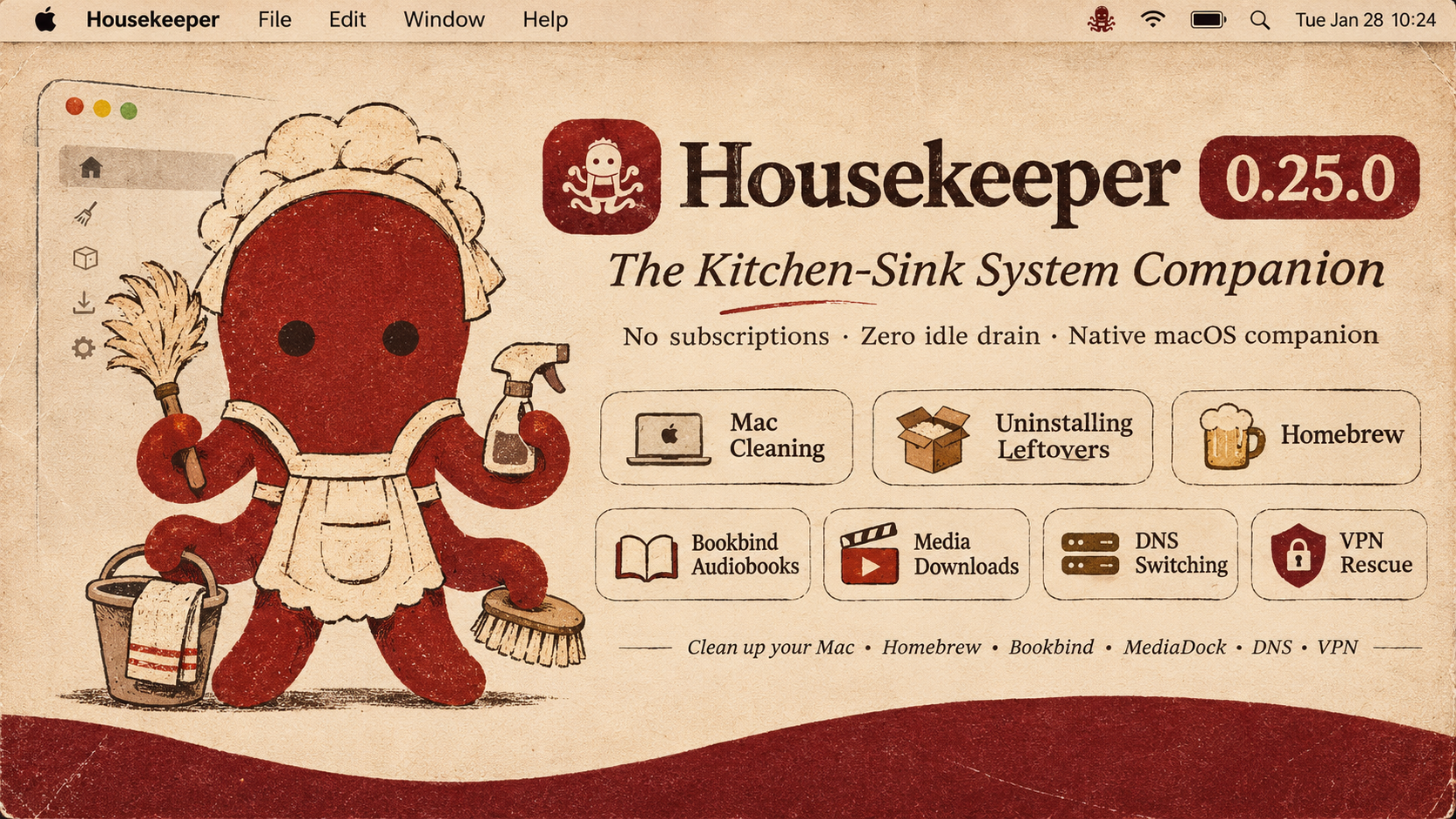
I made Housekeeper because I kept having the same slightly ridiculous problem on my Mac: tens of gigabytes would disappear into Claude projects, local AI models, Hugging Face caches, Python environments, logs, and application folders, and I could never quite tell what was genuinely needed, what could be recreated, and what would be a terrible idea to delete. One of my own Claude folders was tens of gigabytes. The usual storage tools could tell me that a folder was large, of course, but “large” is not the same thing as unnecessary.
Housekeeper is my attempt to make that whole business legible. It scans a defined set of places used by Claude, ChatGPT, Goose, Ollama, Hugging Face, LM Studio, MLX, Whisper.cpp, MacWhisper, GPT4All, Jan, Draw Things, ComfyUI, pip, and uv, measures what is actually there, and then shows each result as something you can click and inspect. You can sort by size, category, item, or safety status. For each item, the app tries to answer the questions I wanted answered myself: what is this, why is it here, is it normally necessary, and what is the actual risk if I move it?
I also did not want to make one of those cleaners that announces that it has found “47 GB OF JUNK” in alarming red letters and then expects you to trust a single enormous Clean button. Housekeeping deliberately slows the process down. Nothing is selected automatically. Most personal data is inspection-only. When something genuinely low-risk is eligible for cleanup, you still review it one item at a time, read the explanation again, and decide whether to keep it or move it into Housekeeping's reversible quarantine. The app does not permanently delete it.
Housekeeping has two appearances: a burgundy desktop interface with a grouped sidebar, and a Platinum skin with beveled controls, gray panels, and a striped title bar. Both use the same storage overview and tools. The octopus in the menu bar is the housekeeper.
Download Housekeeper Releases · Release notes
- Open Housekeeping and start a scan.
- Sort the results, usually by size, and click any row that looks interesting.
- Read the full path, measured size, what the item belongs to, why it exists, and the app's safety judgment.
- Tick only the things you genuinely want to review for cleanup.
- Use Clean Up Unnecessary Stuff… to go through eligible low-risk caches and logs individually. Housekeeping asks again before each move.
- If you change your mind, use Undo Last Quarantine. Restore will refuse to overwrite anything already occupying the original path.
- If Housekeeping keeps offering you something you actually want, press Leave It Alone on that item. It goes on a list and stops being offered — on this scan and every later one — until you take it off again.
- If you keep a library and a backup of it, open Two Folders (⇧⌘Y), pick the pair, and press Compare to see what is on one side and not the other.
Housekeeping 0.11.0 adds Two Folders: comparing two folders that are meant to hold the same things — a library and its backup, a working drive and the archive it was written to — reporting what is on one side and not the other, and copying the missing piece into place when you tick the row and press the button. It matches by content rather than by path, reads a file's bytes only when its size and date disagree, and refuses a destination that resolves outside the pair's writable side. A side that is not mounted is reported as unreachable rather than as an empty library, so a drive sitting in a drawer can never be mistaken for a library that has gone missing. This is the first part of the app that writes a copy rather than moving a file; anything that has to come off a disk still goes through the same Quarantine, and every run leaves a record of what it did.
0.10.0 audits a defined set of known application locations and reports what it can establish from local evidence. It performs a rule-backed audit of those locations, reports likely remnants of applications that are no longer installed, including the sandbox containers macOS gives each application and leaves behind when the application goes. It also checks Microsoft Office's own add-in folders and settings, where an add-in removed from the disk leaves an entry behind that makes the application complain on every launch, and it explains what each application will do next rather than only naming the file. It does not claim to understand every file on your Mac, and it does not infer that two large model files are duplicates merely because their names look similar. Some folders may also be inaccessible because of macOS permissions, and where that is the case Housekeeping says so in its results rather than reporting a clean Mac.
0.10.0 adds a second kind of reading: a setup check on the tools already installed. It looks at which program actually runs when you type a name, whether the link reaching it leads anywhere, whether what a package installed is linked and complete, whether one package manager has been superseded by another, and whether something was placed by hand rather than by the tool that owns it — the class of problem where a command breaks for a reason no one can see from the file itself. This is the one screen in Housekeeping that runs the system's own tools, and it is consent-gated per finding: nothing is ticked for you, nothing runs until you tick a row and press the button, and each row states what it will change before it is offered. Anything a repair takes off the disk goes into the same Quarantine an ordinary cleanup uses, so there is one place to put it back. A finding that would need more than one step, or that needs an administrator, is shown with its command and no button — Housekeeping does not ask for your password.
0.10.0 also puts every reading behind one button, and every job on one row. Look Everywhere runs the disk scan, the setup check and the update reading one after another — the octopus visibly working while it goes — and hands back a single account of what each found. It is automated exactly as far as reading: nothing is ticked, moved, installed or fixed, and each count on the screen it leaves behind is a door to the screen that already asks per item before it changes anything. Stopping it stops the reading in flight and nothing else, because nothing had been changed for the stop to undo. Alongside it, the row across the top of every screen now carries every job the app has rather than four of them: the setup check — which had a menu item and no button anywhere in the window — and the app's own Settings stand on it beside the others, and the row is grouped rather than one flat run, so what reads the Mac sits together, the two drawers holding what Housekeeping has already moved or been told to leave sit together, and the two things that are about the app itself sit apart from both. The app menu still carries every one of them as a shortcut; nothing is reachable only from the menu any more, and nothing is on the row that is not also in the menu.
The Housekeeper is an optional local chatbot, available with ⌘K. Chat starts off. Choose a downloadable Gemma or Qwen model, review its size, and press Download, or use Apple's on-device Foundation Model on an eligible Mac. It can explain a selected folder and answer general questions. Housekeeping's recorded safety assessment remains separate from generated answers, and the chatbot has no controls for moving or deleting files.
The downloadable build is a universal binary for both Apple-silicon and Intel Macs running macOS 13 or later, including every bundled engine and native library. One universal download works on either architecture. It is ad-hoc signed for local use and has not been Apple-notarized, so macOS may warn you when you first open it. The source is here for anyone who would prefer to inspect and build it themselves.
AI and development applications can leave substantial material in several different places:
- Downloaded models: model weights that may take many gigabytes and may be expensive to download again
- Model caches: shared stores such as
~/.cache/huggingface - Python environments: Python installations and libraries created for particular tools or projects
- Application data: databases, preferences, histories, logs, and caches, which do not all carry the same risk
- Orphaned remnants: support data that can remain after the visible
.appbundle is removed
Dragging an application to the Trash usually removes its .app bundle. It does not necessarily remove the models, caches, environments, or project data that application created elsewhere. Housekeeping audits the locations covered by its rule database and tells you what it can establish from local evidence; when it cannot establish enough, it says so and leaves the item alone.
- Audits exact
~/Libraryand dot-directory roots declared in the bundled rule database - Measures each matched root once, without recursively walking the entire home directory
- Detects installed vs. uninstalled applications
- Audits likely phantom application residue in Application Support, Preferences, HTTP storage, saved state, group containers, caches, logs, and user LaunchAgents
- Excludes Apple-owned and known shared namespaces from the phantom-app report
- Identifies shared resources (HuggingFace cache, pip cache, uv cache)
- Reports the measured size of known model and cache roots without inferring duplicate files from names
Every discovered item is classified into categories:
| Category | Description | Auto-selects |
|---|---|---|
| Cache | Temporary data, safe to recreate | ❌ |
| Logs | Diagnostic/historical logging | ❌ |
| Downloaded Models | AI model weights (expensive to replace) | ❌ |
| Application Data | Database files, persistent data | ❌ |
| Preferences | Settings and configuration | ❌ |
| Conversation / History | User conversations, prompts | ❌ |
| Credentials | API keys, authentication data | ❌ |
| Project Data | User-created work | ❌ |
| Python Environment | Isolated Python + libraries | ❌ |
| Shared Resource | Used by multiple apps | ❌ |
| Unknown | Cannot classify with confidence | ❌ |
- Nothing is permanently deleted: eligible items go only to Housekeeping Quarantine
- Nothing is auto-selected: the user must select every eligible cache or log
- User data is never automatically removed: conversations, credentials, projects are always unchecked
- Undo is recorded before the first move: append-only manifests retain every cleanup transaction
- Running app detection: refuses to clean live application data
- Conservative defaults: false negatives are preferred over false positives
- Your own refusals outrank everything: the left-alone list stops Housekeeping offering a path again, and it can only ever make the app more careful — nothing on it can make an unproven path eligible
- A working copy is never offered: a folder holding a Git repository or a deployment key is refused whatever its name suggests, because the size of a folder says nothing about whether it is the only copy of something
- The setup check runs only what you tick: it is separate in kind from cleanup — the one screen that runs the system's own tools — and it runs nothing until a row is ticked and the button pressed, offers no fix that would need more than one step, and asks for no password. Anything it takes off the disk goes to the same Quarantine and comes back through the same Restore as an ordinary cleanup
- The sweep reads and only reads: Look Everywhere runs the disk scan, the setup check and the update reading in sequence and changes nothing — no tick, no move, no install, no fix. Every count it hands back is a door to the screen that owns that job, and each of those screens still asks per item before anything happens
Housekeeping's rules are a decent guess about what is disposable, and they are still only a guess about your Mac. The left-alone list is how you correct it without editing any of those rules.
Press Leave It Alone on any finding and that path is recorded, in a plain JSON file at ~/Library/Application Support/Housekeeping/Protection.json, which you can open and read in any text editor. Housekeeping consults the list first, before any rule of its own, and reports a listed path as blocked with your reason rather than its own. A blocked path is never tickable, never enters guided cleanup, and never reaches a rehearsal or a cleanup — the refusal happens in the same function that makes every other safety decision, so there is no surface of the app that can disagree with it.
Protecting a folder protects everything inside it, because being offered the contents of a folder you already refused is the same conversation held again. That makes one entry able to quiet a great many rows, and the refusal text names the folder responsible so you know which entry to remove.
Nothing on the list is moved, deleted, or touched — that is the whole point of it. The list only ever subtracts from what Housekeeping will offer. Taking an entry off restores the path to being judged by the ordinary rules; it does not clean anything and it does not make anything less safe than it was before you ever protected it.
Housekeeping's own records live in the same folder as this file, which is a path the safety policy refuses to quarantine, so the list that says what must be left alone is itself something Housekeeping cannot touch.
The octopus in the menu bar is the housekeeper. Click it and you get a small chat bubble; press ⌘K and you get the same bubble from anywhere in the app, opened on whatever you have selected. Ask what a folder is, why it is on your disk, or what would happen if it went, and it answers in plain English.
Chat is off until you choose a provider. Selecting a downloadable model does not download it: a separate Download button shows the size first. Downloads resume after interruption and are checked against a pinned SHA-256 before use.
| Model | Approximate download |
|---|---|
| Gemma 3 1B | 806 MB |
| Qwen 2.5 1.5B | 986 MB |
| Qwen 3 1.7B | 1.11 GB |
| Gemma 2 2B | 1.71 GB |
| Qwen 3 4B Instruct | 2.50 GB |
Apple Intelligence is another option on eligible Macs running macOS 26 or later, with Apple Intelligence enabled and its system model ready. It uses Apple's on-device Foundation Model without a separate Housekeeping model download. It has no cloud fallback. Downloadable models also work on Macs without Apple Intelligence.
Settings shows downloaded models, their disk usage, and controls to delete an individual model or all Housekeeping-managed model files after confirmation. Apple manages its own system model; Housekeeping does not delete it.
Folder questions use the selected folder, known app locations, or a matching path from the held disk inventory. Exact paths can be checked for directory metadata and up to 16 immediate child names. This does not read file contents. Missing or ambiguous paths are stated explicitly. The discussed path is shown in chat, and follow-up questions retain that subject.
Generated answers can be wrong. For removal questions, Housekeeping displays its recorded assessment separately. The model cannot select items, move files, or override the cleanup policy. Conversation replies can be stopped, and downloaded-model runtime memory is released after the panel has been closed for 45 seconds.
Local Models (Maintenance, or ⇧⌘I) is one list of everything on this Mac that can hold a model in memory: Ollama, LM Studio, the housekeeper's own weights, a running MLX server, and the Hugging Face cache. Each row says what it weighs on disk and what it is holding now, and each offers the one thing it can do — Load while it is on disk, Unload while it is in memory.
Nothing is downloaded from this screen and nothing is deleted by it; the only thing it changes is memory. Loading is measured first: a model that needs more than the memory that is free is shown with the arithmetic instead of a button, because a model that does not fit does not fail politely on a 16 GB Mac. One loads at a time, and Unload Everything takes them all out when the room is needed back. LM Studio is read as a folder rather than by waking the app, and the Hugging Face cache is listed as downloads rather than as models, because a file nothing can run is not one.
This is the one screen in Housekeeping that runs the system's own tools, and it is worth being plain about that. Everything else in this app moves files it has classified and can put back. The setup check is different in kind: it reads how the Mac's command-line world is put together and then, only if you tick the finding and press the button, asks brew to change its own mind about a package.
What it looks at:
- A command that runs a copy Homebrew did not install. A
pip-installedyt-dlpsitting earlier on the path than Homebrew's newer one is the case this was written for: the command answers as an older version while Homebrew reports it installed and up to date. The fix moves the stray copy into Quarantine and then runsbrew link --overwrite, which gives Homebrew's copy the name back. The stray is moved, never deleted, and can be put back. - A link pointing at something that is not there. A dead symlink is moved into the same Quarantine everything else uses, with the same manifest, so there is still exactly one recovery screen in this app.
- A Python installed by hand outside Homebrew — a python.org 3.10 sitting in a system folder, say. It names what still points at it and shows the command that would move it aside, and it does not run it: that one needs an administrator, and Housekeeping does not ask for a password.
- MacPorts and Homebrew both providing the same commands, when both are actually present. When MacPorts' folder is the one that comes first — so its copy is the one that runs — the fix offered is a change to the single shell line that puts MacPorts on the path, moving it behind Homebrew's. Uninstalling MacPorts is shown as a command and not run, because it needs an administrator.
- The quieter Homebrew findings: a file that is referred to but absent, a formula installed but not linked, a missing dependency, a deprecated package, an untrusted tap, and files sitting in Homebrew's folders that Homebrew did not put there. Each is one line in
brew doctor's output turned into a row with its own sentence, and most carry the small undo Homebrew already has — link the formula, remove the deprecated package, untap the tap. The exception is the last one: those files sit in a folder that needs an administrator, so it is reported with thesudo mvthat would move them aside and no button.
Why it is written this way:
- One finding, one action, one row. A finding that is really a sequence would be a script, and a script is not something you can judge from the sentence above the tick. The single exception is written down where it happens: unshadowing a formula is a move followed by a link, because those are the two halves of one sentence.
- Nothing runs until you tick it and press the button. Every finding arrives unticked, states what it would do in a sentence, and names the exact command. Consent is per finding, not per run.
- Anything that moves goes through Quarantine, through the cleanup engine's repair path rather than its
cleanup(items:)method — same folder, same manifest, same restore screen. - Failures are that row's own news, and the run continues. Homebrew's or the file system's own words are carried back to the row, so a batch cannot stop at the first refusal and leave you unable to tell what ran from what did not.
- A finding Housekeeping cannot fix says so. Where the only correct action is one it will not take — because it needs an administrator, or because it would be the app guessing at what you meant — the finding is shown with the reason and the command, and stays a finding with no button.
A folder that calls itself a cache can still be somebody's project. Before anything is offered for cleanup, Housekeeping looks inside it — three levels down, stopping at the first thing it finds — for a Git repository or a deployment key. If it finds one, the folder is refused, whatever category and safety level the scan assigned it.
What counts, and why each one counts:
- A Git repository — the
.gitdirectory of a normal repository, and also the.gitfile a worktree or submodule uses instead. A working copy can hold commits, branches, or uncommitted work that exist nowhere else. - A deployment key —
id_rsa,id_ed25519and their siblings, plus anything ending.pem,.key,.p12,.pfx,.ppk,.keystore,.jks, or.mobileprovision. The file is usually named after the service it belongs to, so the extension is what makes it recognisable. - A credential file —
.netrc,.htpasswd,.npmrc,.pypirc,credentials.json,application_default_credentials.json,service-account.json.
The refusal names the file and where inside the folder it was found, so you can go and look at it before deciding what to do.
Two honest limits. The search goes three levels deep, so a repository buried deeper than that will not be seen — Housekeeping reports what it can establish and does not claim to have read everything. And it is done once per path per scan, both because a folder can change while the app is open and because a results list asks for the same answer on every redraw. Starting a new scan re-reads the disk, which is the moment a folder that has since become a repository starts being refused.
This one is a cue taken from Mole, whose purge step declines to touch directories containing deployment keypair files, nested Git repositories, or Git-tracked files, on exactly this reasoning: the cost of being wrong is not measured in gigabytes.
A library and its backup are supposed to hold the same things. Two Folders (⇧⌘Y) holds them up against each other and says what is on one side and not the other — then copies the missing piece to where it belongs, if you tell it to.
It matches by content, not by path, and there are five things it can say about a file:
- the same on both sides — nothing to do
- missing from B — A has it, B does not; this is the copy it can make
- missing from A — B has it and A does not
- the same name, different bytes — the one case where the two sides genuinely disagree, and neither is trusted automatically
- moved or renamed — it is in both, under different paths, so nothing is missing at all
Matching by content rather than by path is the whole design. Compare two folders by path and every past reorganisation reads as a library deleted and rewritten, which is both wrong and the most dangerous possible thing to be wrong about here.
Reading is kept as small as it can be. Size and a modified date are enough to call two files the same almost every time, so that is what is read first; a file is only opened and hashed when those two disagree, and that is capped so a very large pair reports what it could establish instead of running all night.
Three things a pair can be told, each of which exists because of a way a backup drive is actually used:
- A closed side. A pair can mark one side as frozen — the archive that is not being added to any more — and then the direction switch is off rather than merely discouraged. It still compares, because knowing what a closed archive is missing is worth knowing. What stops is the writing.
- Absent on purpose. A path can be marked as existing on one side by design, so its absence is not counted as a gap. It is still compared if it happens to be on both sides. Photos that only ever lived on the working drive are the case this was built for.
- Only one of a kind. The libraries that have no second copy anywhere are named on the screen, so nothing offers to compare them against nothing.
Two rules hold over everything else. If a side is not mounted, Housekeeping reports that and finds nothing — it never announces a whole library missing because a drive is in a drawer, which is the mistake that ends with a good archive written over a good one. And nothing is ticked for you: copies are one button, anything a run would move aside is a separate one, and every row says what it will do before it can be pressed.
Copying is the one thing this screen can do that nothing else in Housekeeping can; until now the app only ever moved files into Quarantine. A copy goes only into a pair's own writable side, and a destination that resolves outside that side is refused rather than executed. Nothing is ever deleted to make room — anything that has to come off a disk goes through the same Quarantine, listed on the same screen and put back by the same Restore. Every run writes a record of what it did, one line per change, naming where each file went.
Housekeeping/Sources/
├── HousekeepingApp.swift       App entry point
├── AppDelegate.swift      macOS lifecycle and app menu
├── AppState.swift         Scan, inspection, and cleanup state
├── Core/             Data models & rule system
│   ├── Models.swift         All data types (FoundItem, Category, SafetyLevel, etc.)
│   ├── ApplicationRules.swift Rule definition format (JSON rules)
│   ├── RuleEngine.swift     Rule loading & matching
│   └── GlobMatcher.swift    Pattern matching
│
├── Scanner/
│   ├── BoundedScanner.swift Active rule-backed scanner
│   ├── ScanModels.swift     Progress and error types
│
├── Classifier/
│   └── Classifier.swift     Categorizes items by:
│                            - Category (cache, model, logs, etc.)
│                            - Safety level (safe, review, user data, etc.)
│                            - Association confidence (confirmed, likely, etc.)
│
├── Cleanup/
│   ├── SafetyPolicy.swift       Deterministic path and category gate
│   ├── ProtectionList.swift     Your refusals: the left-alone list, on disk
│   ├── SafeCleanupEngine.swift  Transactional quarantine and no-overwrite restore
│   ├── CleanupModels.swift      Cleanup and restore record types
│
├── Disk/                    Reading the disk, which is not the same as cleaning it
│   ├── DiskScanner.swift        Measured folder sizes
│   ├── DiskTree.swift           The tree they add up to
│   ├── DiskBrowserModel.swift   Navigation and selection
│   └── DiskBrowserView.swift    Browse the Disk
│
├── Update/                  What is installed, and where its updates come from
│   ├── InstalledAppInventory.swift  What is on the Mac
│   ├── AppProvenance.swift      Evidence on disk for where each app came from
│   ├── AppUpdateEngine.swift    The check, grouped by route
│   ├── UpdateBridge.swift       Running the update, once you have said so
│   ├── ProcessRunner.swift      Run-to-completion subprocess with a deadline
│   ├── UpdateExceptions.swift   Apps the check must not touch
│   ├── UpdateModels.swift       Rows, groups, and states
│   └── UpdateView.swift         Update Apps
│
├── MenuBar/
│   ├── OctopusMark.swift        The housekeeper's mark, drawn as one path
│   └── StatusItemController.swift  The animated menu-bar item and its menu
│
├── Housekeeper/             The local model, kept strictly in its place
│   ├── Housekeeper.swift        The conversation, and what the model is told
│   ├── HousekeeperTopic.swift   What the housekeeper is talking about
│   ├── HousekeeperView.swift    The chat bubble (⌘K)
│   ├── HousekeeperWeights.swift The model download, resumable
│   └── LlamaServer.swift        The bundled llama-server, supervised
│
├── Environment/             The setup check: installed tools, and what is wrong
│   ├── EnvironmentAudit.swift      Reading the shape of a Mac
│   ├── EnvironmentShellPath.swift  What your shell's search path actually is
│   ├── EnvironmentFixer.swift      Doing the fixes the screen offers
│   ├── EnvironmentBridge.swift     The check, wired to AppState
│   ├── EnvironmentModels.swift     What it found, and what can be done about it
│   └── EnvironmentView.swift       Check My Setup
│
├── Reconcile/               Two folders meant to hold the same thing
│   ├── ContentIdentity.swift    Deciding whether two files are the same file
│   ├── ReconcileModels.swift    What a pair is, and what comparing one found
│   ├── ReconcileEngine.swift    The comparison, the plan, and the copy
│   └── ReconcileModel.swift     The screen's side of it
│
└── UI/
    ├── ContentView.swift       Main navigation (Welcome → Scan → Results)
    ├── QuarantineView.swift    Quarantine contents and cleanup history
    ├── ProtectionView.swift    The left-alone list
    ├── RetroStyles.swift       Mac OS 9 visual system
    ├── CleanupView.swift       Cleanup confirmation
    ├── ReconcileView.swift     Compare Two Folders
    ├── SweepView.swift         Look Everywhere
    └── SettingsView.swift      Preferences
Applications are defined in JSON files under Resources/Rules/:
claude.json: Claude by Anthropicollama.json: Ollamagoose.json: Goose by Blockchatgpt.json: ChatGPT by OpenAIcodex.json: Codex CLI by OpenAIgapcode.json: GapCode (the GapGPT-badged build of the Codex CLI)gemini.json: Gemini by Googlechrome.json: Chrome profile, cache, and download locationshuggingface.json: Hugging Face shared cachelmstudio.json: LM Studiopipcache.json: pip package cacheuv.json: uv package cache
Each rule defines:
- Known paths (relative to standard locations)
- File patterns to match
- Keywords for heuristic matching
- Confidence boosters
Adding a new application is as simple as adding a JSON file.
Housekeeping requires Xcode to build. The Xcode license must be accepted on the Mac before xcodebuild will run.
- Open
Housekeeping.xcodeprojin Xcode - Select the
Housekeepingtarget - Choose your development team (or "Sign to Run Locally")
- Press ⌘B to build
Or use the project-local workflow:
./script/typecheck.sh
./script/test_safety.sh
./script/build_and_run.sh --verify
To produce a universal app and ZIP without invoking xcodebuild:
./script/package_release.sh /path/to/output-directoryPackaging requires the universal Housekeeping/Resources/llama-server runtime and Bookbind runtime (bash script/build_bookbind_runtime.sh; see Runtime/README.md). It builds both arm64 and x86_64 app slices and checks every nested executable and native library before shipping one universal ZIP. The packages are ad-hoc signed. They are not Developer ID signed or notarized.
Command-line tools alone cannot build SwiftUI apps (SwiftUI macros require Xcode's build system). However, you can verify that all Swift source files parse correctly:
# Verify core modules compile
for f in Housekeeping/Sources/Core/*.swift Housekeeping/Sources/Scanner/*.swift \
         Housekeeping/Sources/Classifier/*.swift Housekeeping/Sources/Cleanup/*.swift; do
  swiftc -parse "$f"
done

# Verify UI files parse
for f in Housekeeping/Sources/UI/*.swift Housekeeping/Sources/HousekeepingApp.swift \
         Housekeeping/Sources/AppDelegate.swift Housekeeping/Sources/AppState.swift; do
  swiftc -parse "$f"
done
All files in this project parse cleanly with Swift 6.4.
Developer ID signing and notarization have not been completed. Scanning, classification, and chat inference run locally. Downloadable chat weights are fetched from Hugging Face only after an explicit download. Other tools have their own network activity: release and application-update checks contact their sources, MediaDock downloads requested media, Bookbind can look up metadata and cover art, and route testing contacts the selected endpoints. Chat does not send folder context to a cloud AI provider.
The Mac OS 9 interface is a deliberate choice. Utilities such as Norton Utilities, StuffIt, and ResEdit were honest about what they found and conservative about what they changed. Housekeeping follows that tradition:
- Explain what you find: say "3 downloaded language models" instead of "5 GB of junk"
- Explain what you do: say "removed Ollama model, freed 8.2 GB" instead of "cleanup complete"
- Never delete by default: no result is pre-selected, including caches and logs
- Always reversible: eligible cleanup goes to recoverable quarantine, and restore refuses to overwrite an existing path
Housekeeping 0.19.0: Bookbind takes a folder dragged in from the Finder, and a run now has its own panel — planning, a real percentage, checking, and then Saved with the exact path the .m4b was written to. It can be stopped or sent to the background, and closed without stopping anything.
Housekeeping 0.18.6: Optional Dock icon under Settings → Startup → Show in Dock. Turn it off to keep Housekeeping in the menu bar without a Dock or Command-Tab entry. Changes apply immediately and survive relaunch.
Housekeeping 0.18.5: Persistent tool navigation, searchable and sortable cleanup results, a refined burgundy interface, repaired Platinum layout, optional Gemma and Qwen chat models, Apple Intelligence support on eligible Macs, specific-folder explanations, and model removal in Settings. See the release notes.
Housekeeping 0.11.0: Two Folders — compare a library against its backup and see what is on one side and not the other, matched by content rather than by path, with a frozen side for an archive that is not written to any more, paths marked absent on purpose, an unmounted drive reported as unreachable rather than empty, and the missing copy written into place only when you tick the row and press the button — plus the app's first copy, its run record, and an Xcode project that names every source file again
Housekeeping 0.10.0: The setup check — a reading of the tools already installed, one finding to a row, with the fixes it can state in one step offered as consent-gated buttons and everything else shown as the command it would take — plus the housekeeper opened from every screen and sheet in the app, Look Everywhere, one press for all three readings with each count a door to the screen that asks, and a top bar carrying every job the app has rather than four of them
Housekeeping 0.9.0: The Housekeeper — a small local model, downloaded on first use, that explains any finding in plain English while Housekeeping itself keeps the verdict — the octopus in the menu bar, and a direct way to ask about whatever item is in front of you
Housekeeping 0.8.0: Every row now says what the thing is and who made it, read off the disk rather than guessed from the name, and the four jobs — quarantine, left alone, browse the disk, update apps — are a permanent row across the top of every screen
Housekeeping 0.7.0: Update Apps, a list of everything installed that could be updated, grouped by where its updates actually come from rather than by name, with nothing inferred from an app's name
Housekeeping 0.6.0: The application renamed to Housekeeping.app, the quarantine left behind by earlier builds carried forward into ~/Housekeeping Quarantine rather than orphaned, and a newer-release notice that asks GitHub once per launch, shows a line only when a newer release is confirmed, and never reports "current" for a question it could not ask — on top of everything in 0.5.0
Housekeeping 0.5.0: Sandbox-container scanning with a note saying what was measured and left out, the seven local-AI applications that install without an application bundle, a corrected description for folders belonging to macOS or to a large vendor, and a Microsoft Office add-in audit that explains what each application will do on its next launch — on top of bounded scanning, protected workspace inventory, reversible quarantine, visible quarantine management, item explanations, full-row inspection, sortable results, last-used dates on every finding, the left-alone list, a working-copy guard over Git repositories and deployment keys, help text on every control, a universal Apple-silicon and Intel build, and reliable Dock reopening
Housekeeping 0.4.0: Safety milestone with bounded scanning, protected workspace inventory, reversible quarantine, visible quarantine management, item explanations, full-row inspection, sortable results, last-used dates on every finding, the left-alone list, a working-copy guard over Git repositories and deployment keys, help text on every control, a universal Apple-silicon and Intel build, and reliable Dock reopening
Supported AI applications: Claude, ChatGPT, Codex, Gemini, Goose, Ollama, HuggingFace, LM Studio, MLX, Whisper.cpp, MacWhisper, GPT4All, Jan, Draw Things, ComfyUI
Extensible via JSON rule files.