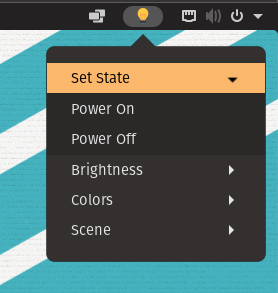
Simple gnome-shell extension that lets you control wiz connected smart bulbs.
Requirements:
#Wiz enabled smart bulb
#python3 (To install use command "sudo apt install python3")
#pywizlight (To install use command "pip3 install pywizlight")
To Use go to the location where extension is installed (usually stored in "~/.local/share/gnome-shell/extensions") and change IP address in extension.js file to your smart bulb's IP address and then extension should work.