
The simulation engine for the flexipod project, it is built upon the original Titan library[1] from Jacob Austin.
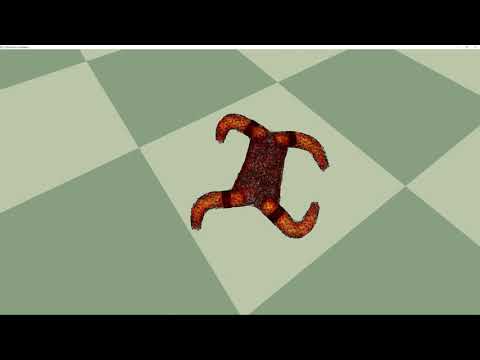
Windows/Linux machine with Nvidia Graphics card that has Cuda support, and with compute capability>=6.0. See a list of CUDA enabled graphics cards here.
0. (windows) Install visual studio 2019:link
and in the installation manager, install with "Desktop development with c++"
Cuda tested with Cuda 10.2,preferably 10.0+,link
2. Install vcpkg by following the quick start guide.
For example in window, install vcpkg in C:\vcpkg using git bash:
cd C:/
git clone https://github.com/Microsoft/vcpkg.git
cd vcpkg
./bootstrap-vcpkg.bat
./vcpkg integrate install
To use vcpkg in CMAKE, you can either:
- add it onto your CMake command line as -DCMAKE_TOOLCHAIN_FILE=[vcpkg root]\scripts\buildsystems\vcpkg.cmake.
- or setup an environment variable as:
VCPKG_ROOT = C:\vcpkg. This method is included in the CMakeLists.txt file.
next, install some packages with vcpkg For Windows:
vcpkg install --triplet x64-windows glew glad glm glfw3 msgpack
`"

### 3. Clone the repo
either to clone (ssh):
```bash
git clone git@github.com:boxiXia/FlexipodFast.git
or to clone (HTTPS):
git clone https://github.com/boxiXia/FlexipodFast.git4. Modify the CMakeLists.txt file
find these lines, and modify according to your GPU architecture
###### here you must modify to fit your GPU architecture #####
# check https://arnon.dk/matching-sm-architectures-arch-and-gencode-for-various-nvidia-cards/
string(APPEND CMAKE_CUDA_FLAGS " -gencode arch=compute_75,code=sm_75")conda create --name flexipod python=3.7
To activate the conda environment:
conda activate flexipod
check if pip works properly:
pip list
if you see error "module 'brotli' has no attribute 'error'":
conda install -c anaconda urllib3
#install (required)
conda config --add channels conda-forge
conda install jupyter numpy matplotlib seaborn scikit-learn Cython joblib numba
conda install shapely rtree networkx trimesh point_cloud_utils
pip install open3d msgpack
Install pyembree on windows (recommended,optional)
#clone pyembree into \Lib\site-packages\ of my environment
git clone https://github.com/scopatz/pyembree.git
cd pyembree
conda install cython numpy
conda install -c conda-forge embree
set INCLUDE=%CONDA_PREFIX%\Library\include
set LIB=%CONDA_PREFIX%\Library\lib
python setup.py install --prefix=%CONDA_PREFIX%
Install (optional)
conda install jupyter_contrib_nbextensions autopep8 line_profiler
# if you haven't done it already:
jupyter contrib nbextension install --user
# enable extensions in jupyter notbook
Install shapely on Windows (only for fallback): download whl
In Nvidia control panel, go to "Manage 3D Settings" -> "program setting". Add the "flexipod.exe" and make sure the setting: "OpenGL rendering GPU" is set to Nvidia GPU
Modify the .vs/launch.vs.json: CUDA_VISIBLE_DEVICES to a smaller number, e.g. 0
"env": { "CUDA_VISIBLE_DEVICES": "0" }1 J. Austin, R. Corrales-Fatou, S. Wyetzner, and H. Lipson, "Titan: A Parallel Asynchronous Library for Multi-Agent and Soft-Body Robotics using NVIDIA CUDA," ICRA 2020, May 2020.