

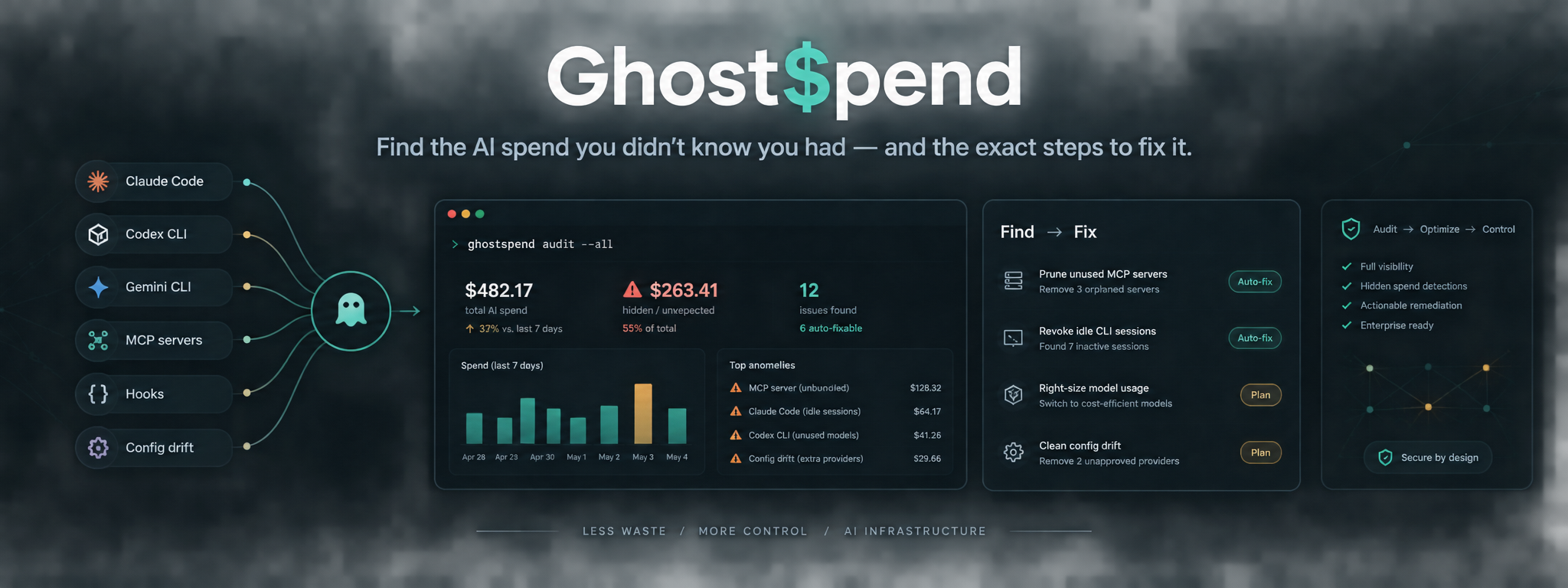


Bash toolkit for finding hidden token and cost leakage across modern AI CLI workflows
Quick install · Claude Desktop · Other install methods · Usage · Configuration · Example output · Roadmap · Security
| What GhostSpend does | Capability | |
|---|---|---|
| ⊘ Flags usage outside your known-tools baseline | Unexpected spend detection | |
| ◉ Surfaces activity across Claude Code, Codex CLI, Gemini CLI, OpenCode, and related tooling | Cross-provider visibility | |
| ⌘ Checks hooks, MCP servers, plugin builds, and project drift | Configuration diagnostics | |
| → Points to exact commands and next steps to fix issues | Guided remediation | |
| ∴ Separates expected activity from unexpected usage instead of only reporting totals | Baseline-first auditing | |
| ⌁ Supports setup, audit, and guided fix workflows inside Claude environments | Claude-native workflow |
GhostSpend is a free, open-source Claude Code plugin and standalone Bash toolkit for finding hidden token and cost leakage across modern AI CLI workflows.
It audits Claude Code, Codex CLI, Gemini CLI, GitHub Copilot CLI, OpenCode, and related tooling for misfiring hooks, stale or duplicated MCP servers, failed plugin builds, project configuration drift, and spend from tools you did not realise were active.
More than a total: GhostSpend creates a one-time baseline of tools you intentionally use, then flags observed usage outside that baseline as unexpected.
Install the GhostSpend Skills pack:
npx skills add [https://skills.sh/p/qtjSwDWCq52yVpxi](https://skills.sh/p/qtjSwDWCq52yVpxi)Open the GhostSpend Skills pack
| Skill | Purpose |
|---|---|
ghostspend-setup |
Creates your first known-tools baseline |
ghostspend-audit |
Audits spend, configuration, and AI CLI tooling |
ghostspend-fix |
Guides remediation for supported findings |
After installing, initialise your baseline:
/ghostspend-setup
Then run an audit or start guided remediation:
/ghostspend-audit
/ghostspend-fix
Add GhostSpend as a marketplace from the repository:
-
Open Claude Desktop.
-
Go to Settings → Plugins.
-
Select Add, then choose Add marketplace.
-
Select Add from a repository.
-
Paste the repository URL:
https://github.com/danmackenz/ghostspend.git -
Confirm the URL and select Sync.
-
When GhostSpend appears, select Add.
-
Choose an install scope: User (global), Project scoped, or Session only.
-
Initialise your baseline:
/ghostspend-setup
Open the GhostSpend repository
| Check | Purpose |
|---|---|
Global hooks (~/.claude/settings.json) |
Identifies hooks that can add overhead to every tool call |
MCP server connectivity (claude mcp list) |
Finds stale, failing, or duplicated MCP servers |
| Plugin build integrity | Detects plugin builds that fail silently or retry repeatedly |
| Project configuration drift | Identifies repository settings that duplicate or conflict with global settings |
Cross-provider spend via ccusage |
Brings Codex CLI, Gemini CLI, OpenCode, and other observed usage into one report |
| Unexpected-tool flagging | Compares activity with your known-tools baseline |
| Orphaned AI CLI processes | Finds zombie processes remaining after crashes or disconnected sessions |
Recommended for a fast, agent-ready installation:
npx skills add [https://skills.sh/p/qtjSwDWCq52yVpxi](https://skills.sh/p/qtjSwDWCq52yVpxi)Clone the repository and install the plugin files locally:
git clone [https://github.com/danmackenz/ghostspend.git](https://github.com/danmackenz/ghostspend.git)
mkdir -p ~/.claude/plugins/ghostspend

rsync -a \
  --exclude='.git' \
  --exclude='.github' \
  --exclude='CONTRIBUTING.md' \
  --exclude='SECURITY.md' \
  --exclude='CODE_OF_CONDUCT.md' \
  ghostspend/ ~/.claude/plugins/ghostspend/

chmod +x ~/.claude/plugins/ghostspend/scripts/*.sh
Restart Claude Code, then run:
/ghostspend-setup
/ghostspend-audit
Use GhostSpend without Claude Code:
git clone [https://github.com/danmackenz/ghostspend.git](https://github.com/danmackenz/ghostspend.git)
cd ghostspend/scripts
chmod +x setup.sh ghostspend.sh
./setup.sh
./ghostspend.sh
setup.sh checks for ccusage and offers to install it when needed.
/ghostspend-setup
/ghostspend-audit
/ghostspend-fix
You can also ask Claude to run an audit in natural language, for example:
Run a GhostSpend audit across all my AI tools.
The ghostspend-orchestrator agent runs setup when required, performs the audit, surfaces unexpected findings, and can guide the supported remediation flow.
./scripts/setup.sh
./scripts/ghostspend.sh
./scripts/ghostspend.sh ~/Documents/GitHub "~/Documents/Claude Projects"
Quote every path that contains spaces.
ccusage codex daily
ccusage gemini daily| Requirement | Purpose | Installation |
|---|---|---|
git |
Clones the repository | macOS: xcode-select --install; Debian/Ubuntu: sudo apt install git |
bash |
Runs GhostSpend scripts | Included with macOS and most Linux distributions |
| Node.js and npm | Required by ccusage |
macOS: brew install node; Debian/Ubuntu: sudo apt install nodejs npm; or nodejs.org |
| Homebrew (optional) | Convenient package installation on macOS | Install Homebrew |
Contributors who edit the scripts should also install shellcheck:
brew install shellcheck- On-demand audit: GhostSpend is not real-time monitoring and does not send automatic spend alerts.
- Normal permissions: It uses Claude Code's existing Bash permission and approval model; it does not request a separate privileged access tier.
- Confirmation-first remediation: GhostSpend diagnoses and proposes changes, but does not apply changes without your confirmation.
- Estimated Codex costs:
ccusageestimates Codex CLI spend from token counts and third-party pricing data; it is not an OpenAI-confirmed invoice. - Trigger attribution: GhostSpend can identify unexpected activity and likely causes, but may not prove the exact process that initiated it.
- macOS compatibility: The scripts intentionally support stock macOS Bash 3.2; no Homebrew Bash upgrade is needed to run them.
- Point-in-time MCP checks: MCP connectivity is checked at audit time rather than continuously. See ROADMAP.md for planned work.
npm install -g ccusage
which ccusage
ccusage --versionchmod +x scripts/*.shRe-run setup and include the tool in your baseline:
/ghostspend-setup
You can also edit ~/.ghostspend/config.json manually. See the configuration reference.
If a provider usage cap or billing window limit has been reached, new requests may be blocked until it resets. A flat usage total immediately after a cap is reached does not prove a remediation worked; run another audit after the usage window resets.
GhostSpend is Bash-based and currently intended for macOS and Linux. On Windows, use WSL or Git Bash. Native PowerShell support is planned; see ROADMAP.md.
ghostspend/
├── .claude-plugin/
│   ├── plugin.json
│   └── marketplace.json
├── agents/
│   └── ghostspend-orchestrator.md
├── skills/
│   ├── ghostspend-setup/
│   │   └── SKILL.md
│   ├── ghostspend-audit/
│   │   └── SKILL.md
│   └── ghostspend-fix/
│       └── SKILL.md
├── commands/
│   ├── gs-setup.md
│   ├── gs-audit.md
│   └── gs-fix.md
├── scripts/
│   ├── setup.sh
│   └── ghostspend.sh
├── examples/
│   └── sample-audit-output.md
├── docs/
│   ├── config.md
│   └── gs-fix-dev-plan.md
├── .github/
├── CLAUDE.md
├── AGENTS.md
├── ROADMAP.md
├── LICENSE
├── CHANGELOG.md
├── CONTRIBUTING.md
├── CODE_OF_CONDUCT.md
├── SECURITY.md
├── package.json
└── README.md
Issues and pull requests are welcome. Start with CONTRIBUTING.md, then review CLAUDE.md and AGENTS.md for project conventions.
Useful contributions include:
- Windows-native PowerShell support
- Provider-specific usage drill-downs
- Root-cause tracing for background AI CLI invocations
- Historical usage and spend trend tracking
- Expanded test coverage, including Bash 3.2 compatibility testing
Released under the MIT License.