
Export an F-Mesh mesh as data or as a diagram. One Go module, one package per format:
| Format | Package | Render with |
|---|---|---|
| JSON | json |
any JSON tool; unmarshal into json.Mesh / json.Cycle |
| YAML | yaml |
any YAML tool; unmarshal into yaml.Mesh / yaml.Cycle |
| Graphviz DOT | dot |
dot -Tpng, edotor.net |
| Mermaid | mermaid |
GitHub markdown, mermaid.live |
| D2 | d2 |
d2, play.d2lang.com |
| PlantUML | plantuml |
plantuml -tpng, plantuml.com server |
Every exporter implements export.Exporter,
the interface in this module's root package, so one format can replace another.
go get github.com/hovsep/fmesh-export/<format> # e.g. /mermaidEvery format has the same shape:
import "github.com/hovsep/fmesh-export/mermaid"

e := mermaid.New() // options go here, e.g. mermaid.WithDirection("TB")

// ... build and seed fm ...

static, err := e.Export(fm) // the structure
if err != nil {
    return err
}

ri, err := fm.Run(ctx)
if err != nil {
    return err
}
for _, c := range ri.Cycles.All() {
    frame, err := e.ExportCycle(fm, c) // the structure, colored by the results of cycle c
    if err != nil {
        return err
    }
    // ... write frame ...
}New(opts...)creates an exporter. It cannot fail.Export(fm)returns the structure: components, ports, pipes, descriptions.ExportCycle(fm, c)returns the structure in the state of one cycle. Components are colored by their activation result. A component with no result inchad no input.- An invalid option (for example an unknown direction) is returned as an error by
ExportandExportCycle. - Options set one thing on top of the defaults. Anything you do not set keeps its default. See each package's README.
- An exporter holds only its options. Reuse one value for many meshes.
- An exporter never changes the mesh. Equal meshes give byte-identical output.
fmesh.WithCyclesHistoryLimit keeps only the last cycles in ri.Cycles. To get every cycle, or to
see frames while the mesh runs, export from an AfterCycle hook:
e := mermaid.New()
fm.SetupHooks(func(h *fmesh.Hooks) {
    h.AfterCycle(func(ctx context.Context, cc *fmesh.CycleContext) error {
        frame, err := e.ExportCycle(cc.FMesh, cc.Cycle)
        if err != nil {
            return err
        }
        // ... write or send frame ...
        return nil
    })
})Code that does not care about the format can take an export.Exporter:
import "github.com/hovsep/fmesh-export" // package export

func save(e export.Exporter, fm *fmesh.FMesh) ([]byte, error) {
    return e.Export(fm)
}

save(dot.New(), fm)
save(json.New(), fm)After a merge, CI renders the showcase mesh in internal/cmd/showcase
(fan-out, fan-in, an error and a wait) in each diagram format the merge touched, and shows the
pictures on the run's summary page. One workflow per format: DOT, Mermaid,
D2, PlantUML.
| Format | Structure | Run replay |
|---|---|---|
| DOT | 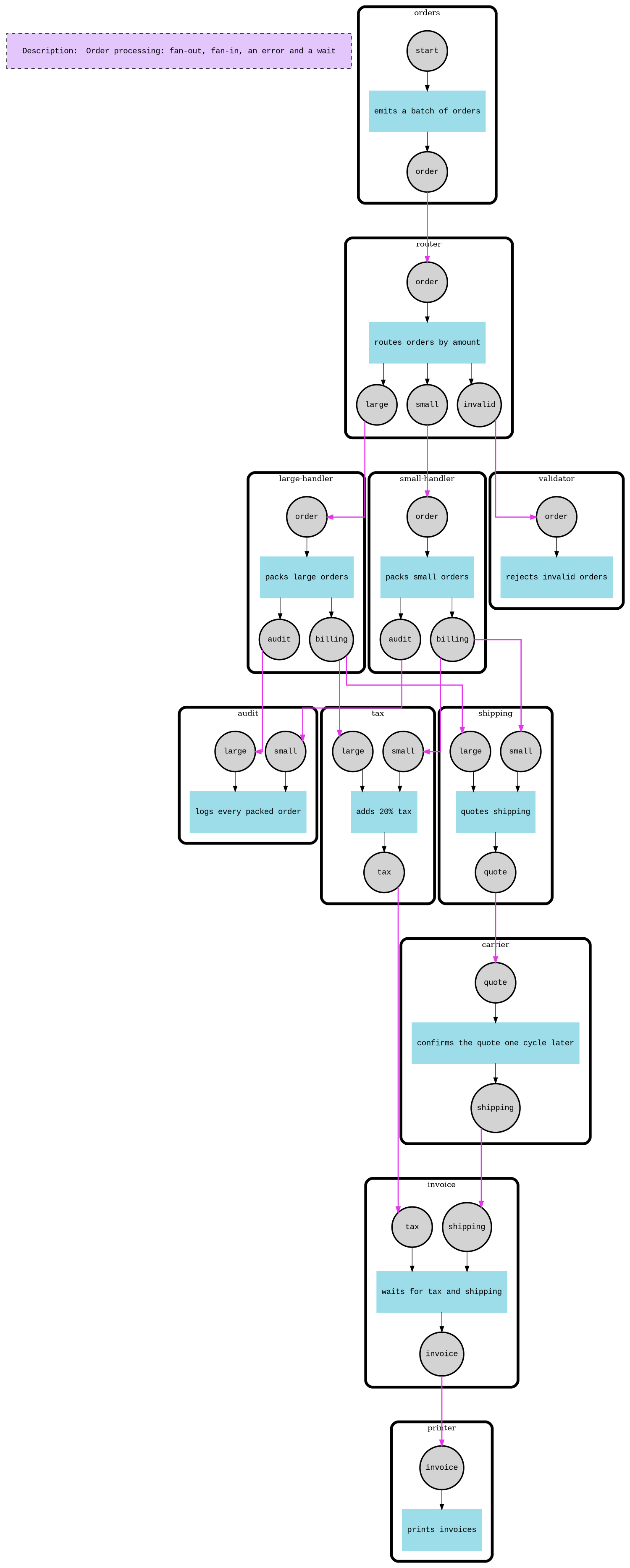 |
 |
| Mermaid | 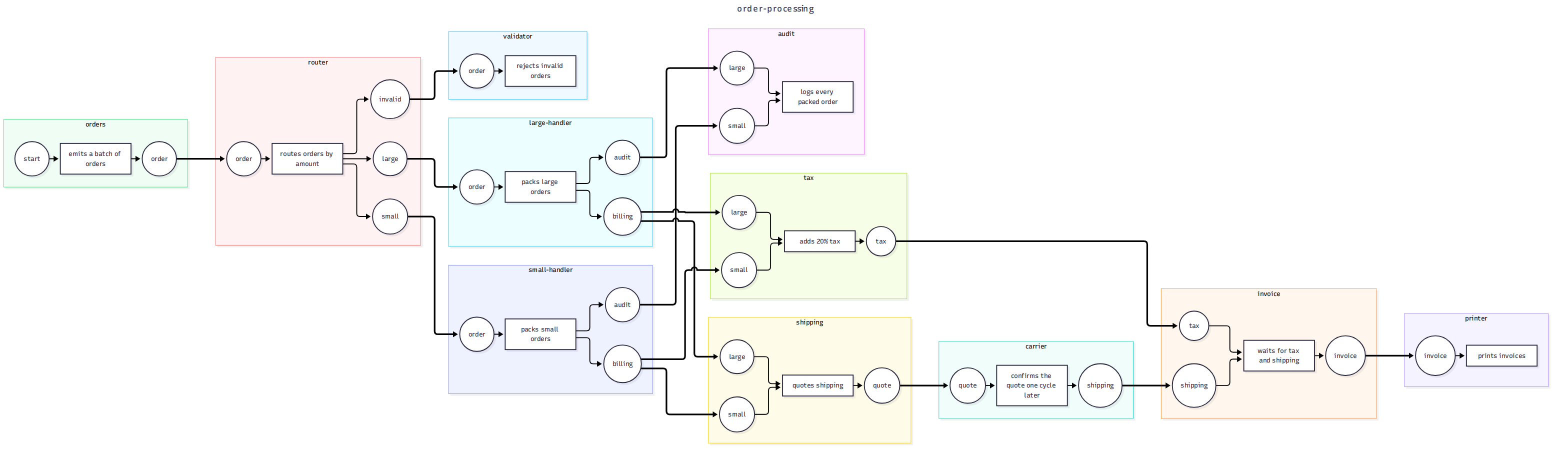 |
 |
| D2 | 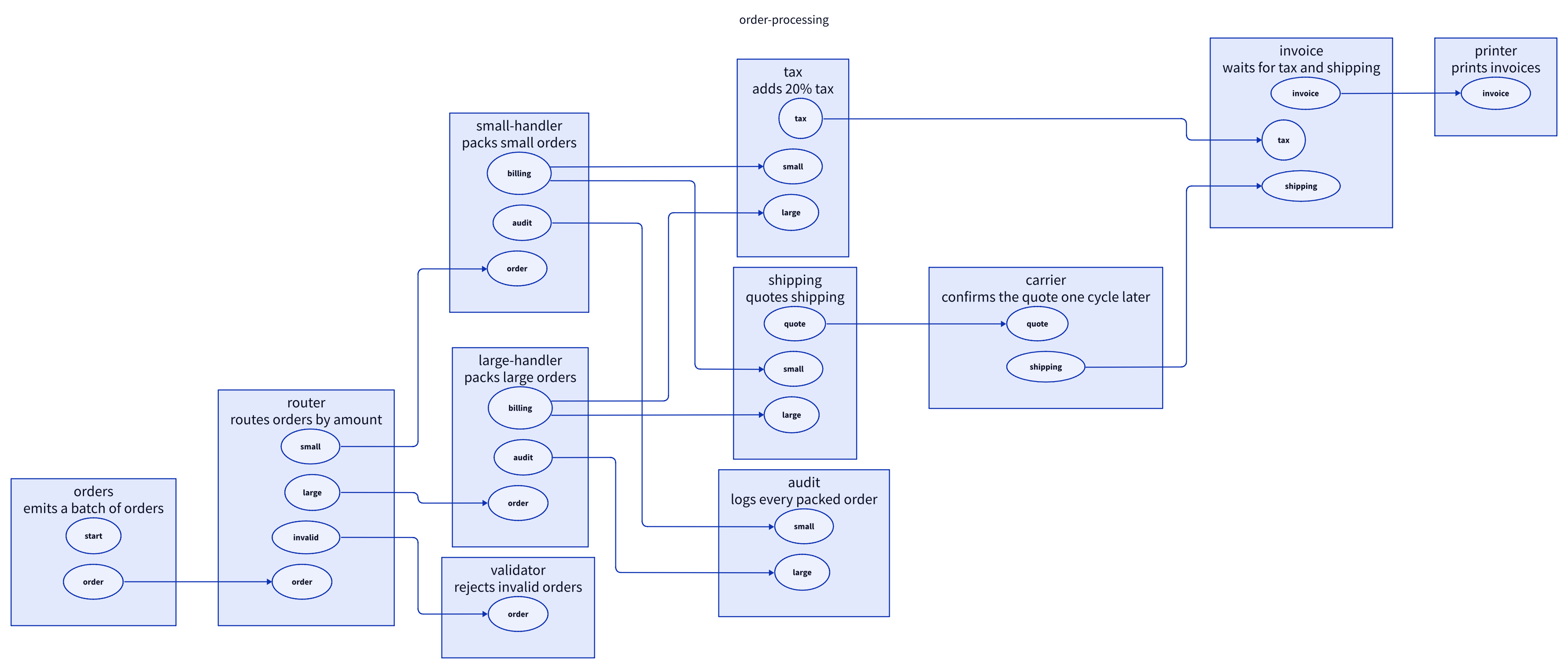 |
 |
| PlantUML |  |
 |
Run it locally: go run ./internal/cmd/showcase -format d2 out.
Copy the d2 package: it is a complete exporter with the full set of tests. A new data
format is smaller: build the documents with internal/doc and only encode them (add the format's
struct tags to the types there). A new format xyz needs:
-
A package
xyz/withxyz.go,xyz_test.goand aREADME.md. -
The shared shape, the same as every other format:
type Exporter struct{...}that holds only the options.type Option func(*Exporter), and single options that change one thing on top of the defaults. No config struct that replaces everything.func New(opts ...Option) *Exporter. It cannot fail.Export(fm *fmesh.FMesh) ([]byte, error)for the structure.ExportCycle(fm *fmesh.FMesh, c *cycle.Cycle) ([]byte, error)for one cycle.var _ export.Exporter = (*Exporter)(nil), so the compiler checks the interface.
-
Rendering through
fm.Walk(visitor). ImplementVisitMesh,VisitComponent,VisitPortandVisitPipe. Rules:- Never change the mesh.
- Keep no state in the
Exporterbetween calls. Put per-export state in the visitor. - Check the options in
ExportandExportCycle, and return an error for a bad one. - The output must be byte-identical for equal meshes.
- Use generated IDs (
c1,p2, ...) and put names only in quoted, escaped labels. - In a cycle graph, a component with no result had no input (
ActivationCodeNoInput).
-
Tests:
- one exact expected output for
Export; - cycle colors and an error text for
ExportCycle; - determinism;
- awkward names (quotes, dots, colons, newlines);
- each option, and option checks in both
ExportandExportCycle; - one
Exporterreused for two meshes; ExportCyclefrom anAfterCyclehook gives one frame per cycle.
The
d2tests cover all of these. - one exact expected output for
-
The showcase: add the format to
formatsininternal/cmd/showcase. -
CI (diagram formats only; data formats have nothing to render): copy
.github/workflows/d2.ymltoxyz.yml, and add anxyz)case to the "Install renderer" and "Render images" steps ofrender.yml. Pin the renderer version and check its SHA-256 there. -
Docs: add a row to the format table and the live-example table above.
Run make check before you open a pull request. The PR's checks upload the rendered images as an
artifact, so you can look at your format before it is merged.
See CONTRIBUTING.md.
See LICENSE.