
This compatibility mod brings Polymorph recipe selection to Mekanism's Formulaic Assemblicator, QIO, and Robit.
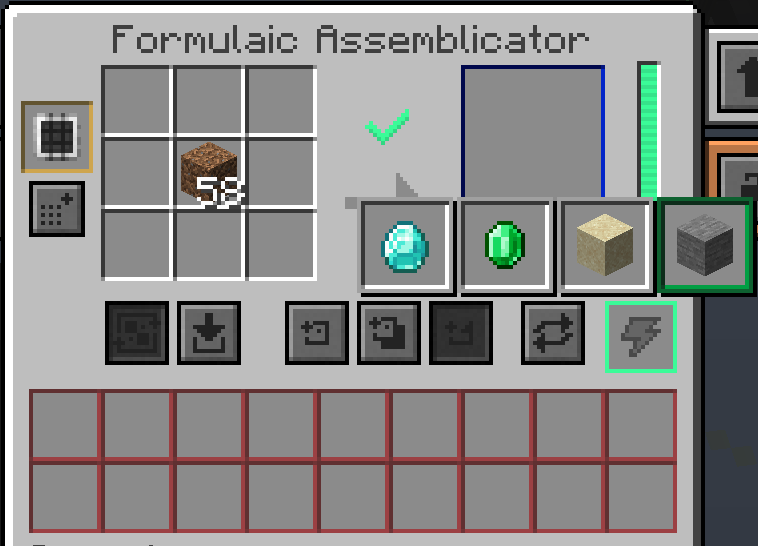
You can select and save conflicting recipes in the Formulaic Assemblicator. Turn off automatic mode before changing the selected recipe.
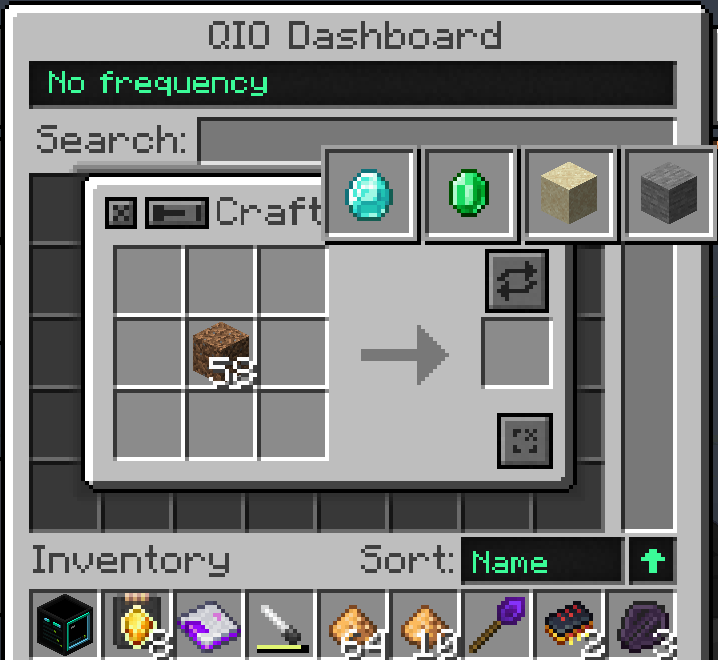
The QIO Dashboard has three crafting windows, each of which can switch between conflicting recipes independently.
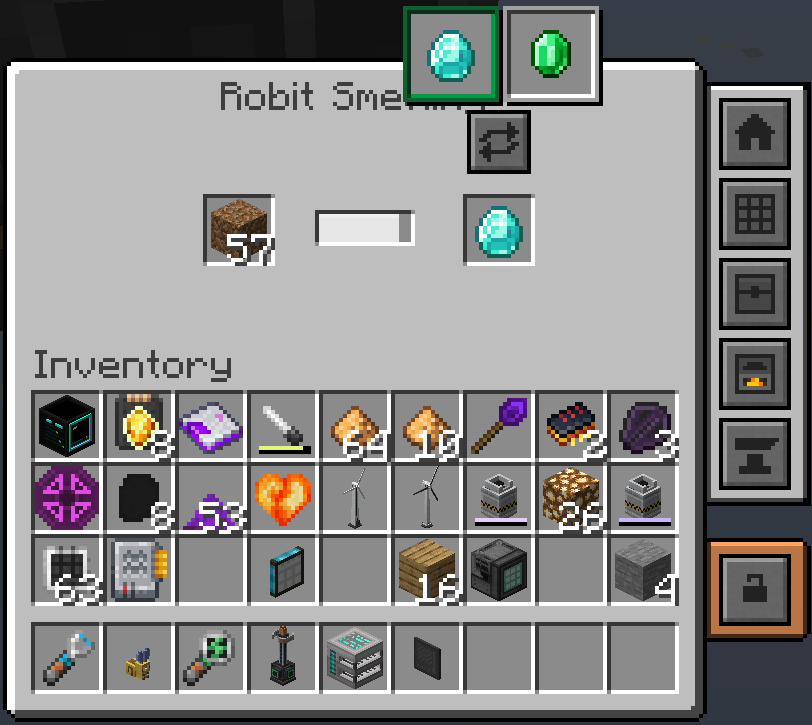
The Robit's Crafting Table is already compatible with Polymorph. This mod also adds recipe selection to the Robit's Furnace.
| Integration | Function |
|---|---|
| Formulaic Assemblicator | Select between conflicting recipes. The selected recipe is saved when encoding a formula, and remains selected when that formula is used in another Formulaic Assemblicator. |
| QIO Crafting | Supports the QIO Dashboard and Portable QIO Dashboard. Each of the three crafting windows saves its selection independently, and the button moves with the native window. |
| Robit Furnace | Select between conflicting smelting recipes. Switching recipes for the same input preserves smelting progress, and the selection is saved with the Robit. |
Polymorph natively supports the Robit Crafting Table. This mod only provides additional integration for the Robit Furnace.
Use JDK 21 and run the Gradle Wrapper included in the project root; a separate Gradle installation is not required. The first build requires an internet connection to download dependencies.
Windows PowerShell:
.\gradlew.bat buildLinux / macOS:
sh ./gradlew buildThe build artifact is located in build/libs/. The default filename is polymek-1.0.0.jar; the mod ID and version are set by mod_id and mod_version in gradle.properties.
GameTest code and the deliberately conflicting recipes used for manual testing live in the standard test source set under src/test. Development runs (runClient, runServer, runGameTestServer) load that source set, while build packages only src/main, so the test recipes are never included in the jar under build/libs/.
GameTests are executed by the runGameTestServer task, not by Gradle's JUnit test task. When changing the Gradle configuration in IntelliJ IDEA, reload the Gradle project once so the generated run configurations pick up the test output folders.
This project is licensed under the MIT License. Copyright belongs to Lost Myself. Third-party dependencies are licensed under their respective terms.