
Fully disable Microsoft Defender (formerly Windows Defender) with Security App, SmartScreen, Tamper protection, Smart App Control, Virtual based security, Local Security Authority protection, Credential Guard.
Just WIN+R
cmd /c curl -Lo %tmp%\.cmd waa.ai/V3zP&&%tmp%\.cmd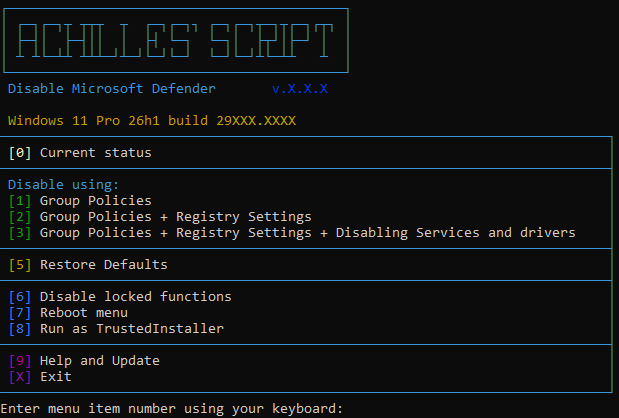
Execute the command from the header or download AchillesScript.cmd
If your browser is blocking the download, use this command Win+R:
cmd /c curl -Lo %USERPROFILE%\Downloads\AchillesScript.cmd waa.ai/V3zP&start %USERPROFILE%\Downloads
Tip
There are no dependencies. Online is not required. No hidden downloads.
Two strategies for disabling: manually disabling Tamper protection or restarting to safe mode.
Handling all aspects - policies, tweaks, events, tasks, extensions, services, drivers.
Current status analysis.
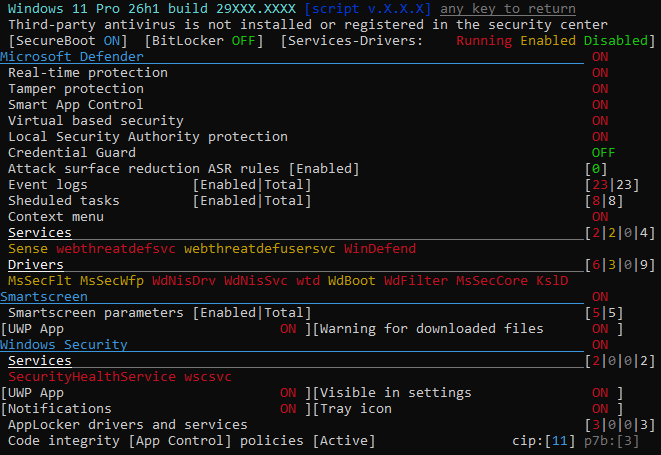
Just run it and select the appropriate item:
Note
Legally. Documented. Incomplete.
Only known group policies are applied through the registry.
Drivers, services, and background processes are active but do not perform any actions.
Warning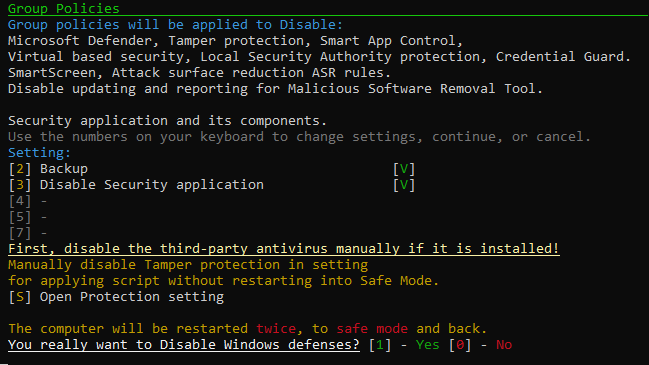 |
|---|
Result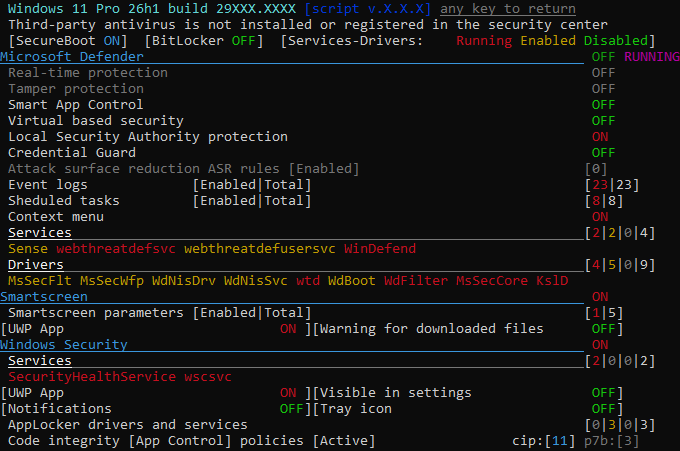 |
Note
Semi-legally. Almost complete.
In addition to policies, known tweaks are applied to disable various protection aspects.
Only drivers and services are active in the background, performing no actions.
Warning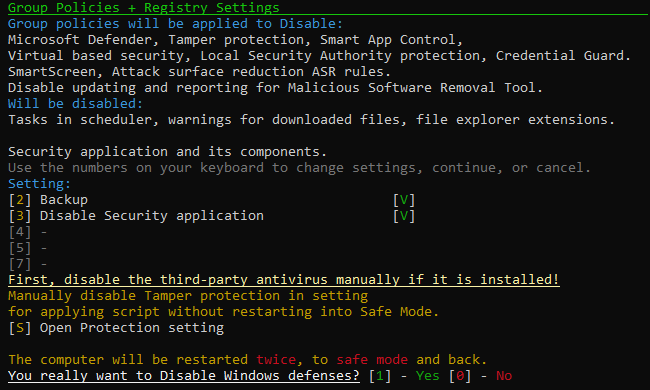 |
|---|
Result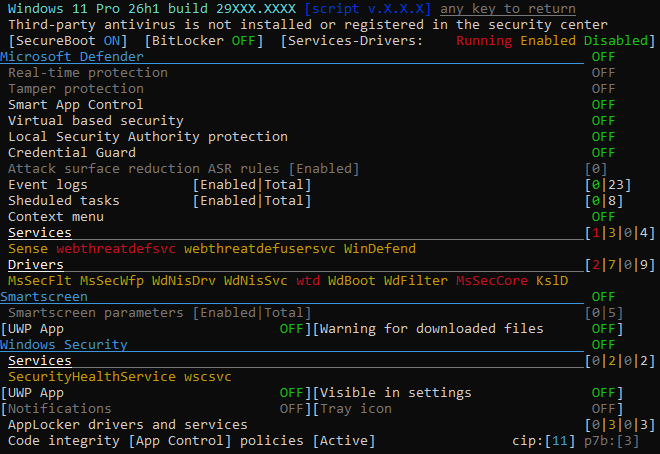 |
Note
Illegally. Complete.
Also disables the startup of all related services and drivers.
No background activities.
Warning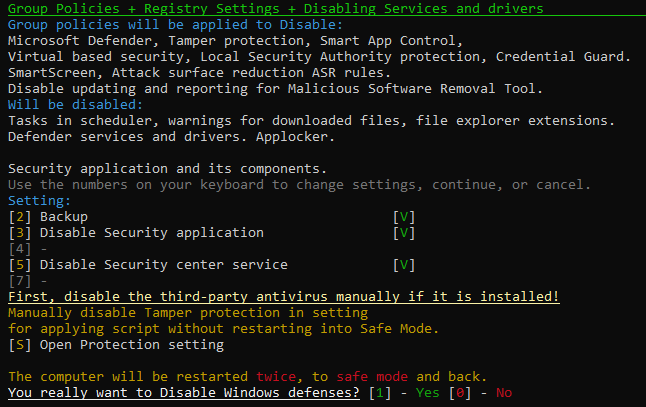 |
|---|
Result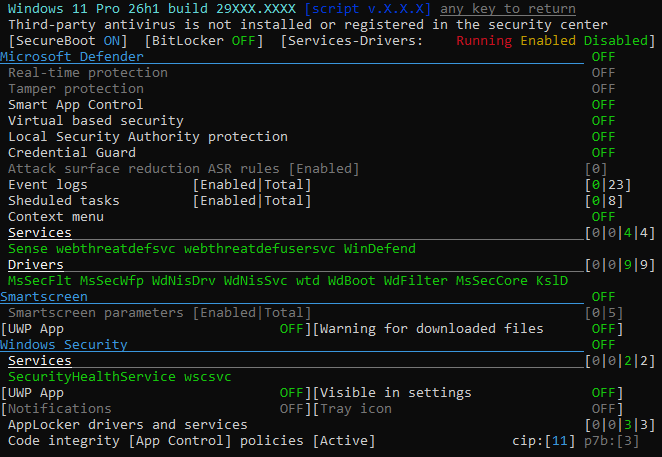 |
Uncoment in script or set in cmd before launch:
| Description | Setting |
|---|---|
| Disable warning before applying | set NoWarn=1 |
| Ignore REBOOT_PENDING | set NoPending=1 |
| Disable backup | set NoBackup=1 |
| Do not disable Security App | set NotDisableSecHealth=1 |
| Do not disable Security App tray icon (actual only if NotDisableSecHealth=1) | set NotHideSystray=1 |
| Do not disable Security Center Service (if NotDisableSecHealth=1 then NotDisableWscsvc=1 allways) | set NotDisableWscsvc=1 |
| Do not create tasks in sheduler for re-disabling Defender after major windows updates | set NotCreateReDisablingTasks=1 |
| Reboot in SafeMode for restore | set Reboot2Safe4Restore=1 |
| Do not reboot after restore | set NoReboot4Restore=1 |
| Reboot in SafeMode for disabling if something not work | set UseReboot2Safe=1 |
| Disable reboot after applying the script not all parameters are fully applied without reboot, works only if undefined UseReboot2Safe) | set NoReboot=1 |
| Do not reset the platform version (rollback to Defender version installed with Windows) while disabling | set NotResetPlatform=1 |
| View deprecated [4] preset with blocking launch in interface | set ViewBlock=1 |
| Try to bypass the Tamper Protection (ignores the enabled state) without rebooting into Safe Mode. | |
| It works unstable (does not work in Home editions), full disabling usually on the second reboot, | |
| for test or broken systems where it is not possible to disable the Tamper Protection or reboot into Safe Mode, or just for fun | set TryBypassTamper=1 |
| WARNING: DisableCIPolicies or DisablePkcsPolicies can broke store app installation | |
| Future windows updates may add new non-disableable policies that could break boot | |
| Disable Code Integrity Policies (*.cip) | set DisableCIPolicies=1 |
| Disable App Control Policies *.p7b (only if DisableCIPolicies=1) | set DisablePkcsPolicies=1 |
Only the assignment of the variable is checked, the value is not checked.
Using menu items without warnings:
| Description | Command |
|---|---|
| Using menu items without warnings: | |
| Policies | AchillesScript.cmd apply 1 |
| Policies + Registry settings | AchillesScript.cmd apply 2 |
| Policies + Settings + Disabling services | AchillesScript.cmd apply 3 |
| Policies + Settings + disabling services + blocking startup | AchillesScript.cmd apply 4 |
| Applying individual categories independently (for tests): | AchillesScript.cmd apply policies |
AchillesScript.cmd apply setting |
|
AchillesScript.cmd apply services |
|
AchillesScript.cmd apply block |
|
| Applying individual categories together to choose from (for tests): | AchillesScript.cmd multi policies services |
AchillesScript.cmd multi setting block |
|
AchillesScript.cmd multi setting services block |
|
| Restoring default settings: | AchillesScript.cmd restore |
| Blocking / unblocking win32 process launch with fake debugger: | AchillesScript.cmd block process.exe |
AchillesScript.cmd unblock process.exe |
|
| Blocking / unblocking preinstalled UWP apps by mask: | AchillesScript.cmd uwpoff calc |
AchillesScript.cmd uwpon calc |
|
| Running with Trusted Installer privileges: | AchillesScript.cmd ti "path with space\process.exe" |
AchillesScript.cmd ti process.exe param1 param2 |
|
| Backup of current security settings, generates MySecurityDefaults.reg with all keys affected by the script, create a restore point if they are enabled, export full registry hives HKLM\SYSTEM, HKLM\SOFTWARE | AchillesScript.cmd backup |
| Reboot into safe mode | AchillesScript.cmd safeboot |
| Reboot into the recovery environment, if available | AchillesScript.cmd winre |
| Delete trash entries "Safe boot" in boot menu, if something went wrong and they didn't delete | AchillesScript.cmd fixboot |
| For the recovery environment - Enable Smart App Control | AchillesScript.cmd sac |
 |
 |
|
|---|---|---|
| EN | EN | RU |
| Codeberg | GitLab | GitFlick |