A sleek, modern web application that uses AI to separate audio tracks into individual stems (vocals, drums, bass, piano, and more).


For detailed technical documentation including data flow diagrams, database schemas, and API specifications, see ARCHITECTURE.md.
| Track Upload Screen | Fetch URL Screen |
|---|---|
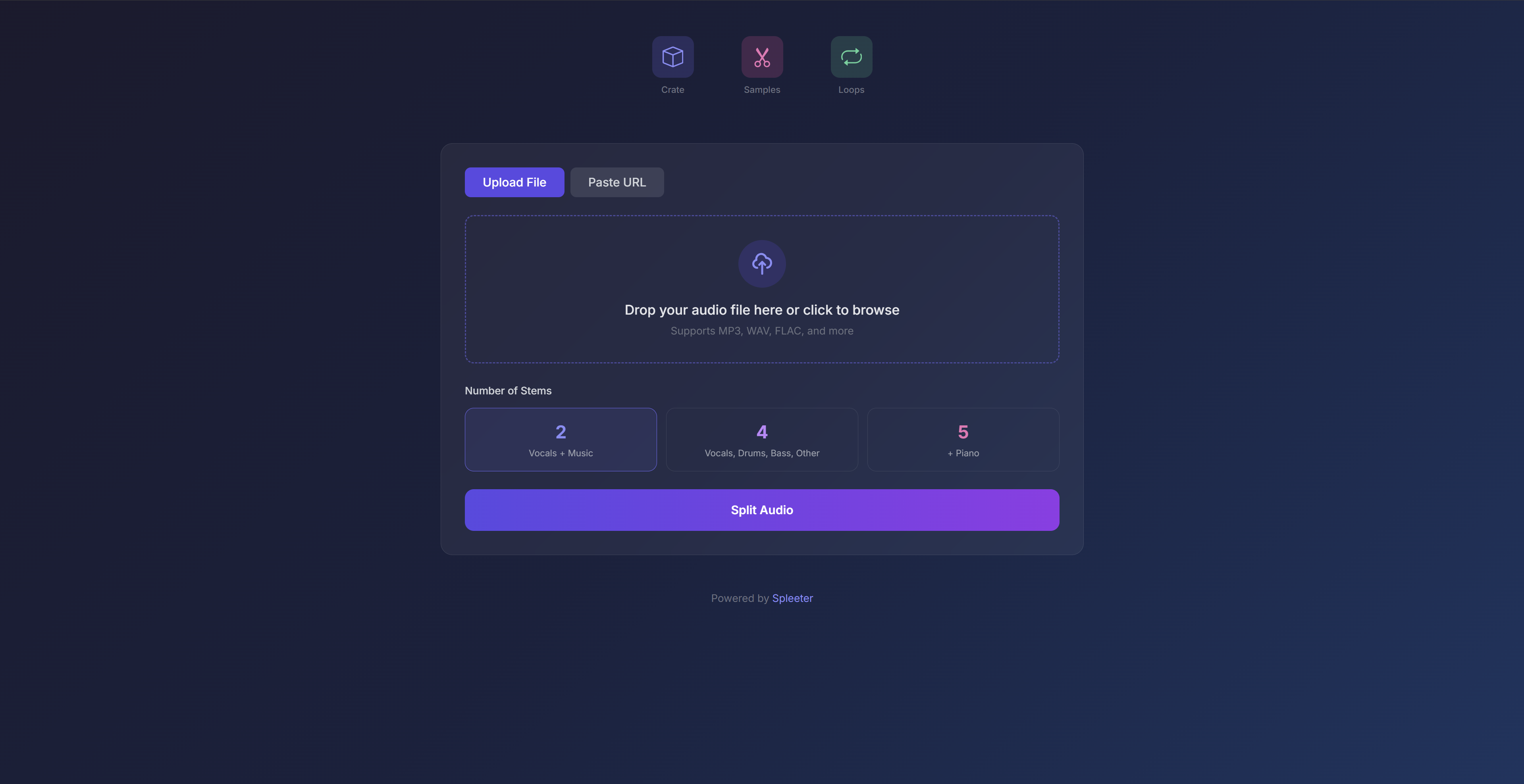 |
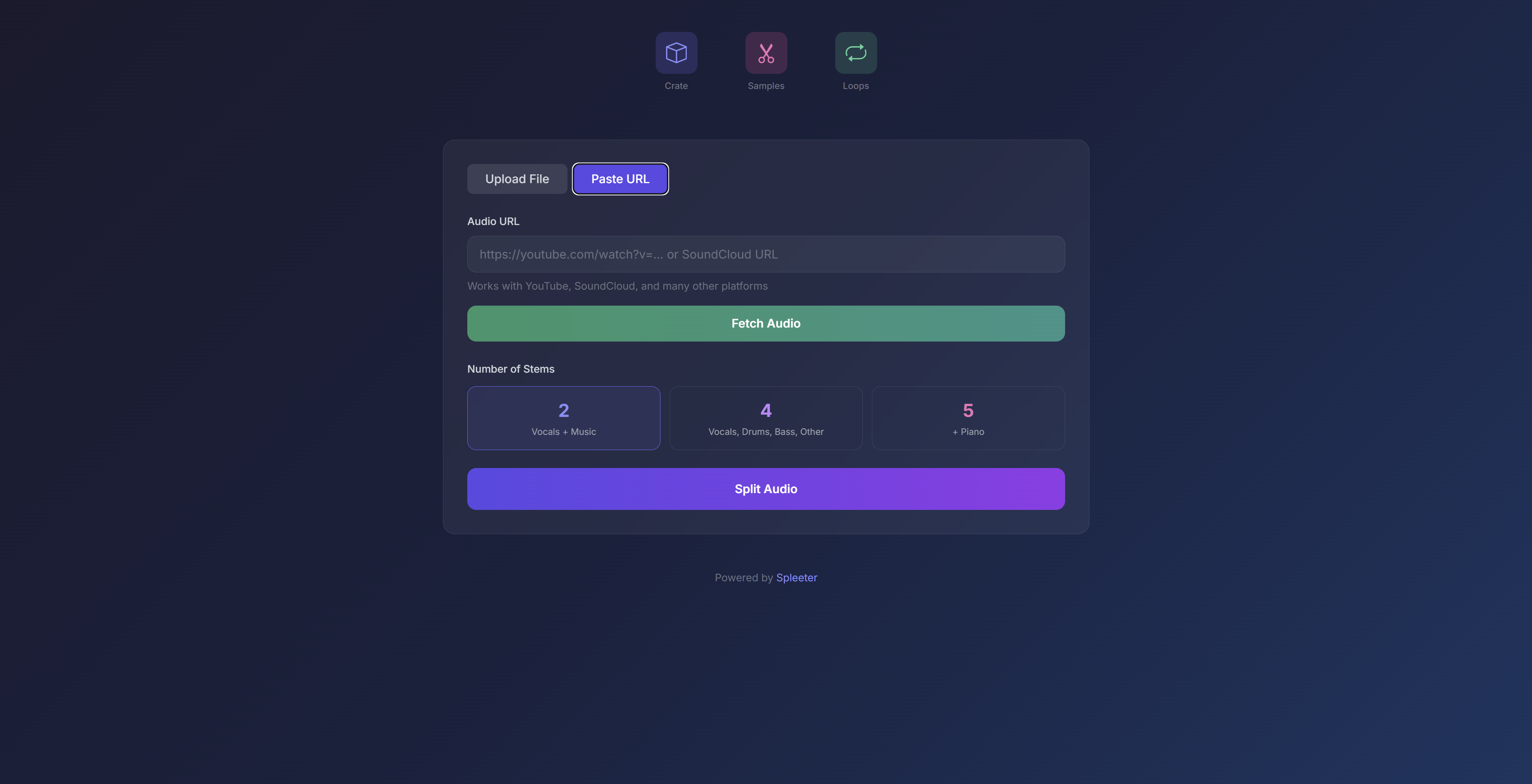 |
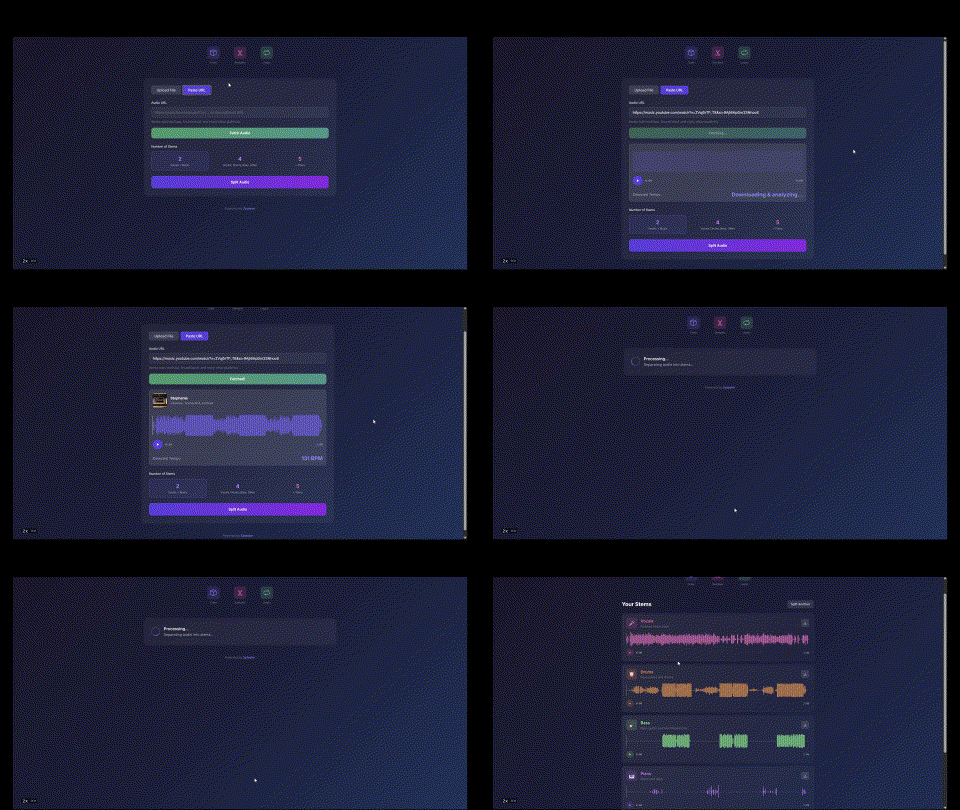
- Upload audio files (MP3, WAV, FLAC, etc.) or paste URLs from YouTube, SoundCloud, and other platforms
- Audio preview with interactive waveform visualization (powered by WaveSurfer.js)
- BPM detection using librosa
- Cover art & metadata display for URL fetches
- 2 stems: Vocals + Accompaniment
- 4 stems: Vocals, Drums, Bass, Other
- 5 stems: Vocals, Drums, Bass, Piano, Other
- Interactive waveform players for each separated stem
- Download individual stems as WAV files
- Persistent storage of all processed tracks using SQLite
- Expandable track rows showing metadata (BPM, duration, stem count)
- Original track available for sampling alongside separated stems
- Quick access to all stems with waveform visualization
- Delete tracks when no longer needed
- Region selection - Shift + drag on any waveform to select a portion
- Visual feedback - see the selection region in real-time as you drag
- Precision tooltip showing time in M:SS.mmm format for accurate slicing
- Loop preview - instantly preview your selection on loop before saving
- One-click extraction - save selected regions as new audio files
- Sample library - all created samples displayed with playback controls
- Keyboard shortcuts - Esc to clear selection and stop loop preview
- Create loops from any stem or sample region
- Adjustable loop count (x2, x4, x8, x16)
- Loop library - all created loops displayed with waveform visualization
- Download loops as WAV files for use in DAWs
git clone https://github.com/nick-mccarty/spleeter-web.git
cd spleeter-webconda create -n spleeter-web python=3.10
conda activate spleeter-webconda install -c conda-forge ffmpeg libsndfile# Install additional dependencies via pip
pip install spleeter
# Install web app dependencies
pip install -r requirements.txtcd app
uvicorn main:app --reloadThen open http://localhost:8000 in your browser.
-
Upload or fetch audio
- Drag & drop an audio file, or
- Paste a URL and click "Fetch Audio"
-
Preview your track
- See the waveform visualization
- Check the detected BPM
- Play/pause to preview
-
Select stem count (2, 4, or 5 stems)
-
Click "Split Audio" and wait for processing
-
Explore your stems
- Each stem has its own waveform player
- Click to seek, play/pause individual stems
- Download as WAV files
- All processed tracks are automatically saved to your Crate
- Click a track row to expand and view its stems
- Each stem shows an interactive waveform with playback controls
- Tracks persist across sessions (stored in SQLite)
- Expand a track in the Crate to view stems
- Shift + drag on any waveform to select a region (visual preview shows in real-time)
- Use the precision tooltip (M:SS.mmm) for accurate timing
- Click the loop icon in the popup to preview your selection on loop
- Drag the region edges to fine-tune while listening
- Click the Sample button to extract and download the selection
- Press Esc to clear selection or stop loop preview
- All samples appear in the Samples section
- Select a region on a stem waveform, or use an existing sample
- Choose the loop multiplier (x2, x4, x8, x16)
- Click the checkmark button to create the loop
- Loops are saved to the Loops section with waveform preview
spleeter-web/
├── app/
│   ├── main.py              # FastAPI application
│   ├── database.py          # SQLite database management
│   ├── audio_utils.py       # Audio analysis utilities
│   ├── templates/
│   │   └── index.html       # Web interface
│   ├── static/              # Static assets
│   ├── uploads/             # Uploaded files (gitignored)
│   ├── output/              # Separated stems + originals (gitignored)
│   ├── samples/             # Extracted samples (gitignored)
│   ├── loops/               # Created loops (gitignored)
│   └── spleeter.db          # SQLite database (gitignored)
├── spleeter/                # Spleeter library (submodule/clone)
├── requirements.txt         # Python dependencies
├── ARCHITECTURE.md          # Technical documentation
└── README.md
| Method | Endpoint | Description |
|---|---|---|
| GET | / |
Web interface |
| POST | /analyze |
Analyze audio file (returns BPM) |
| POST | /fetch-url |
Download & analyze audio from URL |
| POST | /upload |
Start stem separation job |
| GET | /status/{job_id} |
Check job status |
| DELETE | /job/{job_id} |
Clean up job files |
| GET | /crate |
Get all tracks in the crate |
| GET | /crate/{track_id} |
Get track details with stems |
| DELETE | /crate/{track_id} |
Delete a track and its stems |
| POST | /sample |
Create a sample from a stem region |
| GET | /samples |
Get all samples |
| DELETE | /samples/{sample_id} |
Delete a sample |
| POST | /loop |
Create a loop from a stem or sample |
| GET | /loops |
Get all loops |
| DELETE | /loops/{loop_id} |
Delete a loop |
- FastAPI - Modern Python web framework
- Spleeter - AI-powered audio source separation by Deezer
- WaveSurfer.js - Interactive waveform visualization
- librosa - Audio analysis and BPM detection
- yt-dlp - Download audio from various platforms
- Tailwind CSS - Utility-first CSS framework
For a deeper dive into the technical implementation, see ARCHITECTURE.md, which includes:
- System architecture diagrams
- Data flow visualizations
- Database schema (ERD + SQL)
- Complete API endpoint reference
- Frontend state management
- Audio processing pipelines (FFmpeg commands)
conda install -c conda-forge ffmpeg -ypip uninstall tensorflow
pip install tensorflow==2.12.1For very long audio files, consider processing shorter clips or using a machine with more RAM.
This project uses Spleeter which is licensed under the MIT License by Deezer.