

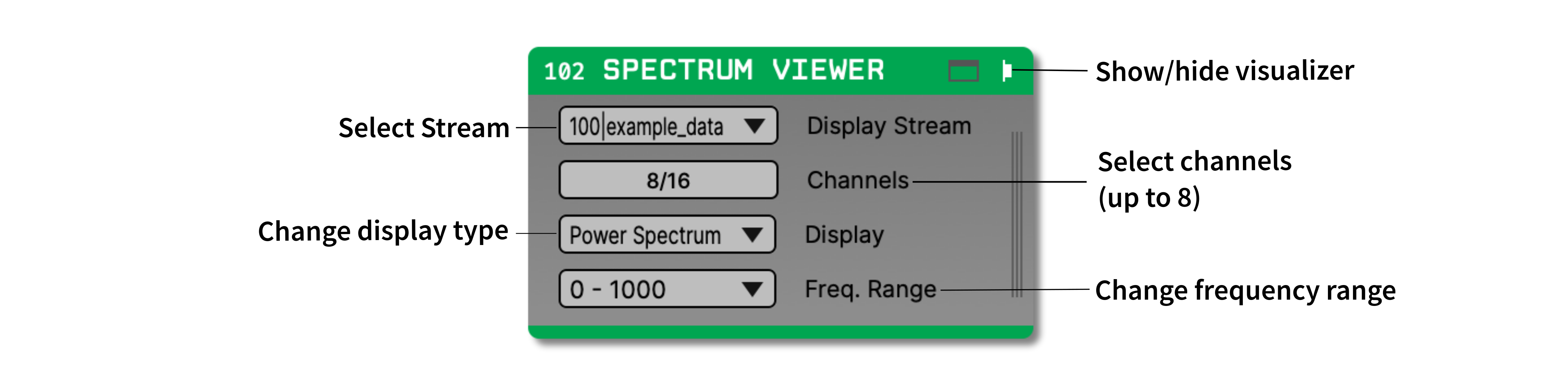
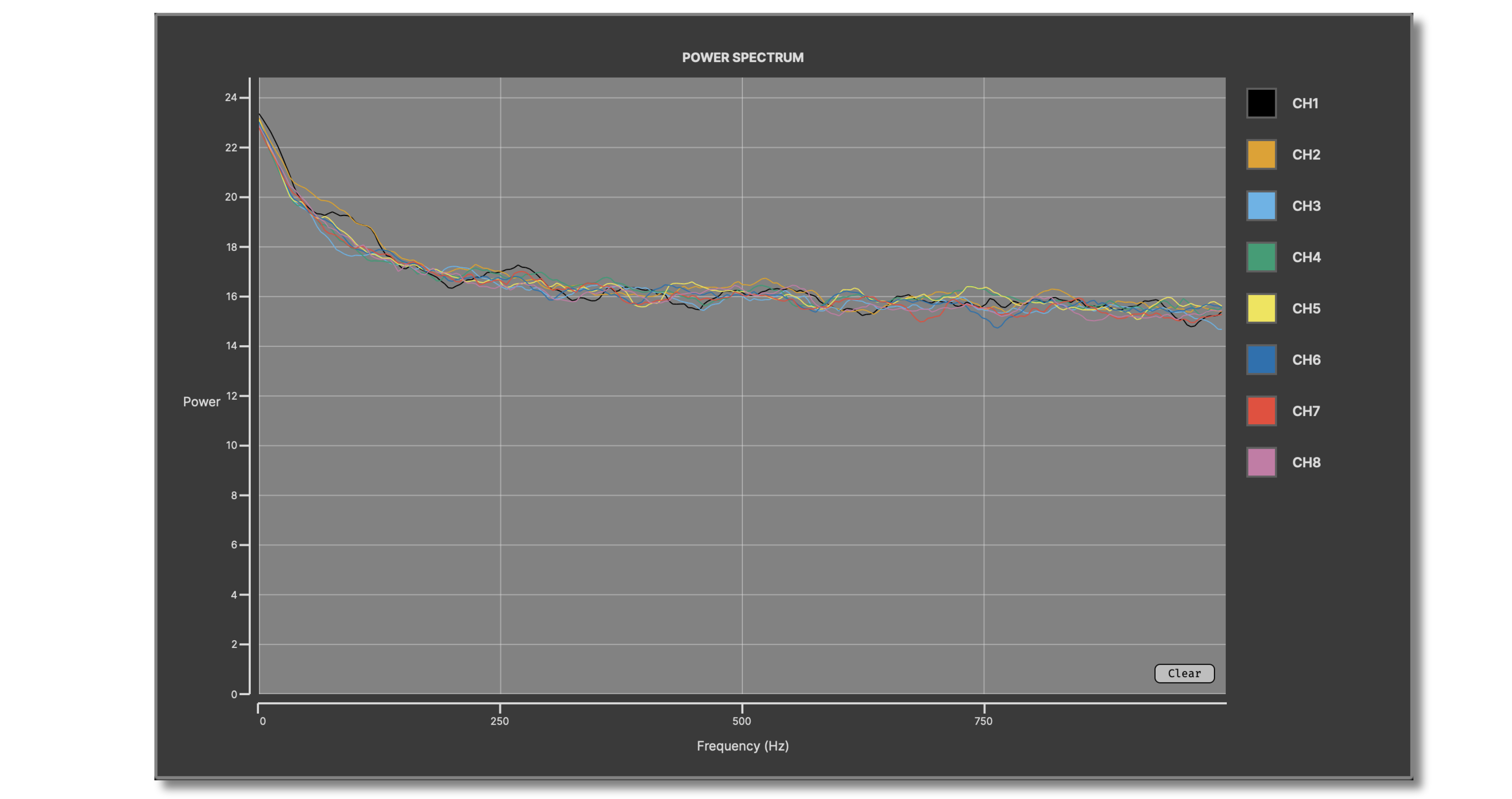
Displays real-time power spectra for up to 8 continuous channels within the Open Ephys GUI. This plugin is derived from the Coherence & Spectrogram Viewer from the Translational NeuroEngineering Laboratory at the University of Minnesota.
The Spectrum Viewer plugin is not included by default in the Open Ephys GUI. To install, use ctrl-P to access the Plugin Installer, browse to the "Spectrum Viewer" plugin, and click the "Install" button.
Instructions for using the Spectrum Viewer plugin are available here.
First, follow the instructions on this page to build the Open Ephys GUI.
Important: This plugin is intended for use with GUI version 1.0.0 and higher.
This plugin depends on the main branch of the OpenEphysFFTW library, which must be built and installed first.
DPSS taper generation uses a plugin-private symmetric-tridiagonal eigensolver, so the plugin has no BLAS or LAPACK dependency.
The power spectrum uses CustomMatPlot.
It is a Git submodule at ThirdParty/CustomMatPlot, pinned to revision
5486557becd7fbc5ca4bc478610429799539d850. After cloning this plugin, initialize
only that submodule:
git submodule update --init ThirdParty/CustomMatPlotDo not use --recursive: CustomMatPlot's upstream repository declares a nested
JUCE submodule that this plugin does not need. CMake compiles only the 2D sources
against Open Ephys' JUCE, without cloning anything or building another JUCE copy
or a separate plotting library. A C++20 compiler is required. Once the submodule
is initialized, configuring the plugin with tests and benchmarks disabled works
offline; those opt-in targets fetch their own dependencies.
Contributors should start with the developer guide, which maps the runtime data flow, source files, thread boundaries, and real-time invariants.
Clone the OpenEphysFFTW and spectrum-viewer repositories into a directory at
the same level as plugin-GUI, e.g.:
Code
├── plugin-GUI
│   ├── Build
│   ├── Source
│   └── ...
├── OEPlugins
│   └── spectrum-viewer
│   │   ├── Build
│   │   ├── Source
│   │   └── ...
│   └── OpenEphysFFTW
│       ├── Build
│       ├── Source
│       └── ...
Requirements: Visual Studio and CMake
From the Build directory, enter:
cmake -G "Visual Studio 17 2022" -A x64 ..Next, launch Visual Studio and open the OE_PLUGIN_spectrum-viewer.sln file that was just created. Select the appropriate configuration (Debug/Release) and build the solution.
Selecting the INSTALL project and manually building it will copy the .dll and any other required files into the GUI's plugins directory. The next time you launch the GUI from Visual Studio, the Spectrum Viewer plugin should be available.
Requirements: CMake and GCC 13 or newer (Ubuntu 24.04 or later)
From the Build directory, enter:
cmake -G "Unix Makefiles" ..
cd Debug
make -j
make install
This will build the plugin and copy the .so file into the GUI's plugins directory. The next time you launch the GUI compiled version of the GUI, the Spectrum Viewer plugin should be available.
From the Build directory, enter:
cmake -G "Xcode" ..Next, launch Xcode and open the spectrum-viewer.xcodeproj file that now lives in the “Build” directory.
Running the ALL_BUILD scheme will compile the plugin; running the INSTALL scheme will install the .bundle file to /Users/<username>/Library/Application Support/open-ephys/plugins-api10. The Spectrum Viewer plugin should be available the next time you launch the GUI from Xcode.