


Unitlab.ai is an AI-driven data annotation platform that automates the collection of raw data, facilitating collaboration with human annotators to produce highly accurate labels for your machine learning models. With our service, you can optimize work efficiency, improve data quality, and reduce costs.
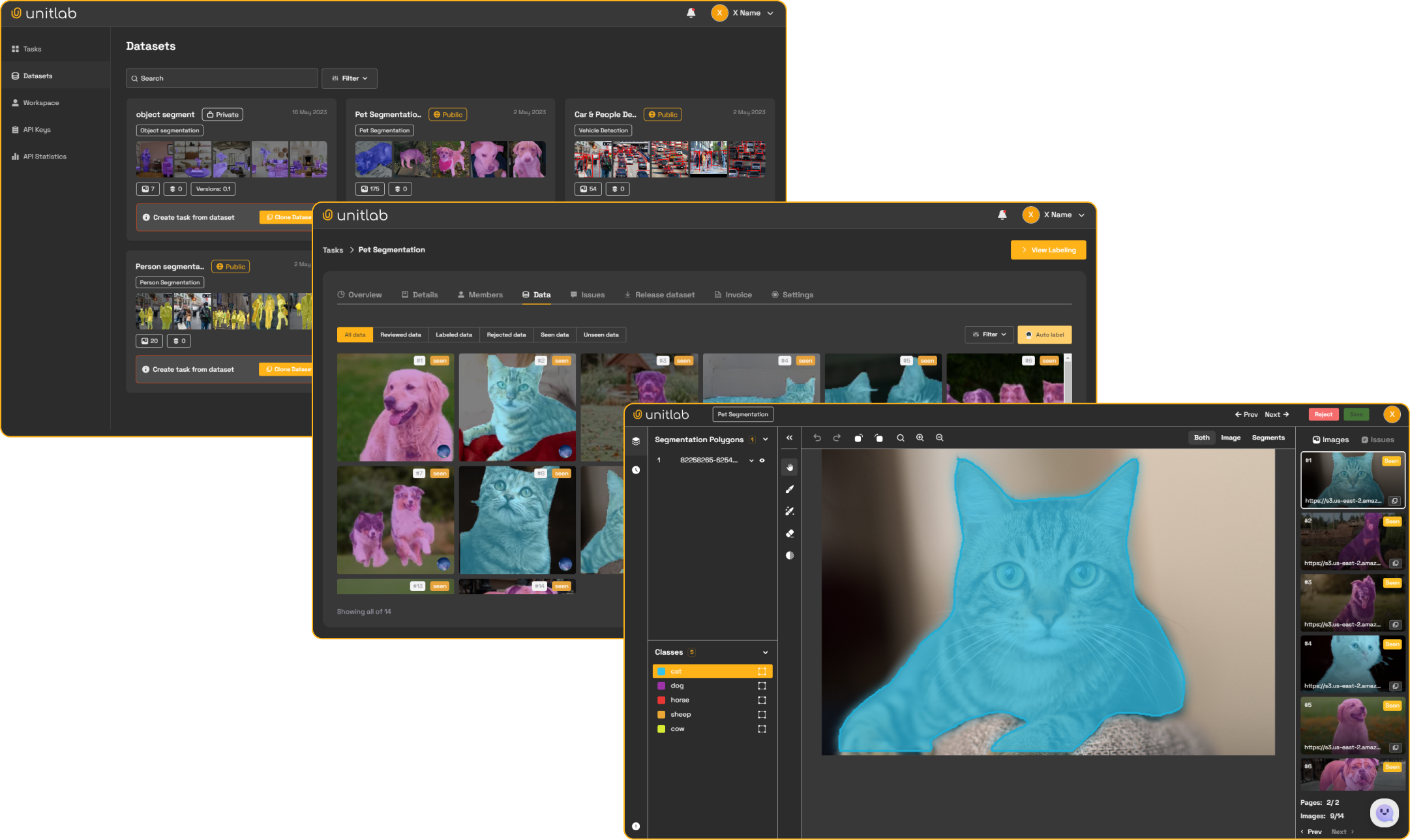
Native Python and CLI access to Unitlab projects, Ontologies, Assets, datasets, published versions, Batch Queues, Releases, cloud storage, and multimodal Data Groups and Workflow Tasks.
pip install --upgrade unitlabPython 3.10 or newer is required.
Create an API key in Workspace settings, then use environment variables:
export UNITLAB_API_KEY="YOUR_API_KEY"
export UNITLAB_API_URL="https://api.unitlab.ai"  # optional
Or configure the CLI once:
unitlab configure --api-key YOUR_API_KEY
unitlab configure --api-url https://api.unitlab.ai
You can also pass both values directly:
from unitlab import UnitlabClient

client = UnitlabClient(
    api_key="YOUR_API_KEY",
    api_url="https://api.unitlab.ai",
)from unitlab import UnitlabClient
client = UnitlabClient()
project = client.projects.create("Medical review")
batch = project.upload("./multimodal-data")
status = batch.wait()
print(batch.uploaded, batch.batch_queue_id)The directory may mix images, video, audio, text, PDFs, DICOM, NIfTI, and NRRD.
One call creates one Batch Queue. Call batch.wait() when the next operation
depends on server-side processing.
from unitlab import UnitlabClient

client = UnitlabClient()
project = client.projects.create("Quality review")

uploaded = client.assets.upload(
    "./multimodal-data",
    folder="Raw data",
    tags=["incoming"],
)

dataset = client.datasets.create(
    "Review set",
    folder_ids=[uploaded.folder_id],
)
version = dataset.publish_version("Initial snapshot")

attached = client.attach_dataset(
    project,
    dataset,
    version=version.version_number,
)

print(attached.created_count)
Datasets are version-first. Editing a dataset creates Unpublished changes;
publish_version() freezes a version, and projects attach that published snapshot.
from unitlab import UnitlabClient

client = UnitlabClient()
project = client.projects.create("Cloud review")
storage = next(
    item for item in client.cloud_storages.list() if item.name == "Production data"
)

batch = project.import_cloud(
    storage,
    ["incoming/study-001/"],
)
status = batch.wait()

print(batch.batch_queue_id)
Directory paths end in /. Cloud credentials are never returned through the
SDK; list and browse responses expose only safe storage metadata.
Namespace entrypoints return typed resource handles:
project = client.projects.get("PROJECT_ID")
projects = client.projects.list()
dataset = client.datasets.get("DATASET_ID")
datasets = client.datasets.list()
folder = client.assets.folder("FOLDER_ID")
folders = client.assets.folders()from unitlab import OntologyStructure, RadioAttribute, Shape
structure = OntologyStructure()
cat = structure.add_object("Cat", Shape.BOUNDING_BOX)
colour = cat.add_attribute(RadioAttribute, "Colour", required=True)
colour.add_option("Black")
colour.add_option("White")
ontology = client.ontologies.create("Cat labels", structure=structure)
project = client.projects.create(
"Cat review",
ontology_hash=ontology.id,
)Use client.ontologies.get(), client.ontologies.list(), and
ontology.save() for the rest of the Ontology lifecycle. Project attachment
copies the Workspace Ontology so Unitlab can preserve project-specific version
history.
projects = client.projects.list()
project = client.projects.get("PROJECT_ID")
project = client.projects.create("Road scenes")

batch = project.upload("./data", fps=2.0)

status = batch.status()
status = batch.wait(timeout=1800)

queues = project.batch_queues()
queue = project.batch_queue(batch.batch_queue_id)
items = queue.data()
status = queue.wait()
ProcessingStatus exposes total, completed, processing, and failed.
Completion means processing == 0; a completed Batch Queue may still report
individual failures.
project.update(name="Road review v2", description="Second collection")

units = project.data_units(data_type="image", status="annotate")
unit = client.get_data_unit(project.id, units[0].id)

for unit in units:
    print(unit.kind, unit.name, unit.status)
A loose file is one datasource Data Unit. A Data Group is one group Data
Unit whose items contain its tile summaries; member files are not duplicated
in the top-level list. project.delete() soft-deletes the Project and schedules
the existing backend cleanup.
folders = client.assets.folders()
folder = client.assets.create_folder("Raw data")
children = folder.children()
every_folder = client.assets.all_folders()
items = folder.list_items()

result = client.assets.upload("./images", folder_id=folder.id, tags=["train"])
asset = result.assets[0]

cloud_folder = client.assets.create_cloud_folder(
    "Incoming",
    "CLOUD_STORAGE_ID",
    prefix="incoming/",
)
cloud_folder.sync_cloud()dataset = client.datasets.create(
"Training set",
folder_ids=["FOLDER_ID"],
)
dataset.add_sources(asset_ids=["ASSET_ID"])
changes = dataset.unpublished_changes()
version = dataset.publish_version("Added edge cases")
versions = dataset.versions()
items = dataset.list_items(version=version.version_number)workflow = project.workflow
annotate = workflow.get_stage(name="Annotate")
for task in annotate.get_tasks():
task.assign("USER_ID")
task.submit()Review Tasks provide approve() and reject(). Managers can use move() for
a direct stage override and get_timeline() to inspect Task history.
preview = project.attach_preview(dataset_ids=[dataset.id])

result = project.attach(dataset_ids=[dataset.id])

# Attach an exact version instead of latest:
result = project.attach(
    dataset_versions=[
        {"dataset_id": dataset.id, "version_number": 2},
    ]
)

for source in project.attached_sources():
    print(source.name, source.detach_preview())
    # source.detach() removes only the Project copy and keeps annotations.
Video attachment may require fps=. Call attach_preview() when you need
counts before committing; attach() validates the same rule and raises an
actionable ValidationError if FPS is missing.
storages = client.cloud_storages.list()
storage = storages[0]

for entry in storage.browse(prefix="incoming/"):
    print(entry.name, entry.type, entry.size)

batch = project.import_cloud(
    storage,
    ["incoming/file.png", "incoming/study/"],
)
status = batch.wait()Let Unitlab suggest a filename pattern:
folder = client.assets.folder("FOLDER_ID")
grouped = folder.auto_group()
Or compile a literal filename template:
from unitlab import tiles_from_template

config = tiles_from_template(
    "{patient_id}_{view}",
    tile_values={
        "view": ["L_CC", "R_CC", "L_MLO", "R_MLO"],
    },
)

estimate = folder.estimate_grouping(config)
grouped = folder.auto_group(config)
For folders above 5,000 files or estimates above 1,000 groups, auto_group()
raises an actionable ValidationError. Split the source into smaller folders
and retry; the SDK does not return a job that will never run.
Releases are exported annotation snapshots. They are separate from Assets datasets.
release = client.releases.create(
    project,
    export_type="UUEF",
    split_ratios={"train": 80, "test": 20},
)

releases = client.releases.list()
release = client.releases.get(release.id)

annotation_path = release.download(split="train", dest="./release-annotations")
files_folder = release.download_files(dest="./release-files")
Release item download tokens are persistent Unitlab URLs. For files stored in customer cloud storage, the URL redirects to a signed target URL; only that target URL is temporary.
# Projects and Batch Queues
unitlab project create "Medical review" --ontology ONTOLOGY_ID
unitlab project list
unitlab project detail PROJECT_ID
unitlab project update PROJECT_ID --name "Medical review v2"
unitlab project data-units PROJECT_ID --data-type image
unitlab project data-unit PROJECT_ID DATA_UNIT_ID
unitlab project sources PROJECT_ID
unitlab project detach-source PROJECT_ID SOURCE_LINK_ID --preview
unitlab project upload PROJECT_ID --source ./data
unitlab batch-queue list PROJECT_ID
unitlab batch-queue detail PROJECT_ID BATCH_QUEUE_ID
unitlab batch-queue status PROJECT_ID BATCH_QUEUE_ID
unitlab batch-queue data PROJECT_ID BATCH_QUEUE_ID
unitlab batch-queue wait PROJECT_ID BATCH_QUEUE_ID --timeout 1800

# Cloud import and attach
unitlab project import-cloud PROJECT_ID CLOUD_STORAGE_ID incoming/study/
unitlab project attach PROJECT_ID --dataset DATASET_ID
unitlab project attach PROJECT_ID --dataset DATASET_ID --preview
unitlab project attach PROJECT_ID --dataset-version DATASET_ID:2

# Assets
unitlab assets upload ./data --folder "Raw data" --tag incoming

# Folders
unitlab folders create "Raw data"
unitlab folders create "Incoming" \
  --cloud-storage CLOUD_STORAGE_ID --prefix incoming/
unitlab folders list
unitlab folders list --parent PARENT_FOLDER_ID
unitlab folders detail FOLDER_ID
unitlab assets upload ./data --folder-id FOLDER_ID
unitlab folders sync-cloud FOLDER_ID

# Data Groups
unitlab assets group FOLDER_ID --config grouping.json
unitlab assets group FOLDER_ID --config grouping.json --preview
unitlab assets group FOLDER_ID --preview
unitlab assets group FOLDER_ID \
  --template '{patient_id}_{view}' \
  --tile-values view=L_CC,R_CC,L_MLO,R_MLO

# Datasets
unitlab dataset list
unitlab dataset create "Training set" --folder FOLDER_ID
unitlab dataset detail DATASET_ID
unitlab dataset add-sources DATASET_ID --asset ASSET_ID
unitlab dataset unpublished-changes DATASET_ID
unitlab dataset publish DATASET_ID --title "Initial snapshot"
unitlab dataset versions DATASET_ID

# Releases
unitlab release create PROJECT_ID --format UUEF --splits train=100
unitlab release list
unitlab release detail RELEASE_ID
unitlab release download RELEASE_ID --split-type train --dest ./release-annotations

# Ontologies
unitlab ontology list
unitlab ontology list --title-like Medical --created-after 2026-01-01
unitlab ontology create "Medical labels" --structure ontology.json
unitlab ontology update ONTOLOGY_ID --title "Medical labels v2"

# Cloud storage
unitlab cloud list
unitlab cloud browse CLOUD_STORAGE_ID --prefix incoming/
Run unitlab COMMAND --help for every option.