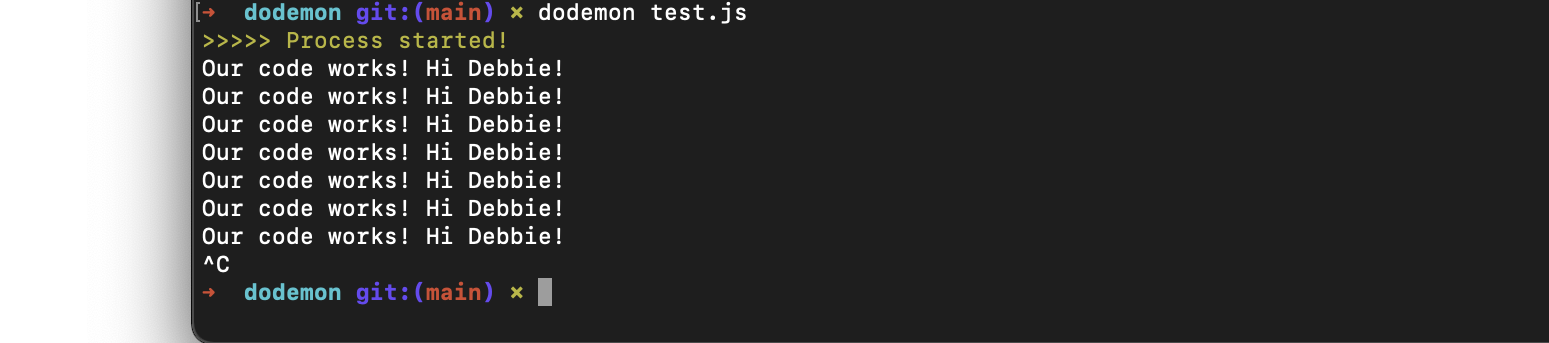
This is my interpretation of the project runner tool, nodemon. Dodemon will automatically restart a node application whenever new changes are made. It will detect file changes and then refresh. It also has a help doc/command that can easily show a new user how to use it for the first time. You can use this by runnning the 'h' or '--h' command
- I kept getting this error: "Too many argument(s) . Got 2, expected exactly 1.", when using the Caporal Pacakage. I fixed this by changing the outdated bits of the code from the previous version to this:
program
   .version('1.0.0')
   .argument("[filename]", "This is the name of the file to be executed")
   .action(({logger, args, options}) => {
       console.log(args)
   })

program.run(process.argv.slice(2))
- After that, I then got stuck when I tried fixing the error handling. After reading and experimenting with the Caporal docs, I was able to make it work by reworking my code to this:
program
    .version('1.0.0')
    .argument('[filename]', "This is the name of the file to be executed.")
    .action(async ({ filename, args }) => {
        //check if a filename is being provided
        const name = (args.filename) || "index.js"
- JavaScript
- GitHub
- The Chokidar package (detects file changes)
- The Caporal package (generated help docs/commands)
- The Lodash debounce package (helped with setting timer and debouncing)
- The Cli-color package (for string styling)