Attributes
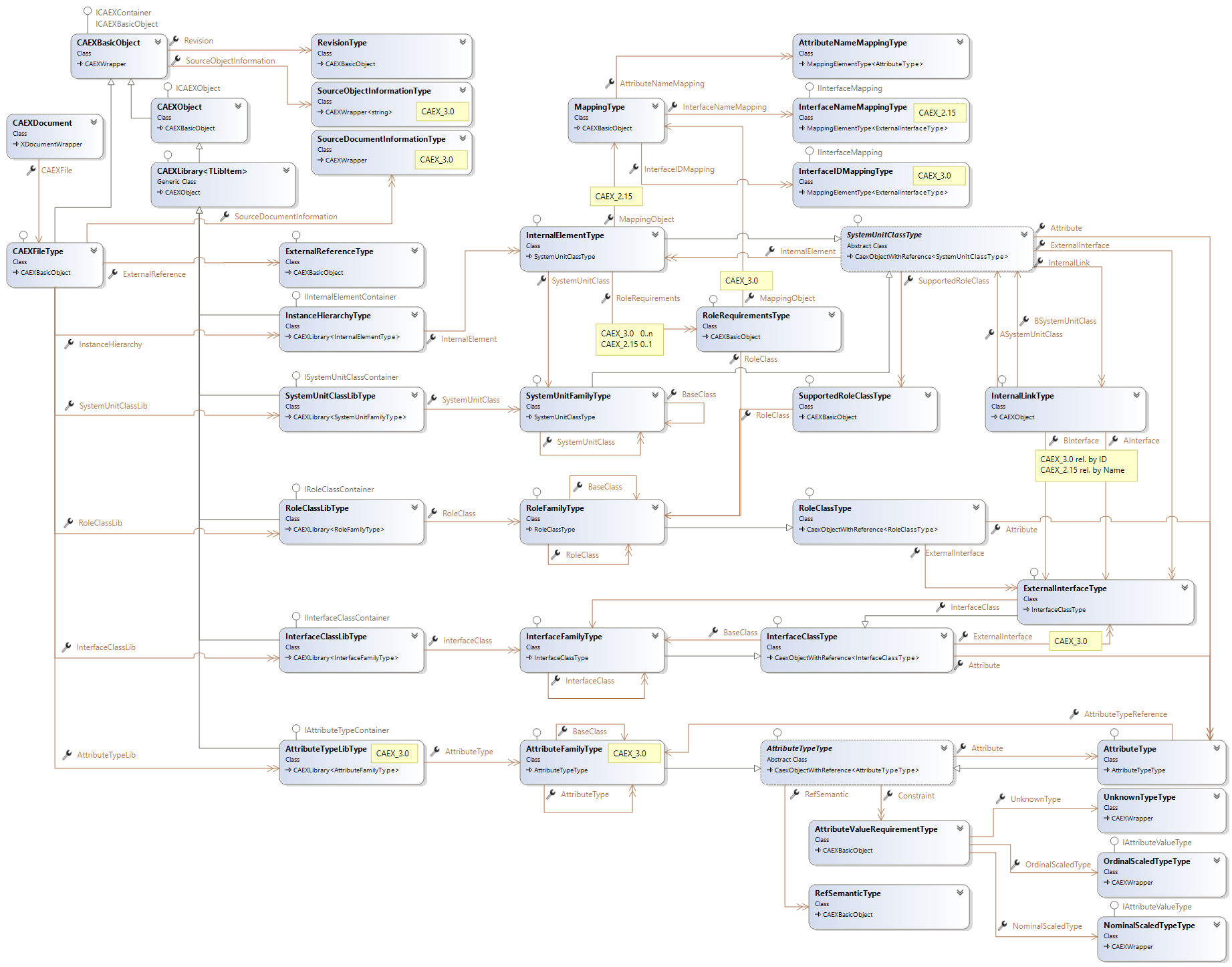
The main class for Attribute processing is AttributeTypeType. CAEX elements which can have Attributes assigned, implement the Interface IObjectWithAttributes. Extension methods for Attributes are defined in ObjectWithAttributes.

This topic contains the following examples:
- Encoding and Decoding of Attribute values according to the defined Attribute-Datatype
- Structure Attributes
using Aml.Engine.CAEX;
void AttributeValuesAndDataTypes(CAEXDocument document)
{
    // adds a raw attribute - without value and datatype - to an element
    var instanceHierarchy = document.CAEXFile.InstanceHierarchy.Append("ih1");
    var element1 = instanceHierarchy.InternalElement.Append("element1");
    var attribute1 = element1.Attribute.Append("attribute1");

    // Attributes provide 'Value'- and 'AttributeDataType'- properties
    // The value property is of type 'string' which means that the user
    // has to define the correct xml format for the desired data type himself.

    // storing a date time value, using 'Value' and 'AttributeDataType'.
    // The standard .NET class XmlConvert provides Xml decoding and encoding methods.
    // The ClrToXmlType method converts the ClrType to a XSD datatype.

    attribute1.Value = System.Xml.XmlConvert.ToString(DateTime.Now, System.Xml.XmlDateTimeSerializationMode.Local);
    attribute1.AttributeDataType = AttributeTypeType.ClrToXmlType(typeof(DateTime));

    // alternative methods to define the AttributeDataType:
    attribute1.SetAttributeDataType (DateTime.Now);     // sets the type to the XmlType of the object type
    attribute1.SetAttributeDataType (typeof(DateTime)); // sets the type to the XmlType of the ClrType

    // Attributes provide the 'AttributeValue'- property (also 'DefaultAttributeValue')
    // This property selects the correct xml encoding and decoding, depending of the assigned
    // AttributeDataType.
    attribute1.AttributeValue = DateTime.Now;
    attribute1.DefaultAttributeValue = DateTime.MinValue;

    // ensure, that the saved value preserves the data type
    Debug.Assert(attribute1.AttributeValue is DateTime);

    // assignment of a value which doesn't fit to the defined AttributeDataType is rejected
    attribute1.AttributeValue = 1.0;
    Debug.Assert(attribute1.AttributeValue.Equals(1.0)==false);

    // reset the datatype to change the value and type
    attribute1.AttributeDataType = AttributeTypeType.ClrToXmlType(typeof(double));
    attribute1.AttributeValue = 1.0;

    // ensure, that the saved value preserves the changed data type
    Debug.Assert(attribute1.AttributeValue is double);

    // if no AttributeDataType is defined for an attribute it is selected
    // in the first assignment of a value
    var attribute2 = element1.Attribute.Append("attribute2");
    attribute2.AttributeValue = 1.0; // AttributeDataType is set to xs:double
}using Aml.Engine.CAEX;
using Aml.Engine.CAEX.Extensions;
void CreateStructure ()
{
var instanceHierarchy = document.CAEXFile.InstanceHierarchy.Append("ih1");
var element1 = instanceHierarchy.InternalElement.Append("element1");
// adds a structure attribute to an element
var size = element1.Attribute.Append("Size");
// adds a With Attribute to the Size structure, setting the value
// and the datatype to the value-type double using an extension method
var width = size.SetAttributeValue("Width", 10.0);
// adds a Height Attribute to the Size structure, setting the value
// and the datatype to the value-type double using an extension method
var height = size.SetAttributeValue("Height", 20.0);
// using attribute paths
element1.SetAttributeValue ("Size/With", 25.0); // only for CAEX 3.0 documents
element1.SetAttributeValue ("Size.With", 25.0); // only for CAEX 2.15 documents
// using indexer to access structure elements
element1.Attribute["Size","Width"]=25.0;// for all CAEX versions
// using path as index to access the structure element
element1.Attribute ["Size/With"]=25.0; // only for a a CAEX 3.0 document
element1.Attribute ["Size.With"]=25.0; // only for a CAEX 2.15 document
}